OWC's latest dock, which offers a total of 14 ports and works with Thunderbolt 3-enabled Macs and PCs, is now available for purchase.
The dock, which we reviewed back in October, is one of the best Thunderbolt 3 docks available on the market thanks to its price point, wide port availability, and the fact that it supports up to 85W, which is enough juice to power the 15-inch MacBook Pro.
There are two Thunderbolt 3 ports, five 5Gb/s USB-A ports, an 8Gb/s USB-C 3.1 Gen 2 port, a microSD card slot, an SD card slot, a digital audio output port, a Mini DisplayPort Port, S/PDIF output and combo 3.5 mm audio ports, and a Gigabit Ethernet port.
It is OWC's most powerful dock with the highest number of available ports for attaching everything from 4K and 5K displays to your Mac to SSDs, cameras, mice, keyboards, and other accessories. It can also charge your iPhones, iPads, and other devices.
Stardew Valley for iPhone and iPad received a major update today, introducing several new, improved control options.
There are new options for a virtual joystick or invisible joystick, along with the option to add an action/attack button. A joypad adjuster tool lets you customize your onscreen controls, and there's now support for Made for iPhone Bluetooth controllers.
The auto attack feature has been improved so you're always facing the nearest foe, and it's easier to run from monsters in dangerous situations.
From the toolbar, you can now slide up and down to access everything in your inventory, and there are stability improvements when exploring in the mines.
Today's update also introduces an auto-save feature that lets you continue the game where you left off. The full release notes for the update are below:
New control system options and improvements:
- Virtual joystick, invisible joystick options
- Action / attack button option
- Auto-Attack - targeting improved to always face the nearest foe. Easier to flea from monsters
- Joypad adjuster tool - complete customization of your onscreen controls
- MFi controller support
- Slide toolbar up and down to access whole inventory
- Stability improvements particularly in mines
- Game auto-saves so you can continue where you left off even if you kill the app or the device unloads it*
- Game saves optional backup each time you exit an area
- Other bug fixes
*does not save during festivals/cutscenes. Only 'end of day' saves can be loaded to/from other platforms.
Introduced on October 23, Stardew Valley also lets players fight monsters to earn money, mine ores, fish, get to know townspeople, and engage in social activities in the town. The game cycles through different seasons with various crops and activities to partake in as the game progresses through the years, so there's always something new and exciting to do.
Stardew Valley offers hundreds of hours of gameplay, and there are no in-app purchases to deal with. A farming simulation might not sound appealing, but Stardew Valley sucks players in with crop and farm strategies, min/maxing profit each season, engaging combat, a never-ending list of achievements to earn, and much more.
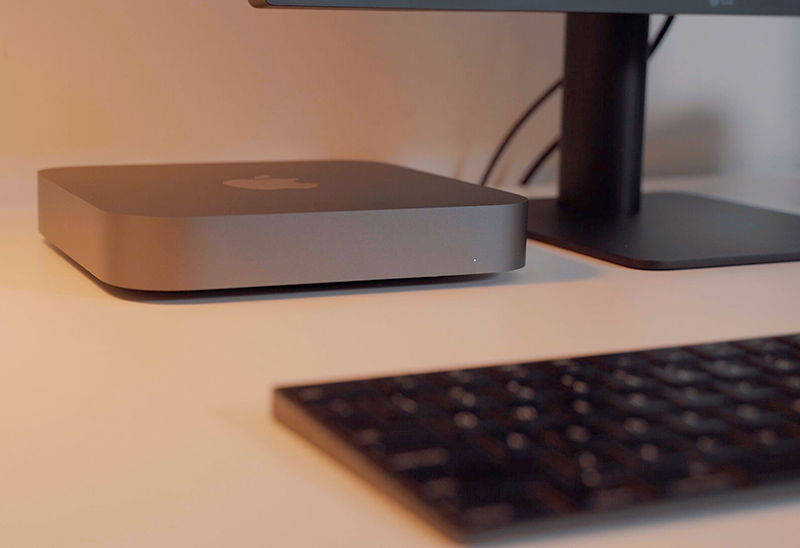
Apple in late October unveiled a refreshed version of the Mac mini, marking the first update to the company's smallest desktop machine in four years.
We managed to get our hands on one of the new Mac mini models, and in our latest video, we unbox it and share our first impressions on the revamped machine.
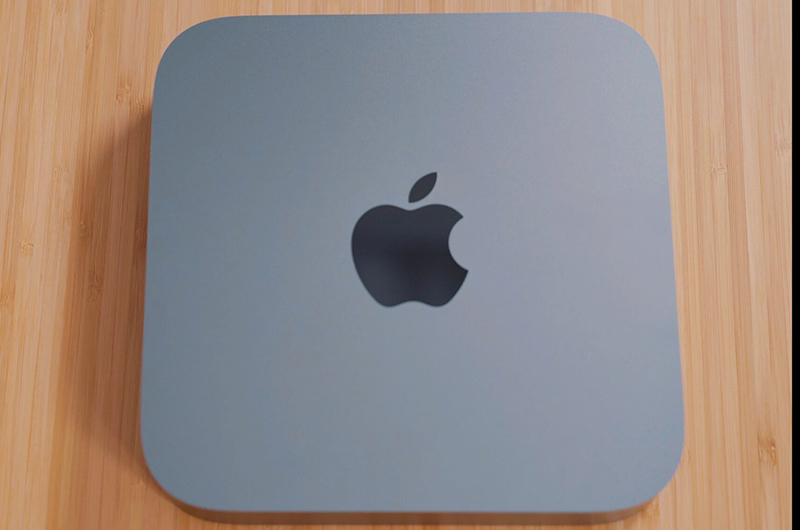
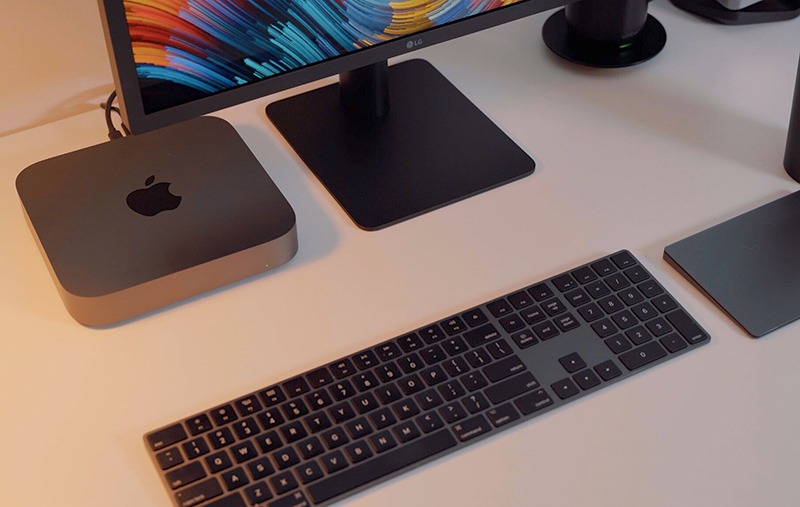
The Mac mini's design hasn't changed, and it's still a 7.7-inch square box that's 1.4 inches thick, but it is available in a new Space Gray color rather than the traditional silver.
It's otherwise the same, but with the exception of a new selection of ports. The Mac mini is outfitted with four Thunderbolt 3/USB-C ports, two USB-A ports, an HDMI 2.0 port, an Ethernet port, and a 3.5mm headphone jack.
While the design is largely the same, the internals of the Mac mini have been entirely overhauled. There are new, more powerful components, which necessitated a bigger internal fan with twice as much airflow, expanded vents, and a revamped power supply that offers 70 percent more maximum sustained power.
The base Mac mini ships with a 3.6GHz quad-core 8th-generation Intel Core i3 processor, and this is actually the first time that all Mac minis have had at least quad-core processors. A higher-end 3.2GHz 6-core Core i7 processor is also available as an upgrade option.
In our testing of the entry-level Mac mini, it earned a single-core score of 4452 and a multi-core score of 12391. That puts the base model on par with lower-end 13 and 15-inch MacBook Pro models from 2017 and 2018.
All 2018 Mac mini models ship with an included T2 chip, which makes sure all of the data on the SSD is encrypted using dedicated AES hardware, and offers a secure boot to ensure your software isn't tampered with and only OS software trusted by Apple loads at startup.
The Mac mini uses Intel integrated UHD Graphics 630, but with the Thunderbolt 3 ports, it's able to connect to an eGPU for workflows that require more graphics power. Thunderbolt 3 also lets the Mac mini connect to two 4K displays at 60Hz or one 5K display at 60Hz.
8GB of RAM comes standard in the Mac mini, but it can handle up to 64GB, with Apple offering an option to customize the machine with additional RAM when placing an order.
Likewise, the base machine also ships with a 128GB SSD, but it can be upgraded to 2TB of storage in total.
None of these new features in the Mac mini come cheap, and the base level model now starts at $799, up from the $499 starting price of the 2014 model.
Apple sells the Mac mini in two configurations: $799 for 3.6GHz quad-core 8th-generation Intel Core i3 chip, 8GB RAM, Intel UHD Graphics 630, and a 128GB SSD, and $1,099 for a 3.0GHz 6-core 8th-generation Intel core i5 chip, 8GB RAM, Intel UHD Graphics 630, and a 256GB SSD.
Unfortunately, as with many Apple products, the Mac mini is not really user upgradeable. You can upgrade the RAM, but you need to take the entire machine apart, which is tricky. The CPU and SSD, meanwhile, are soldered in place and can't be upgraded after purchase.
What do you think of Apple's new 2018 Mac mini? Was it worth the four-year wait? Let us know in the comments.
The Harry Potter version of the Lifeprint printer is identical in function to the regular Lifeprint printer options, but it has a unique Harry Potter design and the branding is a clever way to highlight the Lifeprint's augmented reality capabilities.
In the Harry Potter universe, photographs are animated rather than still, something that Lifeprint mimics through an augmented reality app that can play videos or Live Photos in the Lifeprint app when a photo printed with a Lifeprint printer is scanned.
Design
Functionally, the Harry Potter printer is similar in design and shape to the standard Lifeprint printer. Like all Lifeprint printers, it is a ZINK printer which means it uses ZINK paper with no need to bother with printer cartridges and other hassles.
The Harry Potter printer is rectangular in shape and is thicker and wider than an iPhone, but still portable enough to easily tuck into a bag or backpack. It measures in at about 4.7 inches long, just under an inch thick, and three inches wide.
You can get the printer in either black and gold or black and white, with both options decorated with a Hogwarts crest on the front. The crest isn't as ornate as it is in the Harry Potter movies, but it features the four houses, an outline of the castle, and the Hogwarts motto, "Draco Dormiens Nunquam Titillandus" which means Never Tickle a Sleeping Dragon.
The printer itself is made from a gold plastic with a textured top plate where the Hogwarts branding is emblazoned. Below the Hogwarts crest, there's a circular spot where you can add a house crest. The printer ships with four circular crests for Gryffindor, Slytherin, Hufflepuff, and Ravenclaw.
Because it's made of plastic, the printer feels a bit lightweight and cheaper than I'd like it to feel, but it looks nice on a desk next to other Harry Potter paraphernalia.
The top part of the printer slides up and off of the bottom part to allow you to insert the ZINK paper, and then the entire thing slides back together. It takes just a few seconds to open it up, slide the paper in and then put it back together again.
At one bottom edge, there's a micro-USB port for charging purposes, a power button to turn it on, and a little lock so it can be locked in place on a table or other surface if desired.
The other bottom edge has a small slot which is where the photograph comes out after you print it.
ZINK Paper
The Harry Potter Magic Photo and Video Printer is a ZINK printer, as mentioned above, which means it uses ZINK paper. ZINK stands for zero ink, and as the name suggests, there is no ink involved. It is thermal paper that uses heat to print a photo.
ZINK paper is great because there's no need to bother with printer cartridges, plus it's super fast with no smearing or fading when printing. ZINK paper is also sticky on the back so you can turn your photos into stickers.
The Harry Potter printer uses two inch by three inch ZINK paper, which means the photos that you get out of this printer are tiny.
ZINK paper is, unfortunately, expensive, and that's a major downside when purchasing a Lifeprint printer or a similar printer that uses ZINK. On Amazon, it costs just over $27 for a 50 pack of compatible paper, which means each photo is going to cost you a little more than 50 cents.
50 cents may not sound like a lot, but keep in mind that you can get larger 4x6 prints from big box stores like Walmart for around 25 cents in the store or printed and shipped for as little as nine cents from sites like Shutterfly.
Having immediate access to your own prints is a nice benefit of a ZINK printer because it means you can print out photos of friends right before their eyes or take it to a party for instant shots, but it's not cheap.
App Functionality
To use the Harry Potter printer, you need to download the Lifeprint app and connect the printer to your iPhone over Bluetooth, a process that's simple.
You will need to sign up for a Lifeprint account to use the Lifeprint printer, and I noticed that Lifeprint makes it irritating to choose a password by not supporting special characters. This is frustrating when creating an account and no special characters means a less secure password because Safari's automatic strong password functionality, which involves dashes, doesn't work.
The password still requires an uppercase letter and a digit though, instructions that aren't provided until after you've tried creating a password without one, so the account creation process is going to take some time while you try to think up a secure password that fulfills all of the requirements but doesn't use Safari's very simple, very quick password function.
Once an account is created and the printer is connected to your phone via Bluetooth, there's a quick pairing confirmation process to go through before you're ready to print. With the Harry Potter version of the printer, the Lifeprint app is able to detect it, and it switches over to a matching Harry Potter-themed interface that's darker than the standard theme with Harry Potter-style app icons.
Aside from the Harry Potter skin, the app is functionally the same, with the exception of Harry Potter-themed stickers that you can add to your photos.
The main app interface lets you select a photo for printing directly from your iPhone's camera roll. Once you choose an image to print, there are an extensive number of editing tools in the app. You can add the aforementioned Harry Potter stickers or emoji stickers, and there are options for text, drawing, frames, and more.
You can select from filters that change the look of the photo and overlays that add things like raindrops, light leaks, and paper texture. The overlays are a neat addition to the photos, and I wish there were more overlay options.
There are also standard photo editing tools for adjusting aspects like cropping, brightness, contrast, saturation, clarity, exposure, white balance, and more, and there's an auto adjust tool that will brighten up photos automatically.
You can take a photo directly within the Lifeprint app that can then be printed, and if you use the front-facing camera, there are a number of Harry Potter-themed lenses to use that add items like Harry Potter's glasses and scar, a house scarf, Luna Lovegood's Spectrespecs, and Mad Eye Moody's rolling eye.
There are also other non Harry Potter-themed filters for both the front and rear-facing cameras.
Augmented Reality Capabilities
The Harry Potter theming comes into play with the printer and the app through its augmented reality feature that works when printing stills from videos or Live Photos (which are essentially photos with a video attached). You can choose these in the Lifeprint app, select a frame to print, and then when you view it with the Lifeprint app, it will animate.
Printing a still frame from a video works fine, but I wasn't happy with the way Live Photos work. Live Photos on an iPhone capture a bit of video before and after a main key frame, which is the sharpest, highest resolution. When importing a Live Photo into the Lifeprint app, it does it as a video, and the main key frame is lost.
With both Live Photos and videos you need to select a still frame to print, and with Live Photos, it's difficult to find the part of the video that's most in focus. It's not a dealbreaker, though, and being able to print Live Photos and videos that animate when someone views them through the app is a neat enough effect that it's worth the extra editing time to find the sharpest frame.
When you print a Live Photo or a video and then give it to someone, that person can view it as is, a still printed photo, or download the Lifeprint app and scan it to view the animation that's attached to it. By the way, you can select a still photo and then attach a different video too it, which is a fun effect.
Lifeprint's AR functionality is something that I've thought was a bit gimmicky on other Lifeprint printers, but on this one, it fits in well with the theme, and with the growing popularity of augmented reality, using an iPhone to scan a photo to see an animation is something that makes more sense to people.
You can, for example, print a photo of your cat and then attach a video of your cat in action, which a friend can then view over the top of the original photo when it's scanned via the app. Here's a demo of a monster from Meow Wolf. I printed a still from a video and attached the moving part of the video, so it's visible when scanned via the Lifeprint app.
Being able to watch a still photo animate through the Lifeprint app is a lot like looking at one of the moving photographs from the Harry Potter universe, but it does require several more steps. Anyone who wants to view an animated Lifeprint photo is going to need to open up the App Store, download the Lifeprint app, open it up, allow it to access the camera, and then scan the photo.
As a side note, whenever you print with the Lifeprint printer, it automatically uploads it to Lifeprint's built-in social network. If you don't want your photos shared (which I don't), make sure to check the little box when printing that says "secret."
Photo Quality
Something to be aware of when purchasing the Harry Potter printer or any printer that uses ZINK is that photo quality is not great. I've tested and owned multiple ZINK printers from a range of different companies, and the photos all come out about the same.
You are not going to get crisp, color accurate pictures using ZINK, just because of the nature of thermal paper.
It's best to think of photos from the Harry Potter printer as similar to Polaroid pictures you might take with an instant camera. They can be a little bit fuzzy and the colors are never quite right, but they have a certain charm to them that can even be enhanced with filters and edits.
ZINK photos tend to come out much darker than they appear on your screen, so you'll get good results raising the exposure or brightness a good bit before you print. Blue tinting is also common, so it can help to tone down the blue shades in an image.
I like how ZINK photos come out, and the Harry Potter printer is, thankfully, free of some of flaws that can happen with these kinds of printers, such as lines through the photo.
Bottom Line
The Harry Potter Magic Photo and Video Printer is a lot of fun and a great way to print photos instantly, which is fun at parties and is great for scrapbooking and similar purposes because they're stickers.
Lifeprint's augmented reality feature that animates photos when scanned via the Lifeprint app is the perfect companion to the Harry Potter theme, and it's neat to see a little bit of magic added to a regular still photo.
Unfortunately, Lifeprint is charging $150 for the Harry Potter-themed printer. The regular 2x3 Lifeprint printer that does essentially the same thing is only $77 on Amazon, so that's quite a markup in price for the Harry Potter branding.
This is not the printer to get for someone who doesn't care about Harry Potter, but for a Harry Potter fan, the addition of the Harry Potter printer design, the Harry Potter stickers in the app, the Harry Potter lenses, and the other Harry Potter theming may make it worth the purchase. It's pricier, but this version is a fun gift for a major Harry Potter lover.
Note: Lifeprint provided MacRumors with a Harry Potter photo printer for the purpose of this review. No other compensation was received. MacRumors is an affiliate partner with Amazon and may earn commissions on purchases made through links in this article. Discuss this article in our forums
from MacRumors: Mac News and Rumors - All Stories https://ift.tt/2QDXRJn
Apple today added the HomePod to its online store for refurbished products in the United States, offering the smart speaker at a discount for the first time.
The HomePod, normally priced at $349, is available in both white and space gray for $299, a $50 discount off of the regular price.
There is no HomePod listing on the main Apple refurbished site as of yet, but it should be added in the near future. For now, the HomePod can be purchased from the individual HomePod refurbished listing. Apple is still rolling out refurbished models, so the page doesn't work on occasion, but will show up with refreshing.
A refurbished HomePod bought today will be delivered between November 30 and December 14, depending on shipping method selected at the time of purchase.
Introduced in February, the HomePod is Apple's Siri-enabled smart speaker that pairs well with Apple Music. It serves as a Home hub, features AirPlay 2 support, can make phone calls, and offers up most of the capabilities of Siri on an iPhone.
Apple's refurbished stock is often limited in quantity and can sell out, which is something to be aware of. Checking the refurbished site often or using a tracking site is the best way to figure out when a particular item that you might want is in stock.
Purchasing a refurbished HomePod from Apple is a good way to get a like-new device at a lower price point. All of Apple's refurbished products are tested, certified, cleaned, and guaranteed with a one-year warranty that can be extended with AppleCare+.
B&H Photo has debuted a new sale this week, discounting the 2018 13-inch MacBook Air by $100 and marking one of the first major discounts for the notebook, which Apple just launched less than one week ago. With the sale, the entry level model of the MacBook Air is now down to $1,099 from $1,199.
Note: MacRumors is an affiliate partner with these vendors. When you click a link and make a purchase, we may receive a small payment, which helps us keep the site running.
Below we've listed each of the SKUs on sale in Space Gray, and you can find the Silver and Gold options on B&H Photo as well. B&H Photo lists these MacBook Air models as pre-orders, so shoppers will likely have to wait a little longer to get the notebook in, but sales tax will not be collected on orders in certain states.
For today only, B&H Photo is also offering Apple's 15-inch MacBook Pro with Touch Bar from Mid 2017 (3.1 GHz, 16GB RAM, 512GB SSD) for $2,199.00, down from $2,999.00. Additionally, the retailer is offering another model of the same notebook (3.1 GHz, 16GB RAM, 2TB SSD) for $2,799.00, down from $4,199.00.
In an exclusive sale, Speck is offering MacRumors readers a 35 percent sitewide discount through tomorrow, November 14. To get access to the sale, enter the promo code RUMORS35 during the checkout process.
Speck's website is full of accessories compatible with iPhone XS, XS Max, XR, 8, and 8 Plus, 11-inch and 12.9-inch iPad Pro, MacBook Air, MacBook Pro, and many more. The company also sells laptop bags and power accessories, so be sure to check out the site before the exclusive discount code expires on Wednesday.
Lastly, those looking to round out their Harry Potter iTunes Movies collection -- or complete it in one go -- should check out the latest sale on Apple's digital movies storefront. In the sale, each individual film is marked down to $7.99 and the complete collection bundle is down to $49.99.
Originally, individual movies in the series were around $14.99, and the bundle of all eight films was priced at $79.99, so if you've been waiting to add the series into your iTunes Movies library, now is a great time. Additionally, all eight films are available in 4K Dolby Vision.




 Note: MacRumors is an affiliate partner with these vendors. When you click a link and make a purchase, we may receive a small payment, which helps us keep the site running.