Wednesday, August 7, 2019

Huawei Y9 Prime 2019 Gets GPU Turbo 3.0, New EROFS File System with EMUI 9.1 Update in India


via News – MySmartPrice https://ift.tt/2YUOYyl

What's New in iOS 13 Beta 6: Dark Mode Control Center Toggle, Folder Changes and More

https://ift.tt/2M8kp6y

Apple today released the sixth beta of iOS 13 to developers, introducing new bug fixes and adding and refining various iOS 13 and iPadOS features.

In the sixth beta, changes and updates are getting more minor than changes made in earlier betas, but beta 6 still has some notable additions that are worth highlighting.

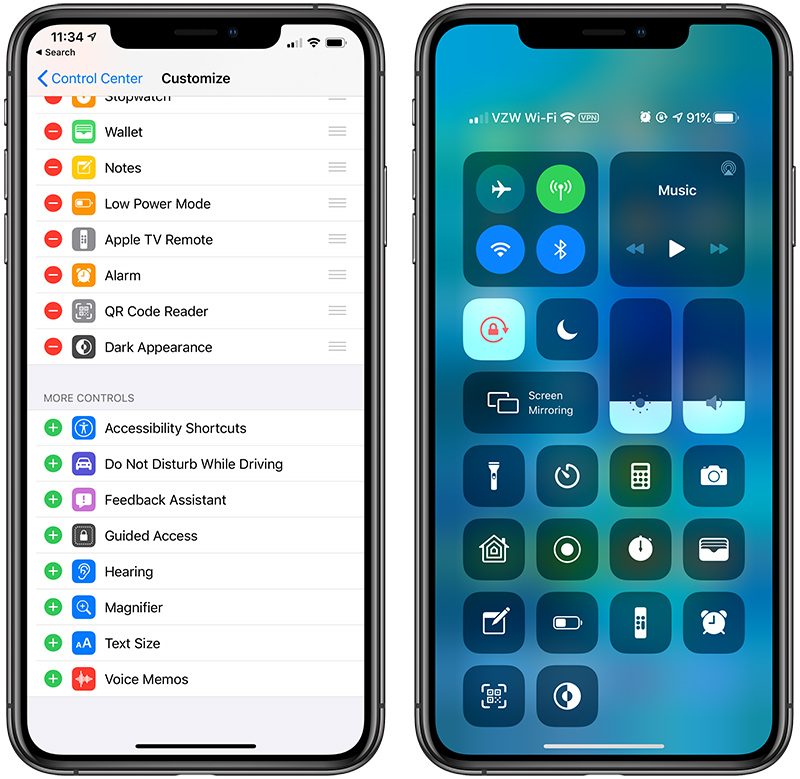
- Dark Mode Control Center Toggle - There's a new Control Center toggle that lets you enable and disable Dark Mode with a tap.


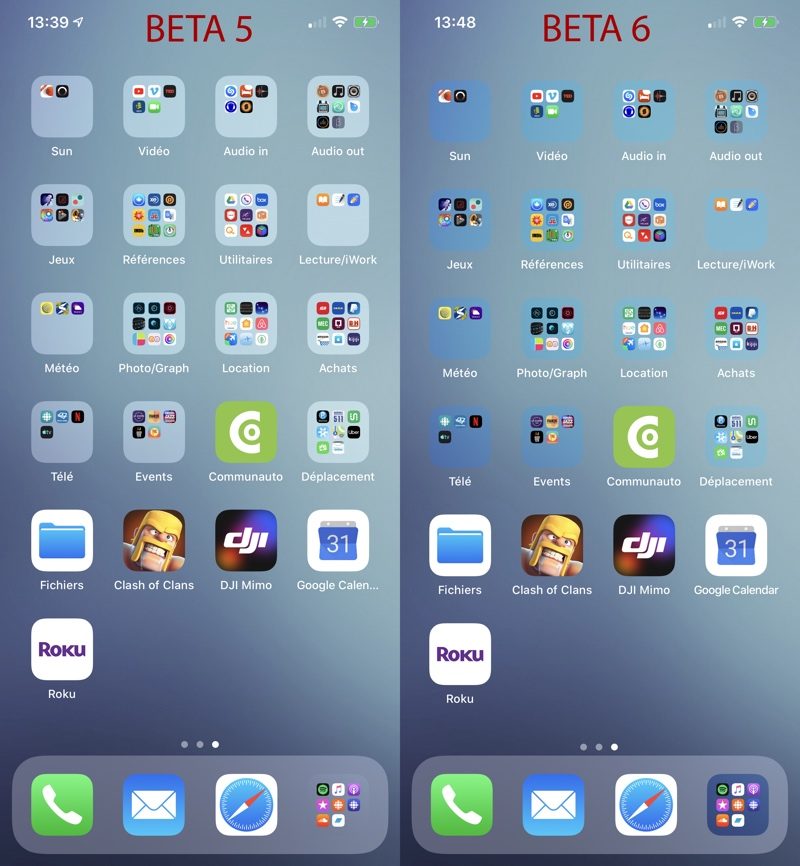
- Folder Transparency - Apple has changed folder transparency in iOS 13 beta 6, making folder backgrounds better match the color of your background. Comparison image via the MR forums.


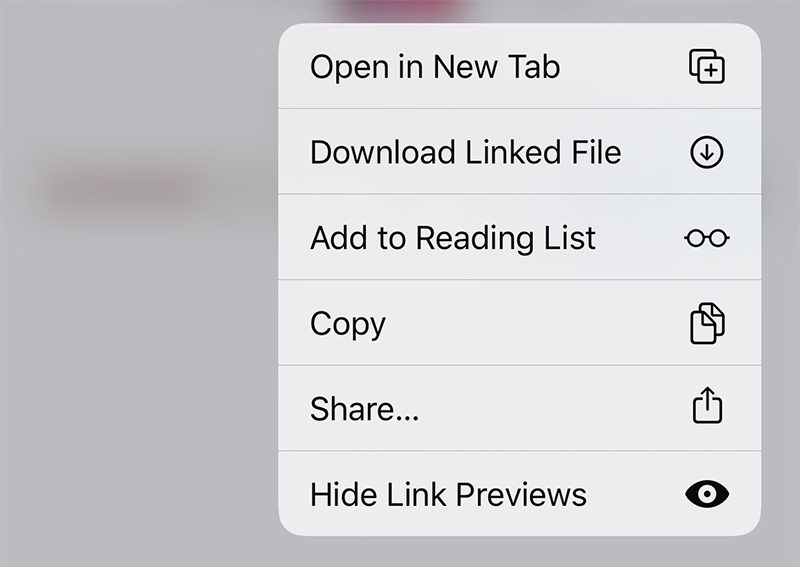
- Hide Link Previews - There's a new option when 3D Touching on a link on a webpage to Hide Link Previews, which disables link previews on a per site basis.


- Announce Messages - The Setting for allowing Siri to announce incoming text messages when connected to second-generation AirPods and some Beats headphones has been removed in iOS 13 beta 6.

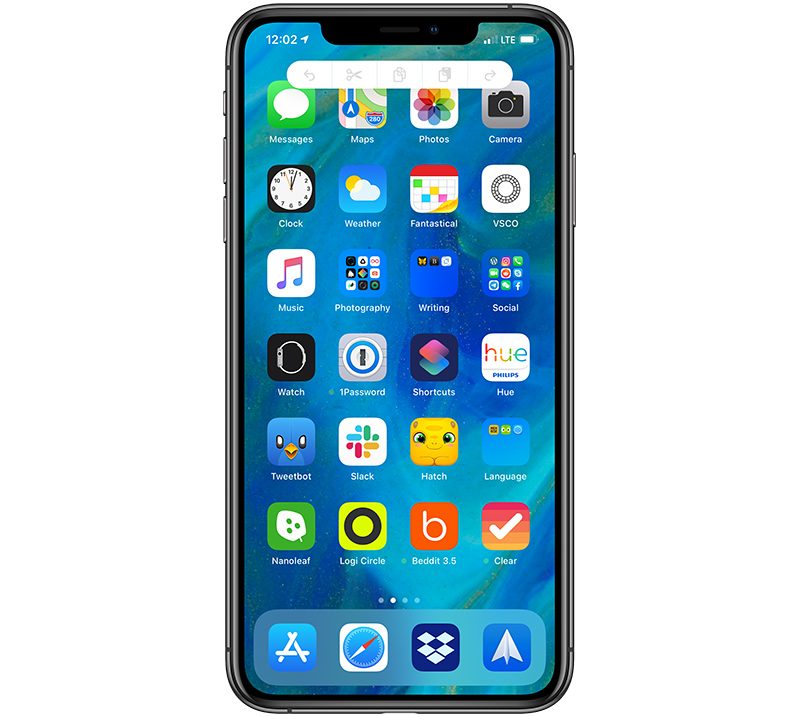
- Three Finger Tap - You're now able to three finger tap anywhere in iOS to bring up undo, redo, cut, copy and paste icons, which may be a bug.


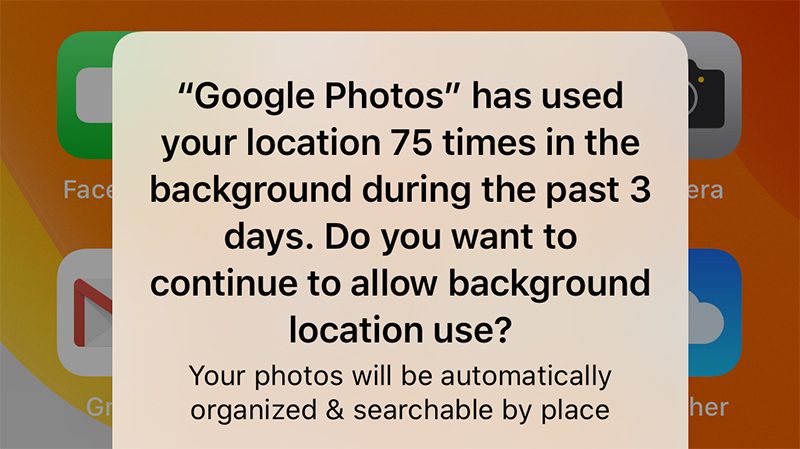
- Background Location Warnings - Apple warns iOS 13 users when apps are using their location in the background. In beta 6, the warning text has been tweaked slightly, and now reads "Do you want to continue to allow background location use?" instead of "Do you want to continue to allow this?"


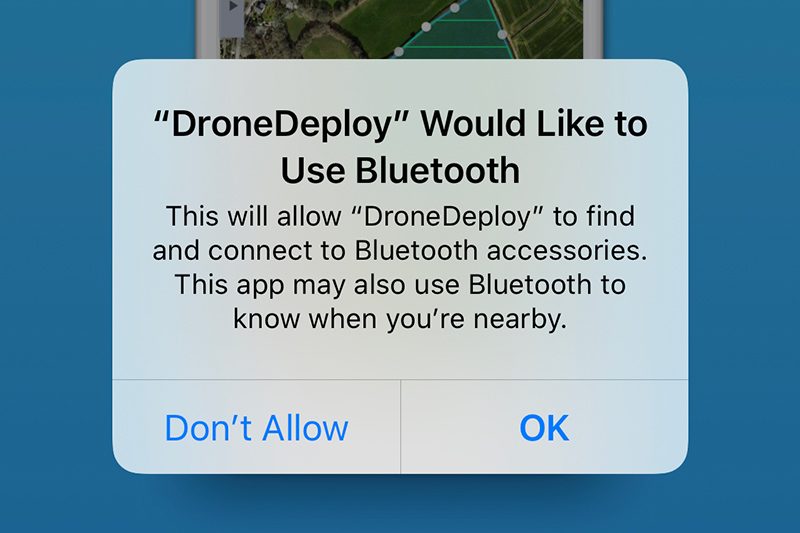
- Bluetooth Permission Updates - When installing an and syncing a device over Bluetooth, Apple will warn that the app "may also use Bluetooth to know when you're nearby."


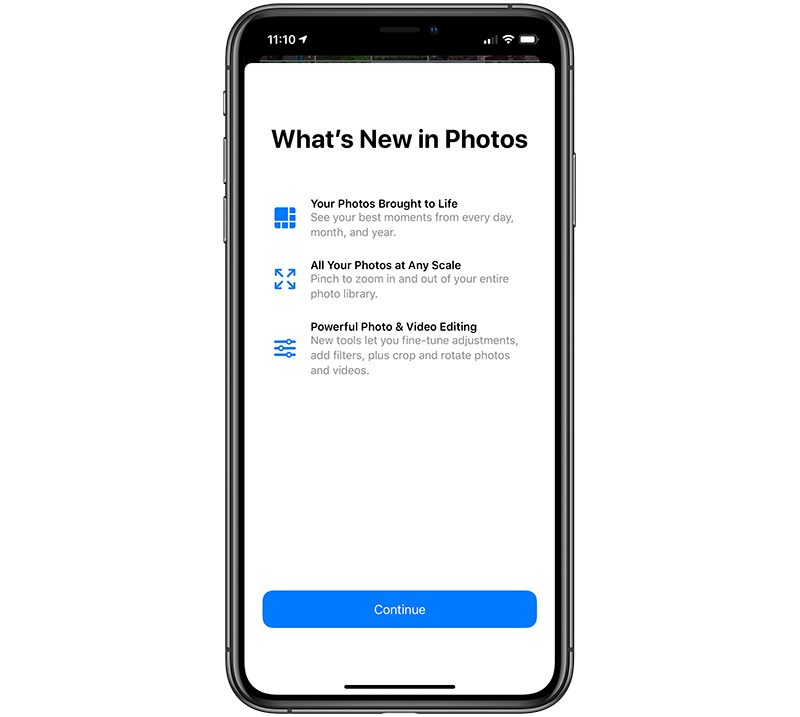
- Photos Splash Screen - There's now a splash screen highlighting the new features available in the Photos app in iOS 13.


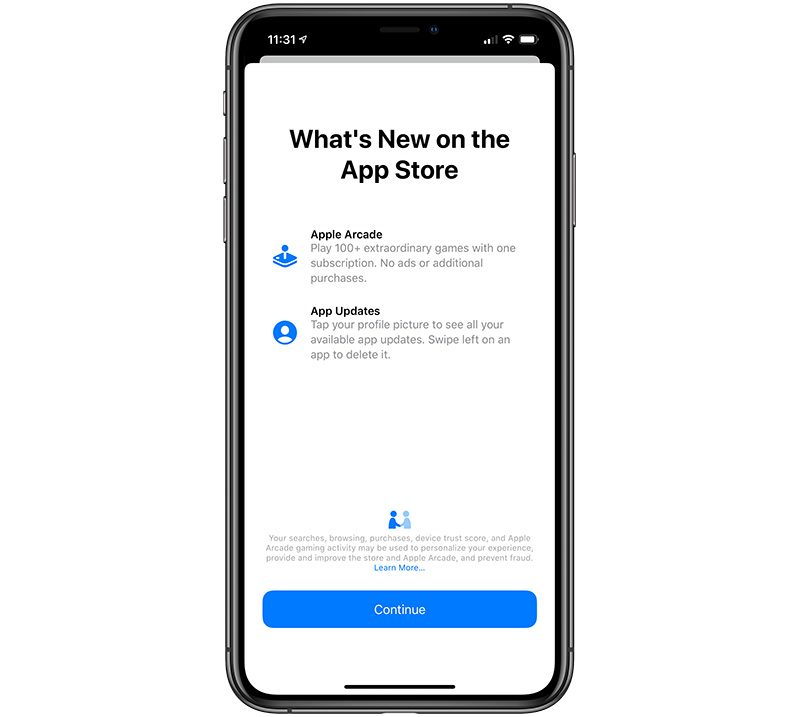
- App Store Splash Screen - There's a new splash screen in the App Store app detailing Apple Arcade and the App Update changes in iOS 13.


- Analytics Privacy Policy - There's a new paragraph in Apple's analytics privacy policy: "If you agree to send Analytics information to Apple from multiple devices that use the same iCloud account, we may correlate some usage data about Apple apps across those devices by syncing using end-to-end encryption. We do this in a manner that does not identify you to Apple.

- Apple Pay Privacy Policy - Apple has slightly tweaked its Apple Pay privacy policy to mention location data collection for Apple Card: "Apple Pay Merchant Identification: Your iPhone will use your current location to help provide more accurate merchant names when you use your physical Apple Card."

- Location Privacy Policy - There's also a new addition to the location privacy policy: "System Customization: Your iPhone will customize system appearance, behaviors, and settings using your current location, for example by automatically enabling Smart Charging when you are at home. This customization data does not leave your device."

- Volume Tweaks - There are once again 16 volume increments instead of the 34 from the previous beta.

- LTE Icon - The LTE/4G icon is back to its regular size and is no longer larger to match the height of the LTE bars.

Know of a feature that's new in iOS 13 beta 6 that we left out? Make sure to let us know in the comments and we'll update this article. For more on what's new in iOS 13, make sure to check out our iOS 13 roundup.

Related Roundups: iOS 13, iPadOS

This article, "What's New in iOS 13 Beta 6: Dark Mode Control Center Toggle, Folder Changes and More" first appeared on MacRumors.com

Discuss this article in our forums


from MacRumors: Mac News and Rumors - All Stories https://ift.tt/2KxFWlV

Apple May Have Acquired AI Visual Search Startup Fashwell

https://ift.tt/2Yx5RUN

Apple may have purchased image recognition startup Fashwell, a company that designed an engine able to recognize products in images to make photos shoppable.

Fashwell CEO Matthias Dantone, CSO Lukas Bossard, and CTO Michael Emmersberger all list Apple as an employer as of January 2019, suggesting an acquisition in late 2018.


Dantone's LinkedIn profile says that he works on Apple's machine learning team, while Bossard and Emmersberger are listed as machine learning managers at Apple.

Five of six other former Fashwell employees also now list Apple as an employer on their LinkedIn profiles, with many of those also on Apple's machine learning team. Fashwell's website is still up and running, but hasn't been updated since late 2018, and the same goes for the company's Twitter account.

Based on information shared on the Fashwell website, Fashwell developed a Visual Search tool to allow shoppers to search for products using an image.
FASHWELL's Visual Search is a search by image solution that we distribute through a flexible API. Add a camera icon to every search bar & allow your customers to shop with any image on your mobile applications and website.

Visual Search improves search success and prevents shop drop-offs, and it's 2x faster than text-based searches - leading to 35% m-o-m growth in usage, higher than any other user channel.
Fashwell's API also supported image tagging to make any image shoppable using its Virtual Search technology, making it easy for companies to auto-tag images with "speed, precision, and at scale." A product tagging API could be used to tag images with different attributes, such as category and design.


Fashwell also offered a visual recommendation tool, allowing image recognition to power product recommendations for product detail pages. Companies could use the feature to embed visually similar products on websites to recommend additional products to customers.

Apple could perhaps adopt Fashwell's technology for its Apple Store website and its Apple Store app in the future, improving the Apple Store shopping experience. We've emailed Apple for comment and will update this article if we hear back.

Apple has acquired several similar AI and machine learning companies over the course of the last few years, including Silk Labs, Laserlike, Perceptio, and more.


This article, "Apple May Have Acquired AI Visual Search Startup Fashwell" first appeared on MacRumors.com

Discuss this article in our forums


from MacRumors: Mac News and Rumors - All Stories https://ift.tt/2OTZqX8

Launch Center Pro Gains New Icon Composer Feature

https://ift.tt/2YRtqmq

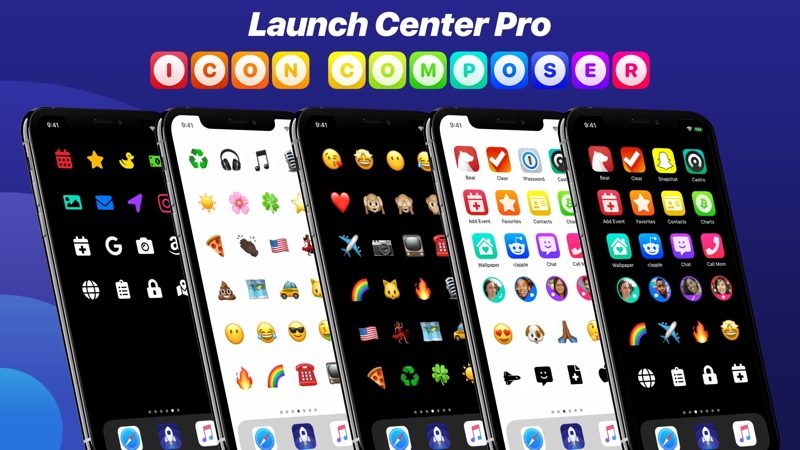
Launch Center Pro was today updated to version 3.1, with the new update introducing an Icon Composer feature.

The Icon Composer is designed to allow users to create their own App Store quality icons that can be used within the Launch Center Pro app or on the iPhone or iPad's Home screen using the Add to Home Screen feature in the Shortcuts app.


Using Launch Center Pro and the Shortcuts app together, you can replace all of the apps on your Home screen with your own icons using the Icon Composer feature. You can also build shortcuts in Launch Center Pro that can be added to the Home screen with custom icons and emoji.

According to the developers behind Launch Center Pro, the Icon Composer has been outfitted with new shapes, icon styles, colors, and size and style options, along with thousands of new glyphs, emojis, and customizable icon badges.


For those unfamiliar with Launch Center Pro, It's an app that's designed to allow you to speed up your everyday tasks with shortcuts, akin to a speed dial for apps, as the App Store description reads.

With Launch Center Pro, you can set up shortcuts for doing things like searching Wikipedia with a tap, scanning a barcode and launching an Amazon search, searching Twitter within Tweetbot, and more.

Launch Center Pro is free to download, but it costs $11.99 per year to unlock all of the features. There's also a lifetime access purchase option priced at $35. [Direct Link]


This article, "Launch Center Pro Gains New Icon Composer Feature" first appeared on MacRumors.com

Discuss this article in our forums


from MacRumors: Mac News and Rumors - All Stories https://ift.tt/31lOFOX

Apple Seeds Sixth Beta of Upcoming tvOS 13 Update to Developers

https://ift.tt/2J5AHu0

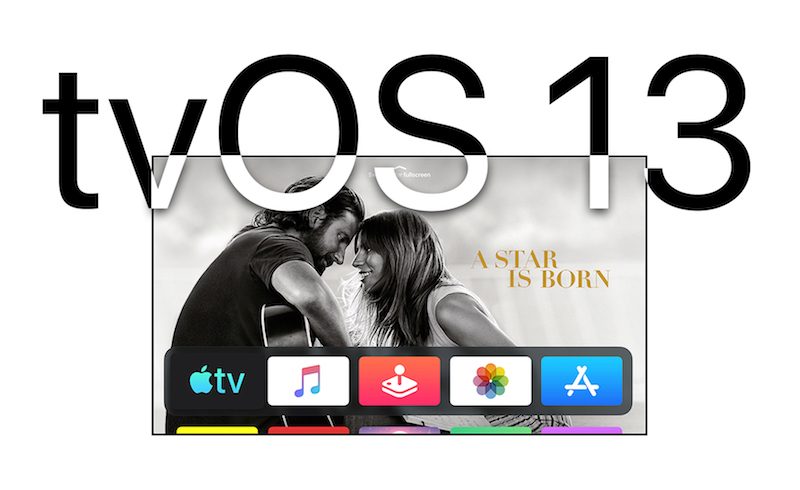
Apple today seeded sixth beta of an upcoming tvOS 13 update to developers, a little over a week after seeding the fifth beta and two months after unveiling the tvOS 13 software at the Worldwide Developers Conference.

Designed for the fourth and fifth-generation Apple TV, the new tvOS 13 developer beta can be downloaded onto the Apple TV via a profile that's installed using Xcode.


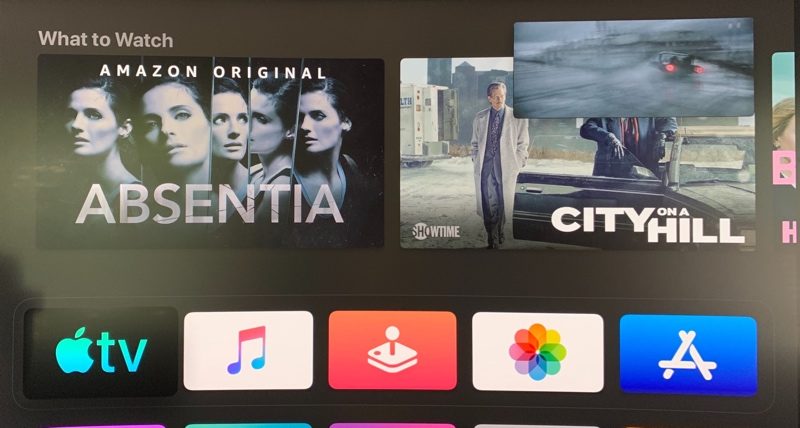
tvOS 13 introduces an updated Home screen aimed at making it easier to discover new content. Apps are now able to play full-screen video previews right on the Home screen, similar to Netflix.

Multi-user support is available for the first time, letting more than one profile exist on the Apple TV so each family member can have their own customized Apple TV interface with separate recommendations, music playlists, and Watch Now lists.

Switching between profiles can be done with the new Control Center, which offers up profiles, the time and date, search, a Now Playing widget, AirPlay controls, and a sleep option.

tvOS 13 gets the Apple TV ready for Apple Arcade, Apple's new gaming service that's coming to the Apple TV, iOS, iPadOS, and macOS later this year. Apple Arcade will offer unlimited access to more than 100 new and exclusive games, for one subscription fee.

As part of the Apple Arcade preparations, Apple has implemented support for the Xbox Wireless Bluetooth Controller and the PlayStation DualShock 4 Controller, both of which can be connected to an Apple TV over Bluetooth.

There are new under the sea themed screensavers created in partnership with the BBC Natural History Unit, which also created "Blue Planet." There's also a new Picture-in-Picture feature. Picture-in-Picture lets you continue to watch TV shows or movies while using a different app, adjusting settings, or otherwise navigating through the tvOS 13 operating system.


tvOS 13 is available to registered developers and public beta testers at this time and will see an official public launch this fall alongside iOS 13, iPadOS, macOS Catalina, and watchOS 6.

Related Roundups: Apple TV, tvOS 12, tvOS 13
Buyer's Guide: Apple TV (Don't Buy)

This article, "Apple Seeds Sixth Beta of Upcoming tvOS 13 Update to Developers" first appeared on MacRumors.com

Discuss this article in our forums


from MacRumors: Mac News and Rumors - All Stories https://ift.tt/2yJy9vR

Apple Seeds Sixth Beta of watchOS 6 to Developers

https://ift.tt/2XeweJy

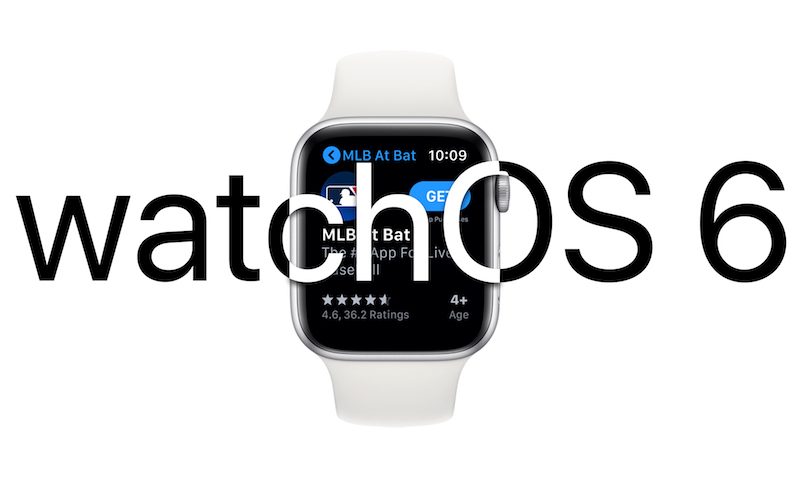
Apple today seeded the sixth beta of watchOS 6, the software that runs on the Apple Watch. The new beta comes a week after the fifth beta and more than a month after Apple first unveiled the new watchOS update at the Worldwide Developers Conference.

To install the watchOS 6 beta, you'll need the proper configuration profile, which can be obtained through the Apple Developer Center. Once the profile is in place, the beta can be downloaded using the dedicated Apple Watch app on the iPhone by going to General > Software Update.


Installing the software requires the Apple Watch to have 50 percent battery. It also needs to be put on a charger and it has to be in range of the iPhone.

watchOS 6 is a major update that offers up a long list of new features. First and foremost, there's an App Store right on the Apple Watch, so you can find and download new Apple Watch apps on your wrist.

Apple Watch apps no longer need to have an iPhone component, which means developers can create standalone Apple Watch apps for the first time. Apps are able to take advantage of new APIs so you'll be able to do things like follow along with a workout or listen to streaming music from third-party services.


Since Apple Watch apps are now independent of apps on the iPhone, you can now remove some built-in apps from the Apple Watch, a feature that was enabled in beta 3.

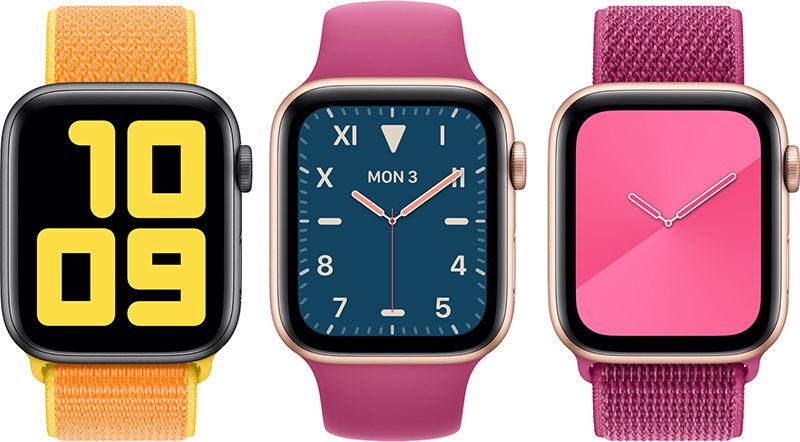
There are several new watch faces in watchOS 6, including Numerals Mono and Duo with huge numbers, Modular Compact, a Gradient watch face that shifts over the course of a day, a Solar Dial watch face that visualizes the sun in a 24 hour path around the dial, and the California watch face with a mix of standard numbers and roman numerals.


A new Taptic Chimes feature provides a silent touch on the wrist at every hour, and if sound is turned on, you'll hear an audible chime. You can also hold two fingers on the Apple Watch's display to hear the time spoken out loud.

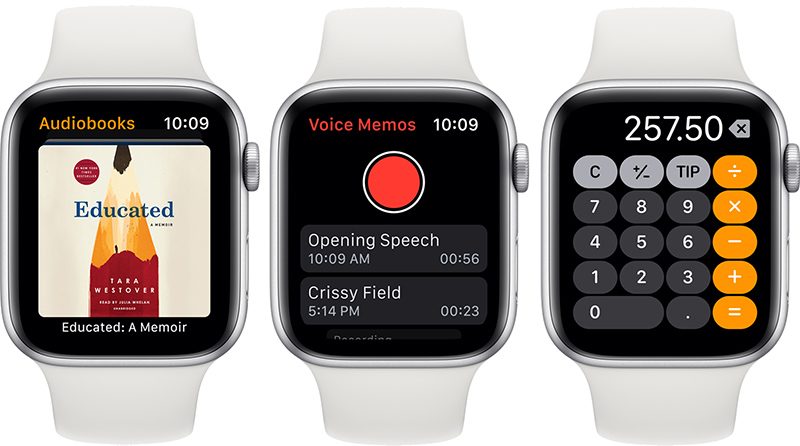
There are new Audiobooks, Voice Memos, and Calculator apps, along with a new Noise app that warns you if you're exposed to sound that's too loud and a new Cycle Tracking app for period tracking. Activity Trends, visible on the iPhone, are also available to chart your fitness progress and make sure your fitness trends are improving.


New complications are available for wind speed, chance of rain, and the new Noise app, plus there's a Voice Memos complication for recording a memo quickly, a cellular strength complication, and a complication for the Calculator that opens up the app.

Siri can now provide full web search results right on the watch when asked a question, and for Mac users, the Apple Watch can now approve Mac security prompts.

When it launches in the fall, watchOS 6 will be available on all Apple Watch models with the exception of the original Apple Watch, released in 2015. For more on what's new in watchOS 6, make sure to check out our watchOS 6 roundup.

Related Roundups: Apple Watch, watchOS 5, watchOS 6
Buyer's Guide: Apple Watch (Caution)

This article, "Apple Seeds Sixth Beta of watchOS 6 to Developers" first appeared on MacRumors.com

Discuss this article in our forums


from MacRumors: Mac News and Rumors - All Stories https://ift.tt/2OKpjZE

Apple Seeds Sixth Betas of iOS 13 and iPadOS to Developers

https://ift.tt/2KVqNNY

Apple today seeded the sixth betas of iOS 13 and iPadOS to developers for testing purposes, a little over a week after releasing the sixth betas and two months after unveiling the new operating system at the Worldwide Developers Conference.

Registered developers will need to download the profile for the iOS 13 and iPadOS betas from Apple's Developer Center. This beta, like earlier betas, can be downloaded over-the-air once the proper profile has been installed.
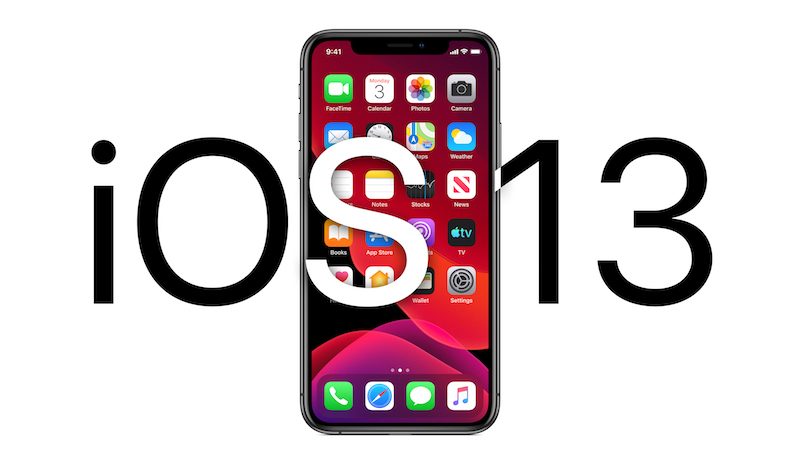

Apple split iOS 13 and iPadOS into separate updates in 2019, one designed for iPhone and one designed for iPad. iPadOS is identical to iOS 13 in almost every way, though there are some iPad-specific features such as new multitasking capabilities. For the most part, the two operating systems share the same features.

iOS 13 is a huge update with a long list of new features. Perhaps the most noticeable outward-facing change is a systemwide Dark Mode that changes the entire look of the operating system from light to dark, darkening everything from system elements to apps.
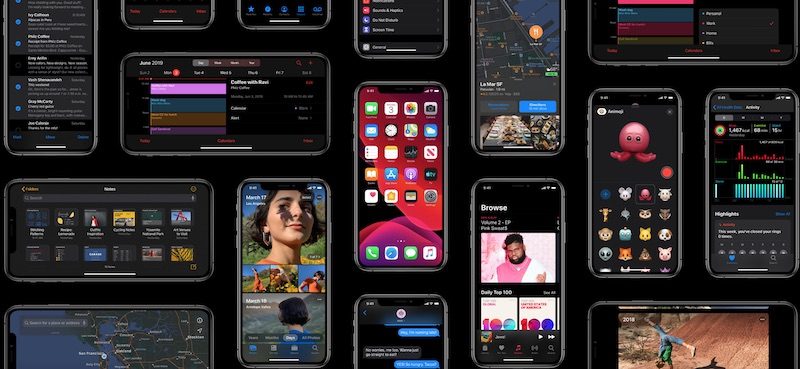

Apple overhauled the Photos app, introducing a new Photos tab that curates your entire Photos library and shows you a selection of highlights organized by day, month, or year, and there are revamped Photo editing tools.
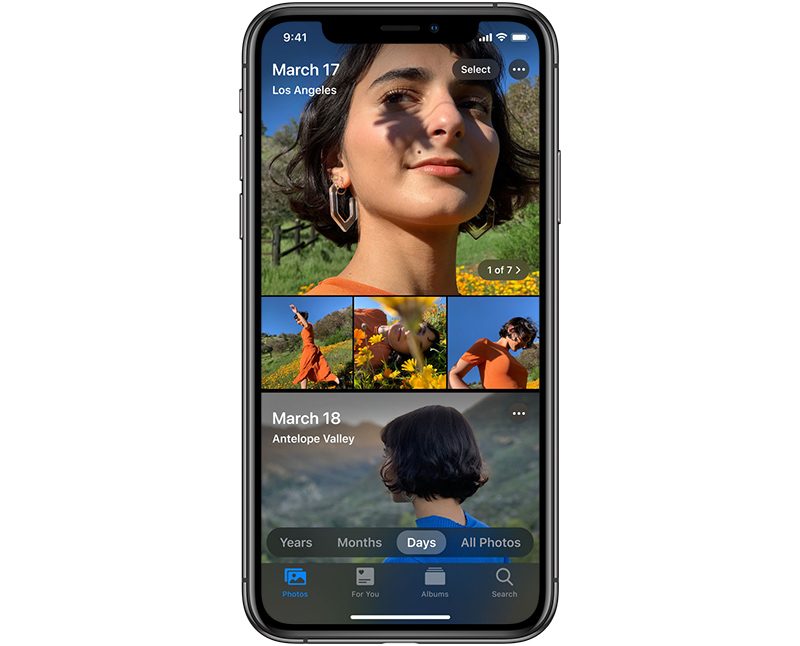

For the first time, you can edit video right in the Photos app, cropping, rotating, applying filters, and adjusting lighting and color. There's a new High-Key Mono lighting effect, and for Portrait Lighting in general, intensity can be adjusted.

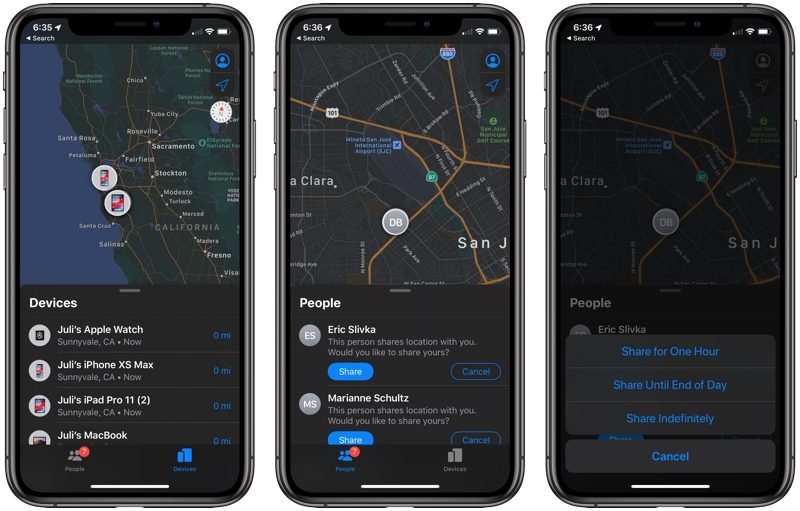
There's a less obtrusive volume HUD, a new Find My app that combines Find My iPhone and Find My Friends and lets you track your devices even with they don't have an LTE or WiFi connection.

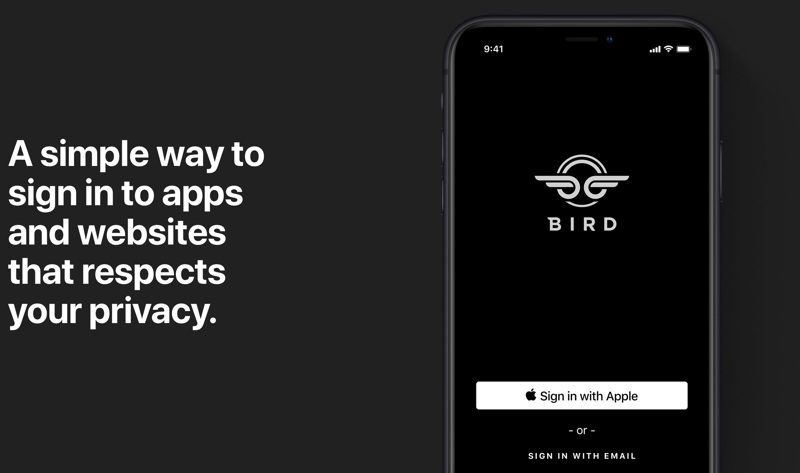
A Sign In with Apple feature (not yet active) gives you a convenient and data safe way to sign into apps and websites, providing an alternative to Facebook and Google sign in options. Apple's even able to generate single-use randomized email addresses so you don't have to give your real info to apps and websites.

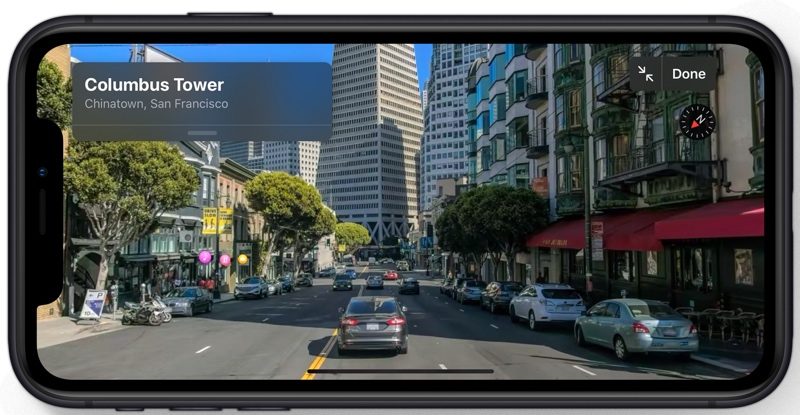
Maps features a new street-level "Look Around" mode and a Collections feature for making lists of places, Reminders has been entirely overhauled to make it more functional, there's a profile option in Messages along with new Memoji and Animoji stickers, and Siri has a new voice.

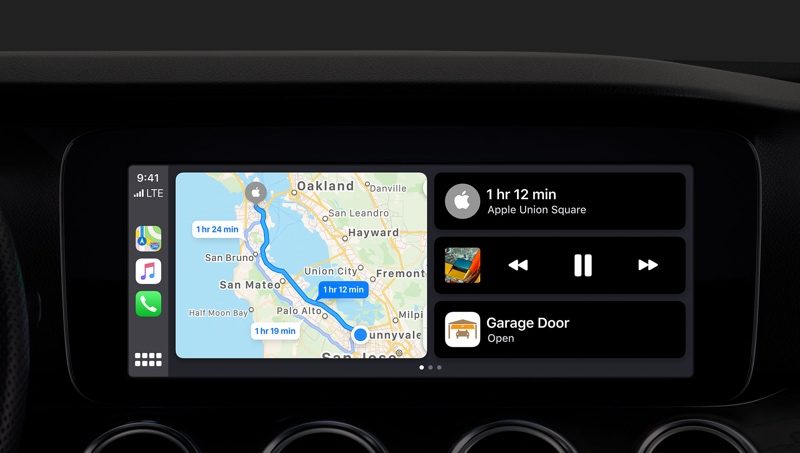
CarPlay in iOS 13 has been overhauled with a new look, multiple sets of AirPods (or Powerbeats Pro) can be connected to the same phone so you can share music with a friend, Siri on HomePod can detect multiple voices for multi-user support, and HomePod also supports Handoff.

There are a ton of additional new features and changes coming in iOS 13, and for a full rundown of what you can expect, you should check out our iOS 13 roundup. Each new beta brings new features and changes to iOS 13, and the fifth beta added a new option for adjusting the number of apps on the iPad Home screen, made adjustments to the volume, updated the look of the Share Sheet, and more.

The beta testing period will allow Apple to work out bugs ahead of the release of iOS 13 and iPadOS, and it will let developers build iOS 13 and iPadOS features into their apps ahead of a public release coming in the fall.

Related Roundups: iOS 13, iPadOS

This article, "Apple Seeds Sixth Betas of iOS 13 and iPadOS to Developers" first appeared on MacRumors.com

Discuss this article in our forums


from MacRumors: Mac News and Rumors - All Stories https://ift.tt/2M3eTCl