Tuesday, September 24, 2019

Hollywood Mac Pro Workstations Hit by Mysterious AVID Issue

https://ift.tt/2AXumuu

Variety reports this morning of a possible computer virus attack or critical software failure affecting Mac Pro workstations across Los Angeles.

According to social media chatter, Hollywood Film and TV editors discovered late on Monday that "trashcan" Mac Pros running older versions of macOS and AVID's Media Composer software were refusing to reboot after shutting down.

The root cause of the issue remains unknown, but online speculation is surfacing a few possibilities, including a virus specifically targeting post-production Macs in the Hollywood area.

Others have suggested an issue with AVID's iLok activation dongle, or perhaps a conflict with the software and a recent system update – possibly related to Apple's Safari browser – that is corrupting data.

Affected users are being advised to try booting in single-user mode and disabling Wi-Fi so that they can back up, while non-affected AVID users have been told not to shut down their Macs so they can also deactivate Wi-Fi and any other networks until a solution is found.


Several companies are said to have been affected by the issue. Neither AVID nor Apple have responded to requests for comment. This is a developing story that will be updated as soon as we learn more.

Related Roundup: Mac Pro
Tag: Avid
Buyer's Guide: Mac Pro (Don't Buy)

This article, "Hollywood Mac Pro Workstations Hit by Mysterious AVID Issue" first appeared on MacRumors.com

Discuss this article in our forums


from MacRumors: Mac News and Rumors - All Stories https://ift.tt/2mhX86A

Monday, September 23, 2019

Twitter Now Lets You Pin and Swipe Between Up to Five Lists

https://ift.tt/2kXs2AZ

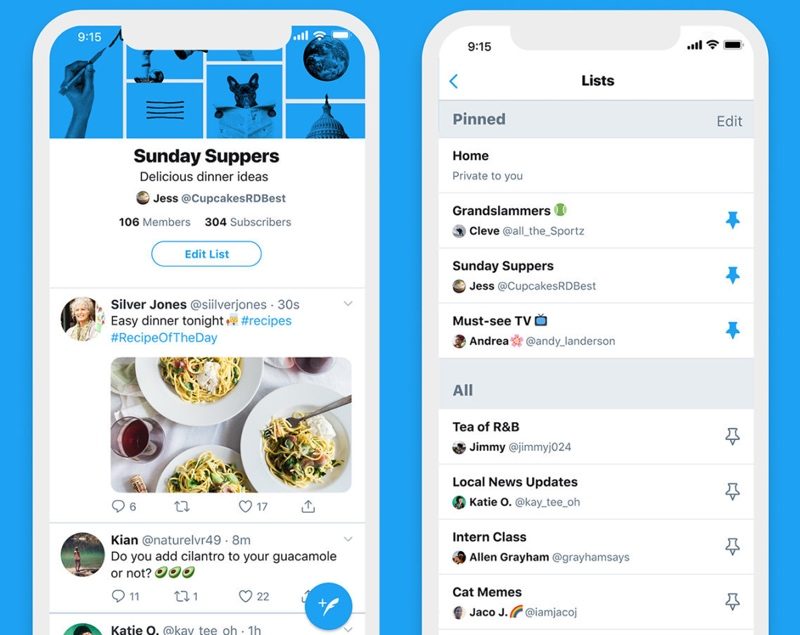
Twitter today implemented a feature that's designed to allow lists of Twitter users to be pinned to the Home screen and swiped between, allowing for easy access to multiple customizable timelines.

Twitter users are now able to add five lists to the Twitter app, swiping between them on the Home screen.


With this new feature, Twitter users can do things like group coworkers, friends, and family into different lists, and then with a swipe, view just tweets from each individual list.

Lists have long been used as alternative timelines by Twitter users, allowing people to follow accounts without having to add them to the main Twitter timeline, but the new feature makes it easier to do so.


As Engadget points out, this is a feature that Twitter has been testing since the summer and has finally rolled out to all users.

Twitter has also changed the design of list pages, introducing header images and making it easier to see list members and who is subscribed to a given list. Lists can still be private or public, and there's still an option to follow public lists from other users.

Tag: Twitter

This article, "Twitter Now Lets You Pin and Swipe Between Up to Five Lists" first appeared on MacRumors.com

Discuss this article in our forums


from MacRumors: Mac News and Rumors - All Stories https://ift.tt/2kXAyQq

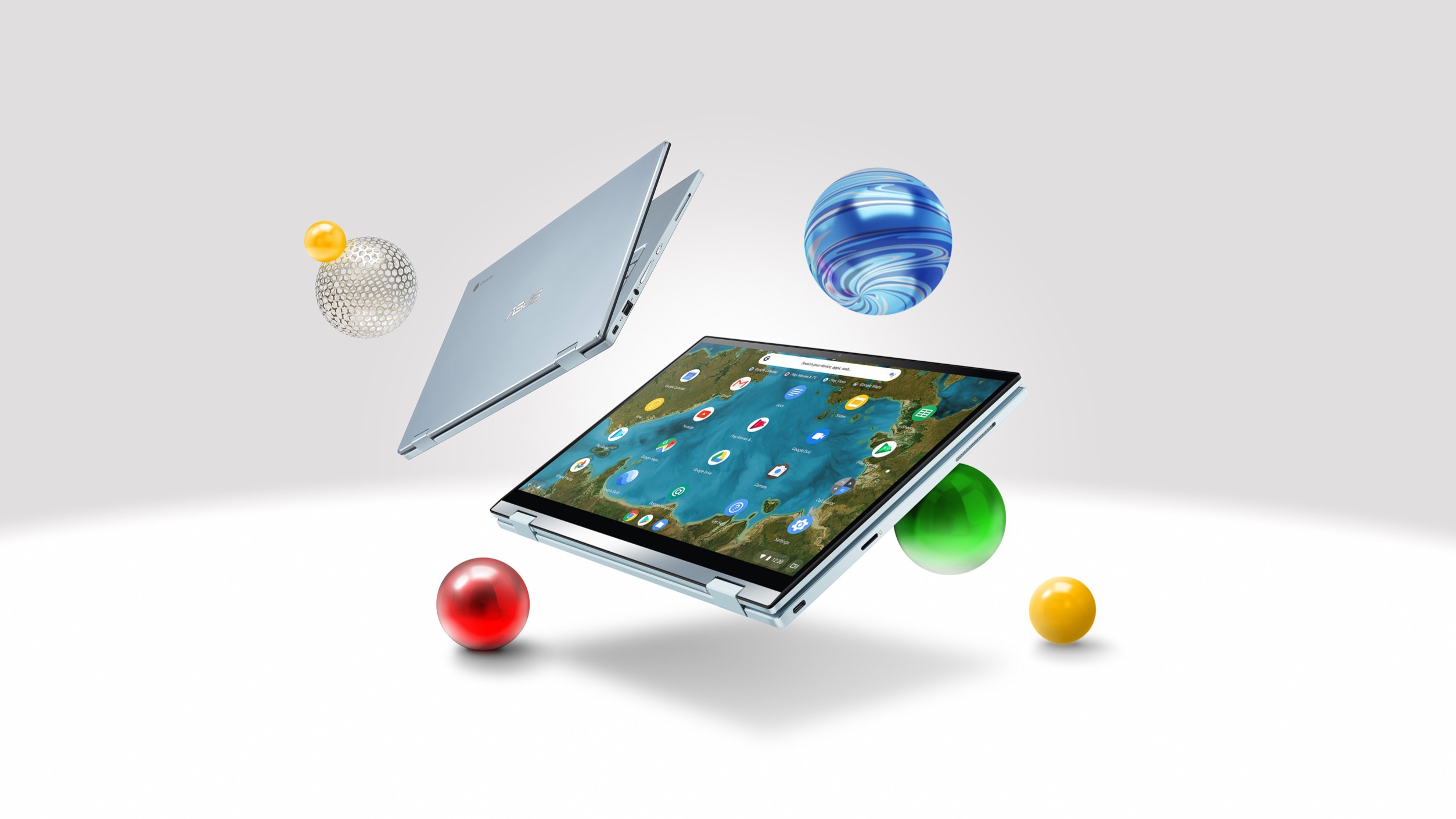
ASUS Chromebook Flip C433 US availability and release date confirmed


via Chrome Unboxed – The Latest Chrome OS News https://ift.tt/2mejENq

Apple Seeds macOS Catalina Beta 9 to Developers

https://ift.tt/2RPgRpS

Apple today seeded the ninth beta of macOS 10.15 Catalina to developers, two weeks after seeding the eighth macOS Catalina beta and over three months after the new Mac operating system update was first unveiled at the Worldwide Developers Conference.

The new macOS Catalina beta can be downloaded using the Software Update mechanism in System Preferences after installing the proper software from the Developer Center.


macOS Catalina eliminates the iTunes app, splitting it into Music, Podcasts, and TV apps. The three new apps offer similar functionality to iTunes, but are split up by feature. iOS device management is still available on the Mac, but it's now done through the Finder rather than iTunes.

With a new Sidecar feature, you can turn your iPad into a second display for your Mac with just the click of a button. The Apple Pencil works with Sidecar, so you can turn your iPad into a drawing tablet in apps like Photoshop and Illustrator.

Your Apple Watch can be used to approve security prompts for passwords and other info in macOS Catalina, and Macs with a T2 chip now support Activation Lock, making them more secure. There's a new Find My that brings the Find My Mac app to the Mac for the first time and even lets you track your devices when they're offline, or, in the case of notebooks, closed.

Screen Time is available on the Mac as well as iOS devices, and Project Catalyst, a new Apple initiative, will let developers easily port their iPad apps over to the Mac to increase the number of Mac apps available.

There's a new Photos interface that surfaces your best photos organized by day, month, or year, there's a new start page in Safari, Mail has new tools for muting email threads and blocking senders, and the Reminders app has been overhauled.

32-bit apps no longer work in macOS Catalina, which is something to be aware of before installing the beta.

For more details on macOS Catalina, make sure to check out our macOS Catalina roundup. Apple is planning to release macOS Catalina sometime in October, with no specific launch date announced as of yet.

Related Roundup: macOS Catalina

This article, "Apple Seeds macOS Catalina Beta 9 to Developers" first appeared on MacRumors.com

Discuss this article in our forums


from MacRumors: Mac News and Rumors - All Stories https://ift.tt/2m8H07e

Apple Seeds First Beta of watchOS 6.1 to Developers

https://ift.tt/2ma1HQl

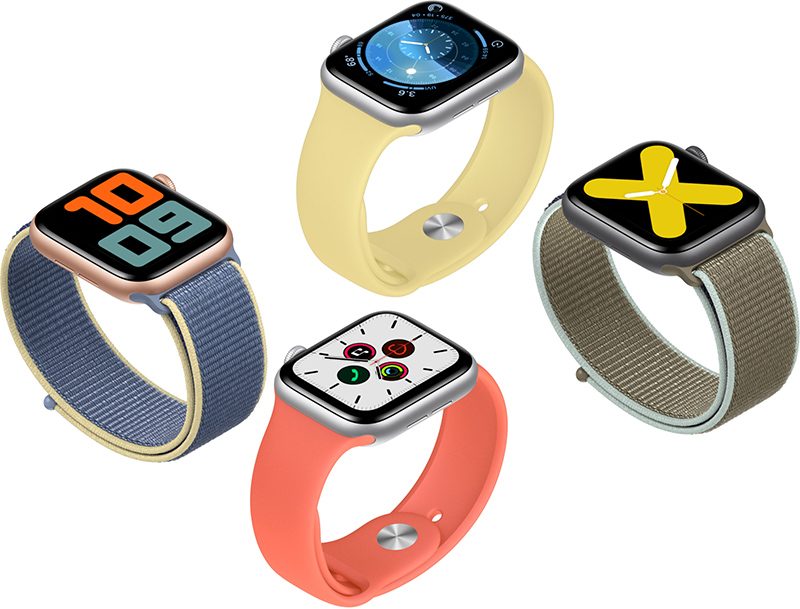
Apple today seeded the first beta of an upcoming watchOS 6.1 beta to developers, a little under a week after releasing the watchOS 6 update with full App Store, new Apple Watch faces, and more.

Once the proper configuration profile has been installed from the Apple Developer Center, the new watchOS beta can be downloaded through the dedicated Apple Watch app on the iPhone by going to General > Software Update.


To install the update, the Apple Watch needs to have at least 50 percent battery, it must be placed on the charger, and it has to be in range of the iPhone.

It's not yet clear what features will be introduced in the watchOS 6.1 update, but we'll be updating this article when we find out.

Related Roundups: Apple Watch, watchOS 6
Buyer's Guide: Apple Watch (Buy Now)

This article, "Apple Seeds First Beta of watchOS 6.1 to Developers" first appeared on MacRumors.com

Discuss this article in our forums


from MacRumors: Mac News and Rumors - All Stories https://ift.tt/2l48BX3

Google Launches New $4.99 'Play Pass' Service on Android Devices to Compete with Apple Arcade

https://ift.tt/nvEILJ

Google today announced the launch of a new gaming service called Google Play Pass, which gives Android users access to more than 350 games and apps for $4.99 per month, similar to Apple Arcade.

Google's version, like Apple Arcade, provides games to customers without in-app purchases and without ads. There is a family sharing option, and a Play Pass subscription can be shared with up to five family members.


Google's service is not limited to just games, and it includes titles that are already released, such as Stardew Valley, Terraria, Monument Valley, Knights of the Old Republic, Facetune, and AccuWeather. Google's offerings are also not exclusive, which is one of the key features of Apple Arcade.

With Apple Arcade, all of the game titles are only on the App Store when it comes to mobile devices, but some are also developed for release on console. Apple Arcade is also limited to new content and doesn't include popular older apps like Play Pass.

Given that Google is using existing games in Play Pass, it has a larger catalog of available titles at launch - hundreds, compared to Apple's 60+. Google says customers can count on new titles monthly, which is something Apple has also promised.

According to The Verge, Google plans to pay developers through user engagement with the apps, though it's not entirely clear what that means at this time. Google said that it's more than just screen time or number of app opens per week.

Google has been working on the Play Pass service since 2018, and began testing it out at the end of July.

Play Pass is available for Android devices in the United States this week, and will be expanding to additional countries soon. It comes with a 10-day free trial and after that, a subscription costs $4.99 per month, just like Apple Arcade.

Google is offering a promo, though, which will allow subscribers to sign up for $1.99 per month for the first year for a limited time. Play Pass content can be accessed through the new Play Pass tab in the Play Store on Android devices.


This article, "Google Launches New $4.99 'Play Pass' Service on Android Devices to Compete with Apple Arcade" first appeared on MacRumors.com

Discuss this article in our forums


from MacRumors: Mac News and Rumors - All Stories https://ift.tt/2l6byWW

How to Use the New Camera Lenses on the iPhone 11, iPhone 11 Pro, and iPhone 11 Pro Max

https://ift.tt/2ZZJFTU

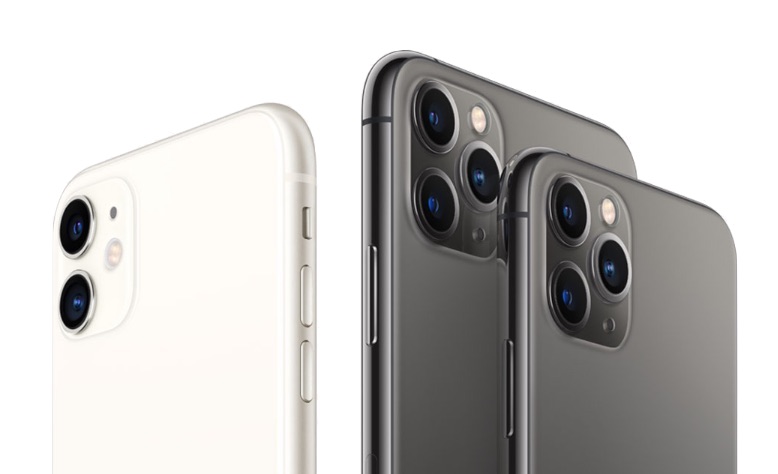
The headline feature of Apple's 2019 iPhones is undoubtedly the new camera system, with the more affordable iPhone 11 boasting the same high-quality lenses as the iPhone 11 Pro and iPhone 11 Pro Max, with the exception of the third telephoto lens that's exclusive to the Pro models.


The standard wide camera on the iPhone 11 series offers the same 12 megapixels and f/1.8 aperture as on last year's iPhone XS devices, while the new 12 megapixel ultra-wide camera gets a f/2.4 lens. Apple has also widened the aperture of the telephoto lens on the Pro models to f/2.0 – an improvement over the f/2.4 lens found in the iPhone X and XS – which allows more light to hit the sensor and grab more detail.

Lens-Based Camera App Changes


Apple has also re-designed the camera system from the ground up to make the lenses work seamlessly in concert, and also radically improved the image processing technology. To accommodate these more advanced capabilities, Apple has given the stock Camera app a complete overhaul exclusively for its iPhone 11 series devices.


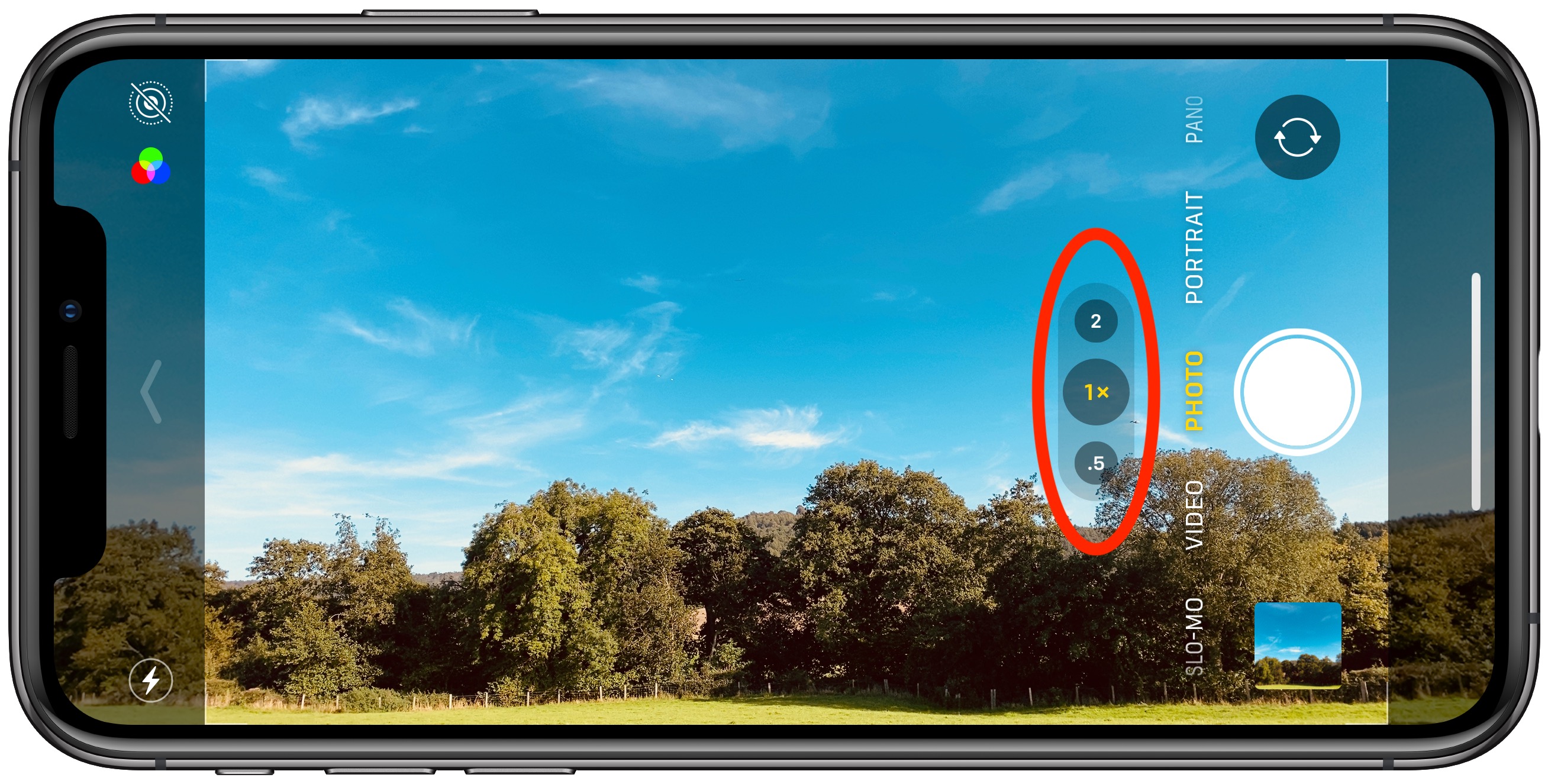
For example, when you shoot with the standard wide lens as shown above, the camera app interface becomes semi-transparent to reveal the ultra-wide camera's larger field of view, giving you a preview of what shooting with it would look like.

This immersive preview isn't limited to the wide and ultra-wide either: When using the telephoto lens on Pro devices, the Camera app will use the standard wide lens to fill in the additional area of the screen, as shown in the screenshot below. There's even an optional new camera feature that recruits the additional lenses and allows you to fix photo composition in post without having to resort to cropping.


Switching Between Ultra-Wide, Wide, and Telephoto


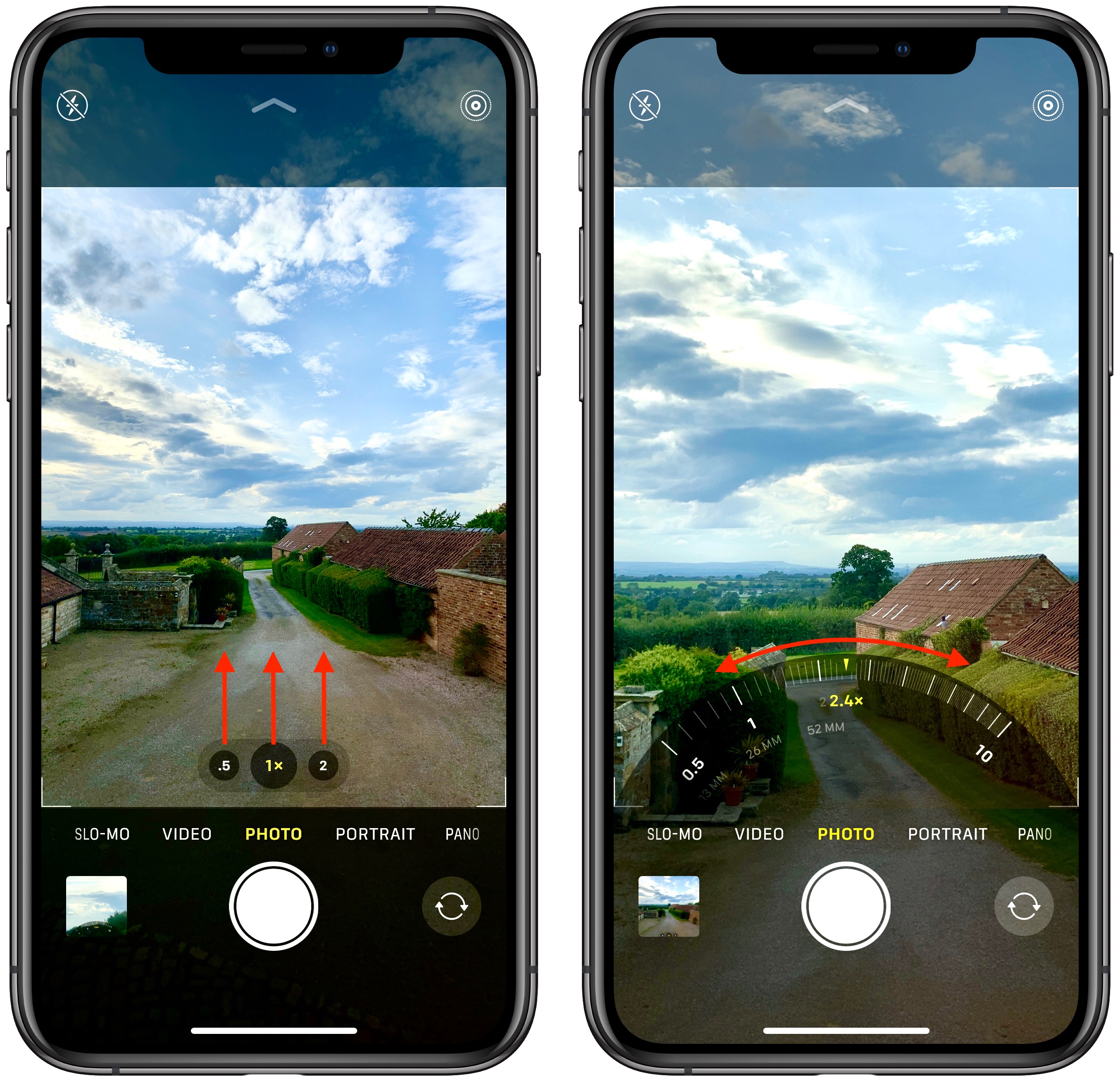
You can choose between the different lenses by tapping the numbered buttons at the bottom of the viewfinder: .5 is the new ultra-wide lens, 1x is the standard wide lens, and 2 is the telephoto lens (iPhone 11 Pro and Pro Max only).

camera
At first glance, it looks as if these lens modes are fixed options. Far from it: If you swipe up on one of the buttons you'll see a radial zoom wheel enabling you to find a transition from camera to camera through a series of fine gradations.


Along the wheel you'll also see the 35mm equivalent focal length of each lens-sensor combination (the focal length you would need for a 35 mm film camera to obtain the same angle of view). The wheel disappears once you've chosen a custom focal length, and if you decide you want to return to the standard focal length, you can simply tap the center lens button.

Related Roundups: iPhone 11, iPhone 11 Pro

This article, "How to Use the New Camera Lenses on the iPhone 11, iPhone 11 Pro, and iPhone 11 Pro Max" first appeared on MacRumors.com

Discuss this article in our forums


from MacRumors: Mac News and Rumors - All Stories https://ift.tt/2m9zU2i