Apple today sent out emails for a new Apple Pay promotion, offering a $5 discount on groceries when you spend $35 or more through Instacart. To get the discount, you'll need to use Apple Pay and shop in the Instacart app.
The discount will be applied automatically during the checkout process and will be available until 11:59 p.m. Pacific Time on October 20, 2019. Apple says there may some restrictions on geographic availability and the offer can not be applied to alcohol products.
Apple's promotion also provides links to other grocery delivery apps including ACME, Cub, Publix, Safeway, Shaw's, and Star Market.
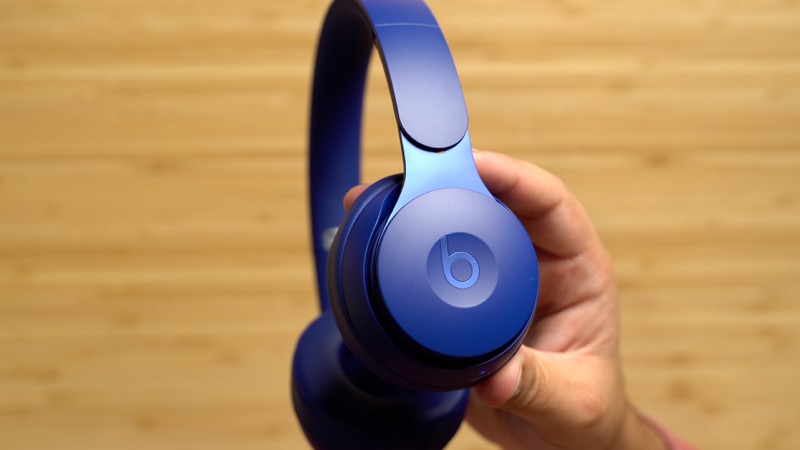
On Tuesday, Apple's Beats brand introduced the new Beats Solo Pro headphones, the company's first on-ear headphones with active noise cancellation. The new $300 headphones don't launch until October 30, but we've already had a chance to test them out so check out our video below for our early impressions.
Starting with the unboxing experience, you'll find that the Beats Solo Pro headphones come with a new soft case covered in a nice felt-like material, as well as a few accessories such as a Lightning to USB-A cable for recharging the headphones. While USB-C rather than Lightning might have been a bit more universal, at least you can charge your headphones with the same cable you use for your iPhone.
The Solo Pro headphones come in six colors including Black, Gray, and Ivory, and then three colors from the "More Matte Collection" being promoted by Pharrell Williams: Light Blue, Dark Blue, and Red. We have the Dark Blue ones on hand, and they are made of a nice matte plastic with an inside metal adjustment band for durability and a premium feel.
Apple's new Beats Solo Pro automatically turn on and off when you unfold or fold them, so there's no power button on the headphones. Pairing via Bluetooth is a simple process, and thanks to the Apple H1 chip inside they can automatically pair with and switch between all devices tied to your iCloud account. The H1 also provides hands-free "Hey Siri" support.
While there's no power button, there are still a few controls located on the Solo Pro headphones, including playback controls on the right ear cup. Tapping above or below the Beats logo on the ear cup adjusts the volume, while tapping on the logo itself will play/pause or skip tracks.
On the bottom of the left ear cup is a button for toggling through three listening modes: Apple's proprietary "Pure ANC" noise cancellation mode that debuted on the Beats Studio3 headphones, a new Transparency mode that activates external microphones to draw in ambient sound, and an extended battery life mode where ANC and Transparency are turned off.
We really liked the new Transparency mode, as it will come in handy in lots of everyday situations where you need to hear a quick conversation or airplane announcement, for example, and don't want to take off your headphones.
Sound quality on the new Solo Pro headphones is solid, and it's about what you'd expect from a set of Beats cans. They sound a bit better than the Solo3 headphones and are right up there with the Studio lineup, although not quite as immersive due to the on-ear rather than over-ear style. The audio comes through warmly and with above-average low-end, which is typical for Beats headphones.
Battery life on the Solo Pro headphones is pegged at 22 hours with Pure ANC and Transparency turned on, and extends to 40 hours with those features turned off. A fast fuel charging feature will give you about three hours of listening time with a 10-minute charge. We haven't had time to thoroughly test these battery life specs yet, but they've traditionally been pretty accurate on other models.
So what do you think about the new Solo Pro headphones? Are you thinking about picking some up when they launch on October 30, or are there options you think you like better? Let us know in the comments.
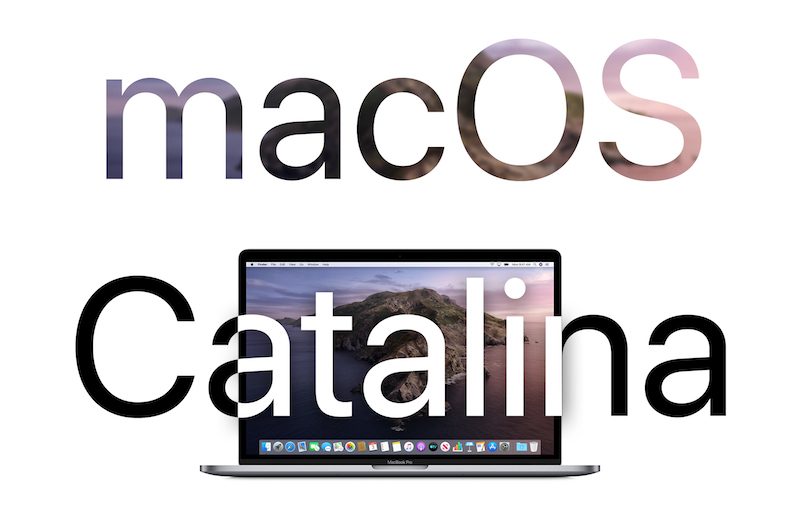
The new macOS Catalina beta can be downloaded using the Software Update mechanism in System Preferences after installing the proper software from the Developer Center.
The first update to macOS Catalina is minor in scale and appears to focus on performance improvements and fixes for bugs that weren't able to be addressed in the first version of Catalina. An interim supplemental update was released just two days ago with some other bug fixes that needed to be addressed before 10.15.1 was ready.
Apple's release notes for the first beta said that the update introduces support for the AMD Navi RDNA eGPU architecture and brings some changes to Photos.
You can now filter by Favorites, Edited, Photos, Videos, or Keywords in the All Photos view, and you can choose View > Metadata > Titles to enable titles and filenames in the All Photos View.
macOS Catalina is a major update that eliminates iTunes in favor of new Music, Podcasts, and TV apps, nixes support for 32-bit apps, adds a new Find My app, brings a new Photos interface, and includes multiple privacy enhancements and other app refinements.
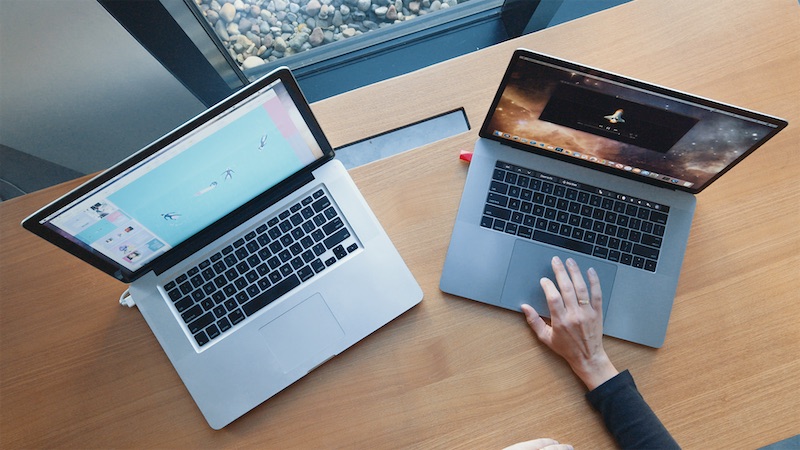
Luna Display today introduced a new Mac-to-Mac mode that allows any Mac released within the last decade to be used as a second display for another Mac. This includes any combination of Macs, ranging from a MacBook Pro and an iMac to a MacBook Air being used as the primary display for a Mac mini.
To use Mac-to-Mac mode, users must purchase a Luna Display dongle that plugs in to the second Mac. USB-C and DisplayPort options are available for $69.99 each, and Luna is offering 25 percent off through Friday.
The primary Mac must be running OS X El Capitan or later, while the secondary Mac requires OS X Mountain Lion or later. In addition, both Macs must be connected to the same network via Wi-Fi or Ethernet, and each require the free Luna Display app available to download on the Luna Display website.
"With all of the hype around Sidecar, one of the biggest gripes we've heard is that it only works with a limited range of Mac models," wrote Luna Display co-founder Giovanni Donelli in an email. "That got us thinking about how we can push Luna Display to bring even more value to our Mac devices."
Apple also has a feature called Target Display Mode that allows a late 2009 or later iMac to be used as as external display for another Mac.
Luna Display's solution includes full keyboard, trackpad, and mouse support on both Macs. The company has shared complete step-by-step instructions on how to set up Mac-to-Mac mode on its website.