https://ift.tt/2V1FaVb
Adobe is celebrating the 30th anniversary of Photoshop today with
several updates to the app across the Mac and iPad.
A key new feature on the Mac is support for Dark Mode on macOS Mojave and later. Photoshop already has a dark user interface on the Mac, but now system dialogs like the File menu will also be dark based on the systemwide appearance selected in System Preferences > General.
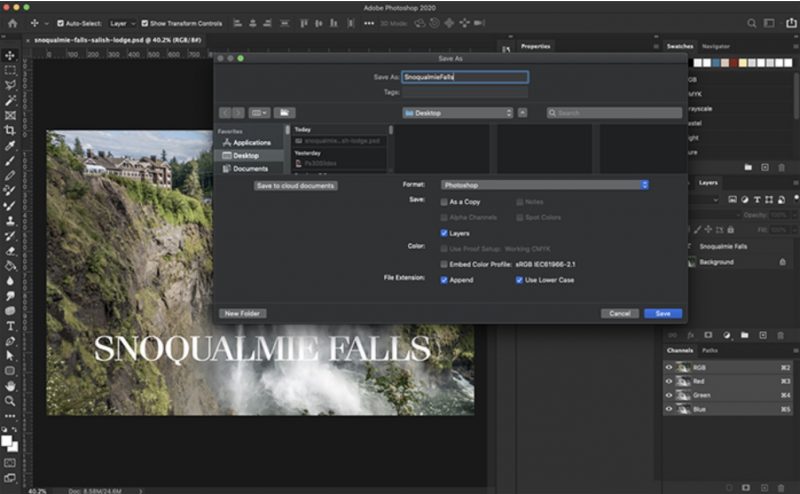
The desktop app has also received Content-Aware Fill improvements. Now, you can make multiple selections and apply multiple fills without leaving the workspace. You can use the new "apply" button to iterate your fills before committing, and click "OK" only when you are finished, according to Adobe.
Adobe says it has also improved the output quality and performance of Lens Blur on the desktop, and made performance improvements, noting that clicking interactions like panning and zooming are said to be smoother and more responsive.
On the iPad, the headline new feature is the Object Selection tool, which can automatically find the object within a selected area for you based on Adobe Sensei machine learning.
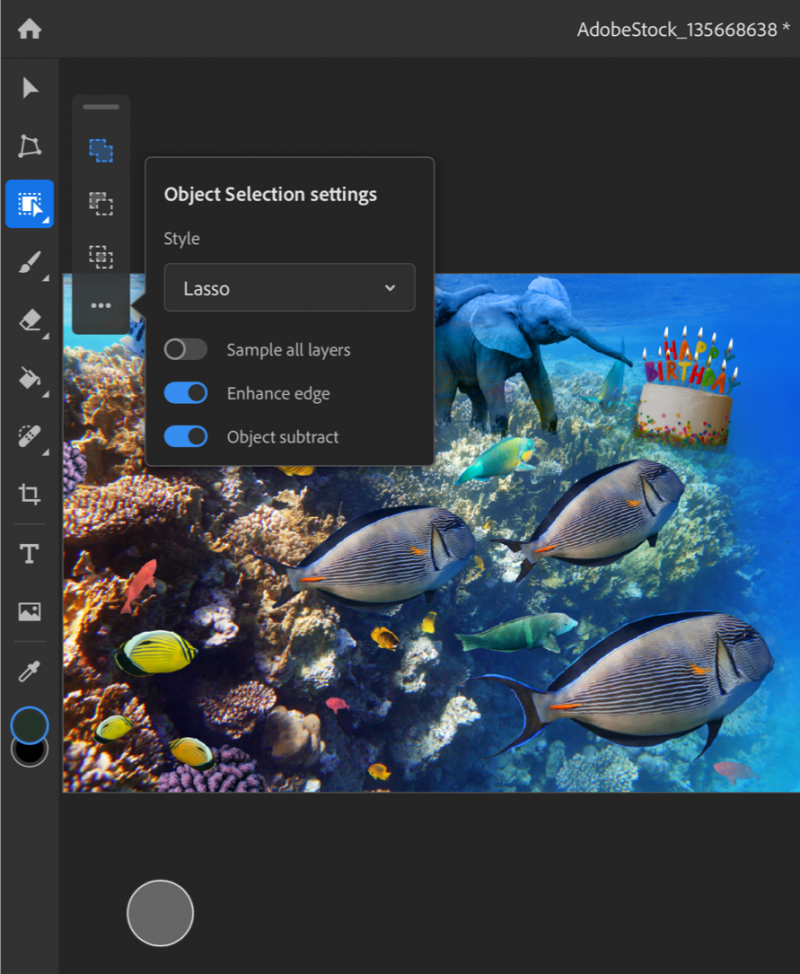
Adobe explains:
The Object Selection tool is designed to give you speed, but also more control over the selection process on more complex images. For example, it is the right tool if you have images with multiple objects, or when selecting a part of an object, or if you want this part but not that part, or need to isolate more than one object in an image. With the Object Selection tool, you draw a rectangular region or even a crude lasso around the area you want to select, and the tool automatically finds and selects the primary objects inside the defined region.
Photoshop for iPad is available
on the App Store.
This article, "
Photoshop Turns 30, Updated With Dark Mode Support on Mac and Object Selection Tool on iPad" first appeared on
MacRumors.com
Discuss this article in our forums

from MacRumors: Mac News and Rumors - All Stories https://ift.tt/2uXLTEZ



