Tuesday, June 23, 2020

Widgets in iPadOS 14 Limited to Today View in Landscape Mode

https://ift.tt/2YqB7TN

In iOS 14 for iPhone and iPod touch, widgets can be pinned in different sizes on any home screen page, providing useful information at a glance. The same can't be said for iPad.
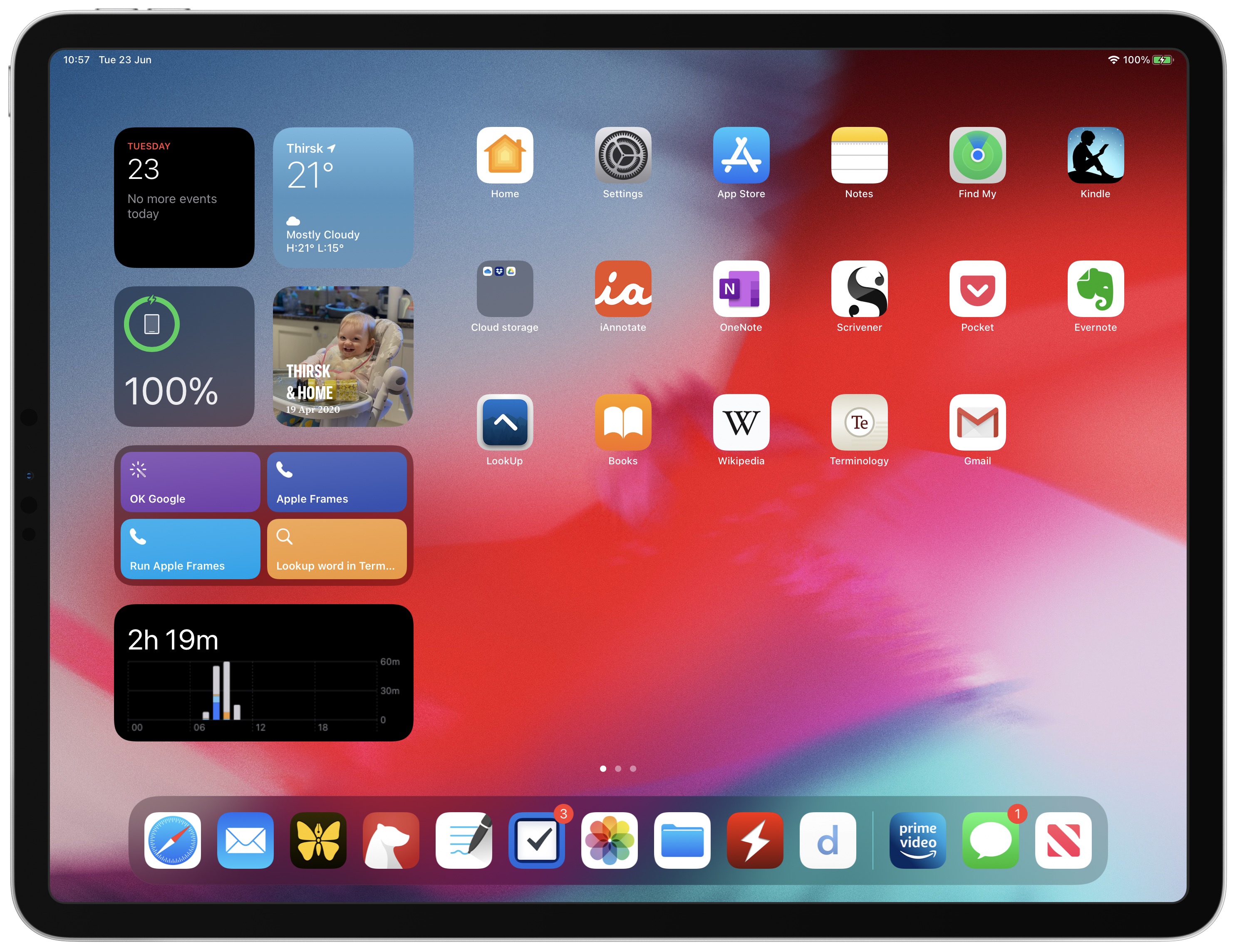

In iPadOS 14, the use of widgets is limited to the Today View sidebar that only appears on the first screen of apps when viewing in landscape mode. When viewed in portrait mode, Widgets disappear along with the Today View and the user's apps are automatically rearranged in a typical grid to fill the screen.

In other respects, Widgets in ‌iPadOS‌ 14 share the same new functionality as widgets in ‌iOS 14‌. Users can create a Smart Stack of widgets, which uses machine learning to surface the right widget based on time, location, and activity. Widgets also can be customized for work, travel, sports, entertainment, and other areas of interest.

Currently, the App Library feature is missing in ‌iPadOS‌ 14, although it could possibly appear in a later beta. Apart from this and the limitation of widgets, ‌iPadOS‌ 14 shares the same new features as ‌iOS 14‌, along with some additional ones that make better use of the larger screen, including new interface functionality for stock apps, universal Search, new Apple Pencil features, and more.
Related Roundup: iOS 14

This article, "Widgets in iPadOS 14 Limited to Today View in Landscape Mode" first appeared on MacRumors.com

Discuss this article in our forums


from MacRumors: Mac News and Rumors - All Stories https://ift.tt/3hTyrWl

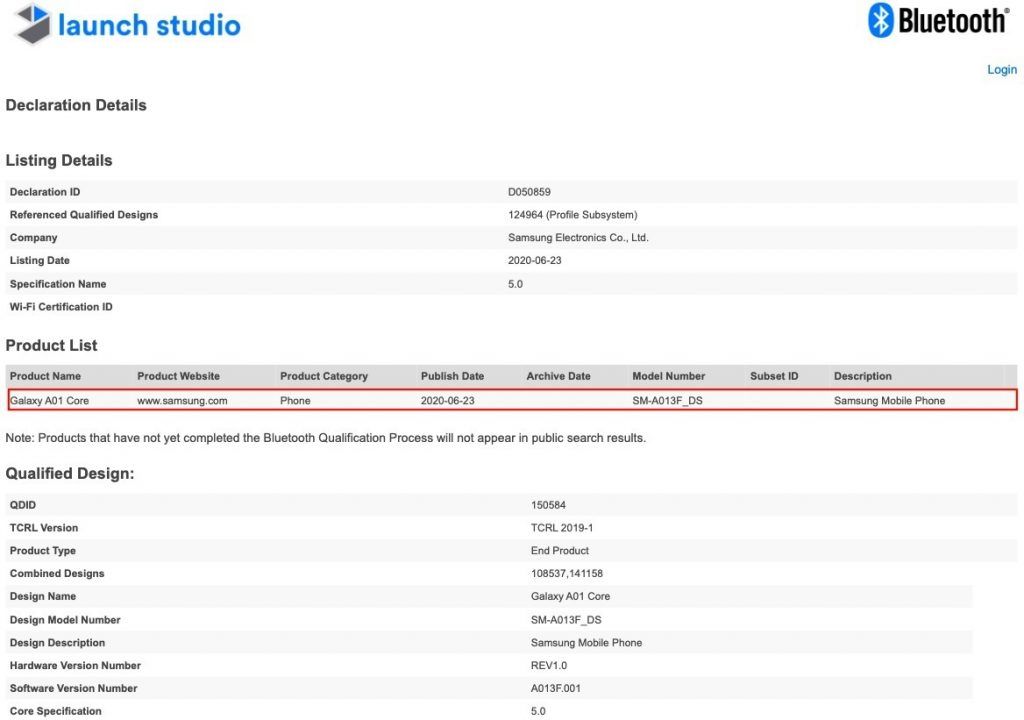
Samsung Galaxy A01 Core Certified by Bluetooth SIG, A Budget Smartphone with Removable Battery and 1GB RAM


via News – MySmartPrice https://ift.tt/3eqMAIx

A third of all games may vanish from Chinese App Store

https://ift.tt/eA8V8J

Developers must get their apps and games approved by the Chinese authorities, according to a law from 2016 which is now being enforced more strictly

from Latest iPhone Articles from Macworld UK https://ift.tt/37R2fhK

Apple Drops Force Touch Gesture in watchOS 7

https://ift.tt/3duLwSu

Apple has elected to drop support for Force Touch in watchOS 7, indicating that the Apple Watch Series 6 will not include the firm-press gesture from the outset.

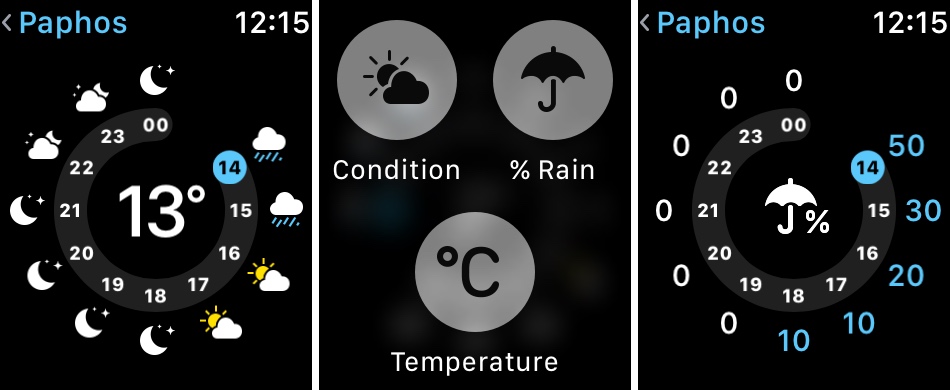
Force Touch used in the Weather app on watchOS 6

Force Touch can be used in ‌watchOS 6‌ to reveal hidden menus on ‌Apple Watch‌, such as options to clear notifications and customize the current Watch Face. These options will no longer be accessed using the Force Touch gesture when watchOS 7 is released. Apple's new Human Interface Guidelines for developers making apps for watchOS 7 confirms the change:
Firm press and long press. In versions of watchOS before watchOS 7, people could press firmly on the display to do things like change the watch face or reveal a hidden menu called a Force Touch menu. In watchOS 7 and later, system apps make previously hidden menu items accessible in a related screen or a settings screen. If you formerly supported a long-press gesture to open a hidden menu, consider relocating the menu items elsewhere.
Several native apps in the watchOS 7 beta already reflect the gesture's removal. For example, the Force Touch gesture for the app layout Grid/List View has been replaced by a menu option in the Settings app. Similarly, changing the Calendar view must now be done in Settings, while the gesture to Change Move Goal in the Activity app has become just another menu item. The Customize Watch Face menu is now accessed via a long press.

In 2018, Apple did something similar when the iPhone XR was introduced with a ‌Haptic Touch‌ feature that replaced ‌3D Touch‌. While ‌Haptic Touch‌ (aka long press) is essentially feedback mechanism, ‌3D Touch‌ offered genuine input options like Peek and Pop. This change has since expanded to the entire iPhone lineup, which has allowed Apple to remove the capacitive layer integrated into the ‌iPhone‌ display.

Apple's reasoning behind the removal of the firm-press gesture on ‌Apple Watch‌ isn't clear, but it could be that not enough users were aware of it for it to be genuinely useful, or perhaps Apple decided that some of the functions it offered were replicated elsewhere and therefore redundant.

With no need for a Force Touch layer in future ‌Apple Watch‌ models, Apple could conceivably use the extra space to include a larger battery, but that's pure speculation at this point. We won't know until the ‌Apple Watch‌ Series 6 makes its debut in the fall. Will you miss Force Touch or was it something you didn't use? Let us know in the comments.
Related Roundups: Apple Watch, watchOS 6
Buyer's Guide: Apple Watch (Caution)

This article, "Apple Drops Force Touch Gesture in watchOS 7" first appeared on MacRumors.com

Discuss this article in our forums


from MacRumors: Mac News and Rumors - All Stories https://ift.tt/2Yols7a

Apple Begins Selling Standalone 2-Meter Thunderbolt 3 Pro Cable for $129

https://ift.tt/37UVXxB

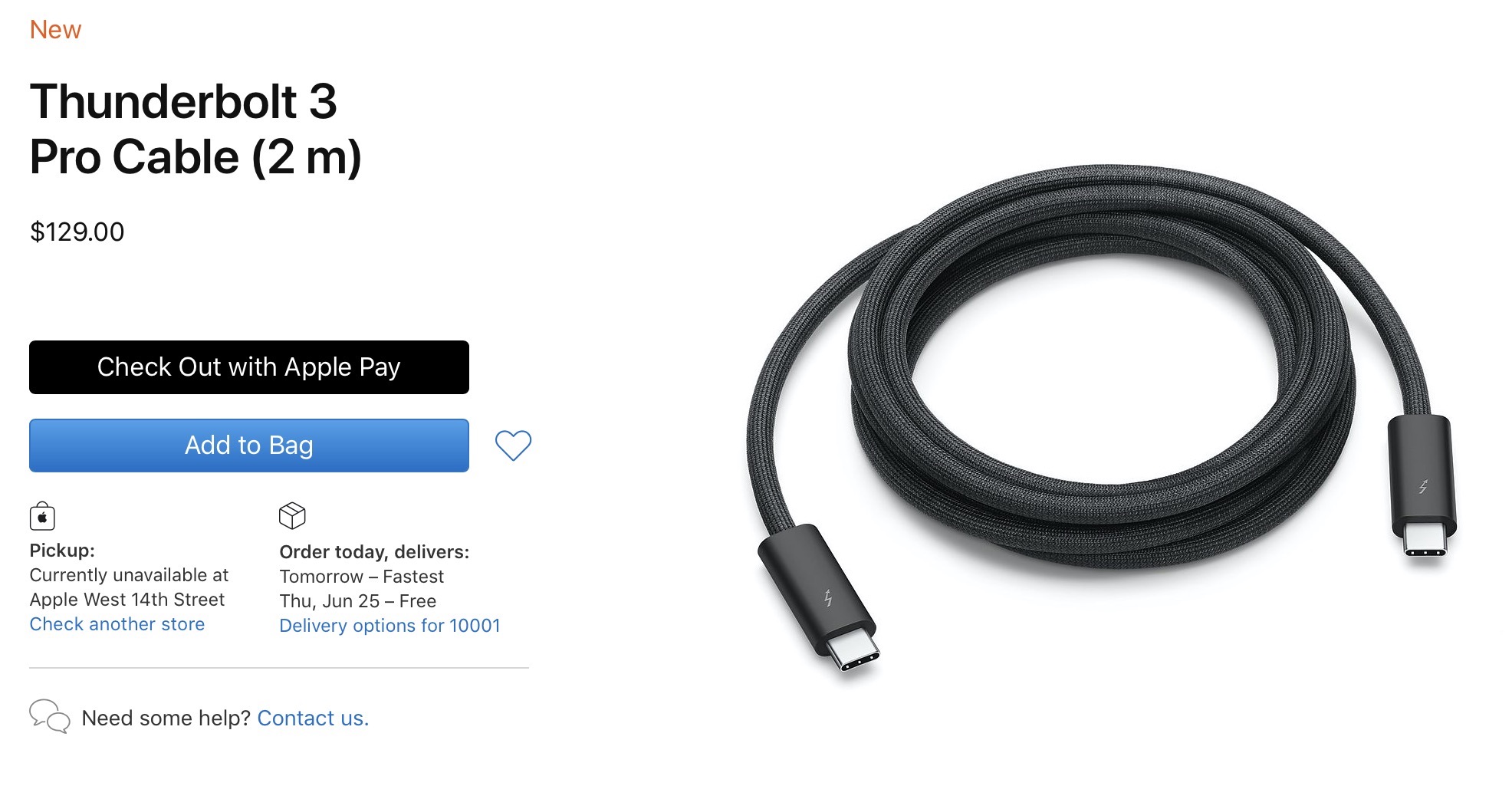
Apple has quietly started selling its 2-meter Thunderbolt 3 cable priced at $129, offering a braided design and active cable technology that supports full Thunderbolt 3 data transfer speeds of up to 40Gb/s. This marks the first time the cable has been available as a standalone purchase, as it is otherwise only available included with the Pro Display XDR.


Featuring a black braided design that coils without tangling, this 2-meter cable supports Thunderbolt 3 data transfer up to 40Gb/s, USB 3.1 Gen 2 data transfer up to 10Gb/s, DisplayPort video output (HBR3), and charging up to 100W. Use this cable to connect a Mac with Thunderbolt 3 (USB-C) to Thunderbolt 3 devices such as Pro Display XDR, docks, and hard drives.
Passive Thunderbolt 3 cables like Apple's standard version are limited to shorter lengths of less than a meter, as they are unable to maintain maximum speeds over longer lengths. Active electronics in the cable connectors are required for longer-length cables, which adds significantly to the cost. Even so, Apple's Thunderbolt 3 Pro Cable carries a price premium over many other active cables, including an $80 Belkin one also carried by Apple.

Lengths beyond two or three meters require optical cables that are even more expensive, and optical Thunderbolt 3 cables are only just now starting to come to market with prices starting at several hundred dollars.
This article, "Apple Begins Selling Standalone 2-Meter Thunderbolt 3 Pro Cable for $129" first appeared on MacRumors.com

Discuss this article in our forums


from MacRumors: Mac News and Rumors - All Stories https://ift.tt/2Yq0IfB

Kuo: 24-Inch iMac With New Design to Launch in Fourth Quarter of 2020

https://ift.tt/2AmgoqT

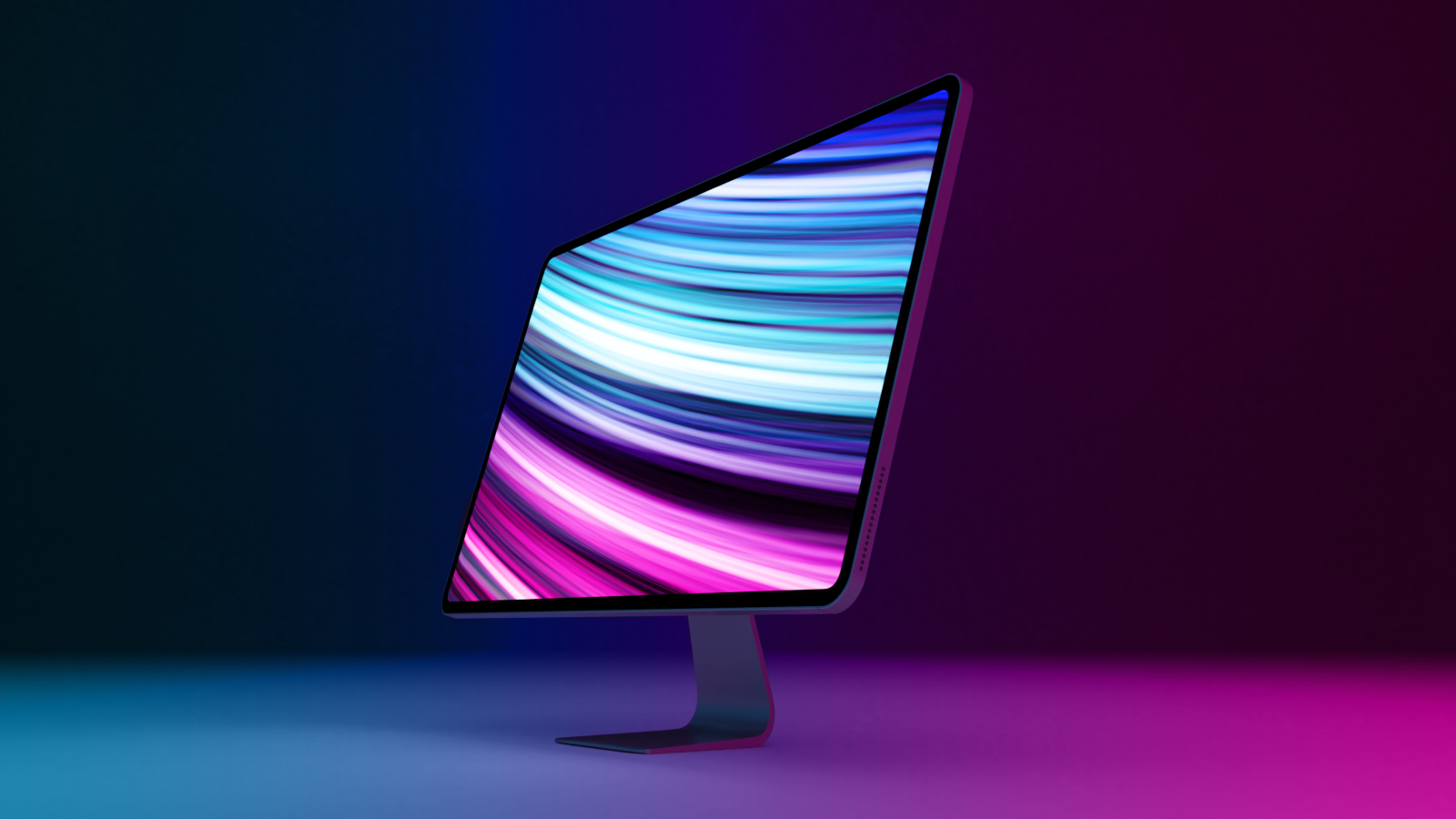
Apple plans to launch a 24-inch iMac with a new design in the fourth quarter of 2020, analyst Ming-Chi Kuo said today in a research note obtained by MacRumors.


Earlier this week, Kuo claimed that this redesigned iMac will be one of Apple's first two Mac models with a custom Arm-based processor, with the other being a future 13-inch MacBook Pro.

Following years of rumors, Apple today confirmed its plans to switch to its own processors for its Macs, promising "incredible" performance and features. Apple said that it plans to release its first Mac with custom silicon by the end of 2020, and it expects to transition its entire Mac lineup away from Intel processors within around two years.

In the meantime, Kuo expects Apple to refresh its existing Intel-based iMac in the third quarter of 2020, which encompasses July through September. It is unclear if this model will feature a new design. Apple last redesigned the iMac in 2012.

A last-minute rumor suggested that Apple was going to unveil its redesigned iMac at WWDC, but the keynote did not include any hardware announcements.
Related Roundup: iMac
Buyer's Guide: iMac (Don't Buy)

This article, "Kuo: 24-Inch iMac With New Design to Launch in Fourth Quarter of 2020" first appeared on MacRumors.com

Discuss this article in our forums


from MacRumors: Mac News and Rumors - All Stories https://ift.tt/37RoZyd

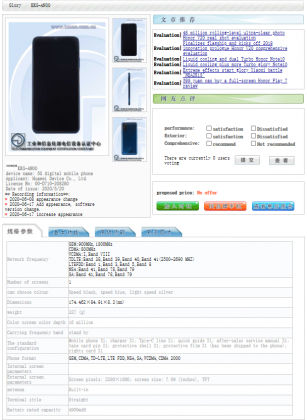
Honor X10 Max 5G Full Specifications and Images Surface on TENAA Ahead of July 2 Launch


via News – MySmartPrice https://ift.tt/2V9d2ih