Monday, June 29, 2020

The New York Times Ends Apple News Partnership and Pulls All Articles

https://ift.tt/2UxKvlV

The New York Times today announced that it is pulling out of Apple News, as the service does not "align with its strategy of building direct relationships with paying readers."
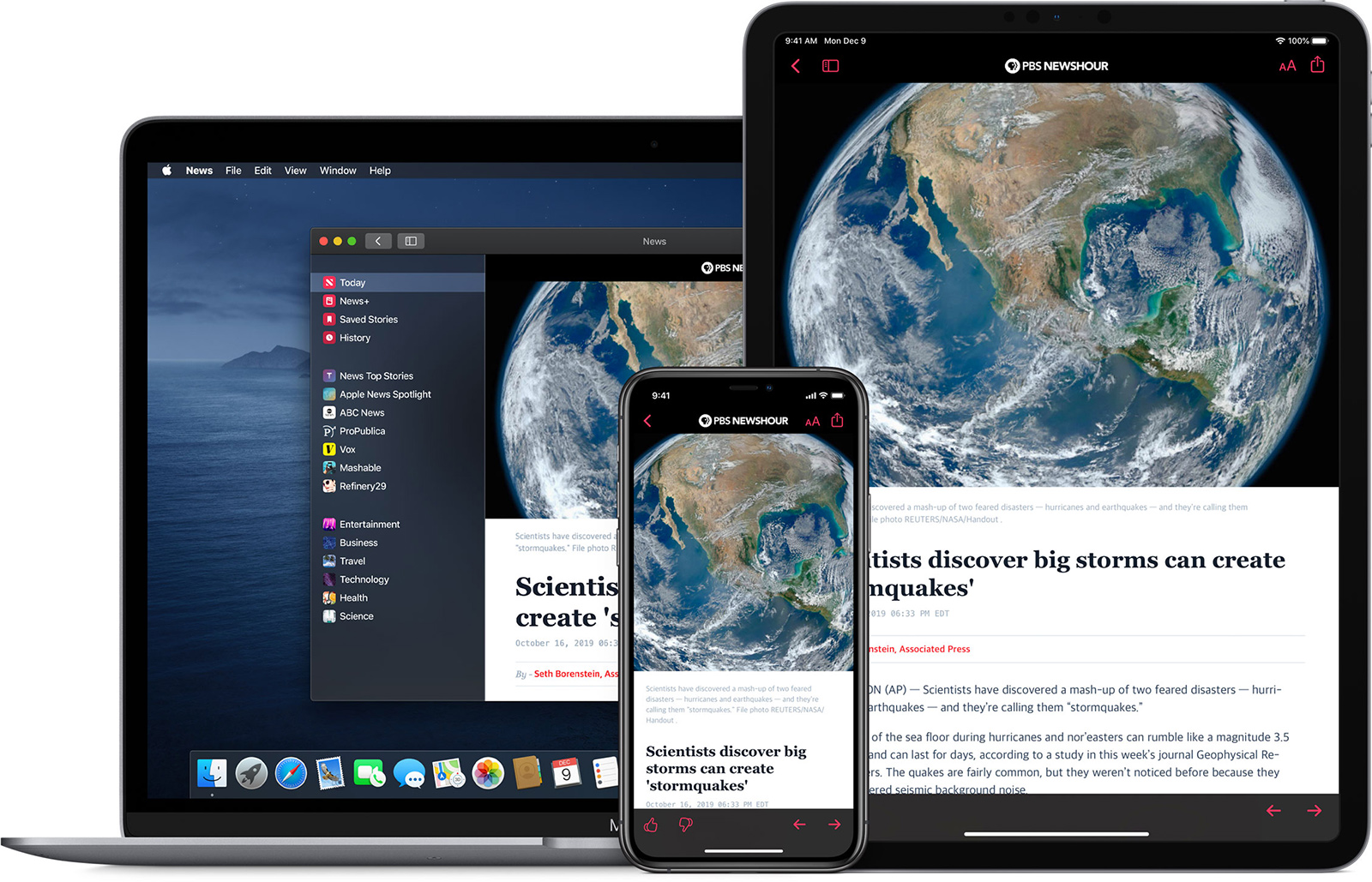

Starting today, articles from The New York Times will no longer show up in the ‌Apple News‌ app. The news site says that Apple has given it "little in the way of direct relationships with readers" and "little control over the business." Rather than allowing its articles on ‌Apple News‌, The New York Times wants to drive readers to its own website and app.
"Core to a healthy model between The Times and the platforms is a direct path for sending those readers back into our environments, where we control the presentation of our report, the relationships with our readers, and the nature of our business rules," Meredith Kopit Levien, chief operating officer, wrote in a memo to employees. "Our relationship with ‌Apple News‌ does not fit within these parameters."
In a statement, an Apple spokesperson said that The New York Times only provided a few ‌Apple News‌ stories a day and that ‌Apple News‌ will still provide readers with trusted information from thousands of other publishers. "We are also committed to supporting quality journalism through the proven business models of advertising, subscriptions, and commerce," said the spokesperson.

The New York Times, along with The Washington Post, was a publication that Apple courted to participate in ‌Apple News‌+, Apple's paid news service. The New York Times, The Washington Post, and many other major news sites declined to participate, though Apple did ink deals with The Wall Street Journal, The Los Angeles Times, and Condé Nast.

‌Apple News‌+ was not enticing as The New York Times has its own successful online subscription option already. The New York Times says that advertising in the standard ‌Apple News‌ app has also "generated little revenue for news organizations," plus Apple takes a 30 percent cut of subscriptions sold in the app.

The New York Times has more than six million subscribers and has seen increasing revenue from digital subscriptions on its site. The New York Times does not expect exiting ‌Apple News‌ to have a "material impact" on its business, and the company will continue to work with Apple on apps and podcasts.
This article, "The New York Times Ends Apple News Partnership and Pulls All Articles" first appeared on MacRumors.com

Discuss this article in our forums


from MacRumors: Mac News and Rumors - All Stories https://ift.tt/31tw0E0

How to Downgrade From iOS 14 and iPadOS 14

https://ift.tt/3dII0Em

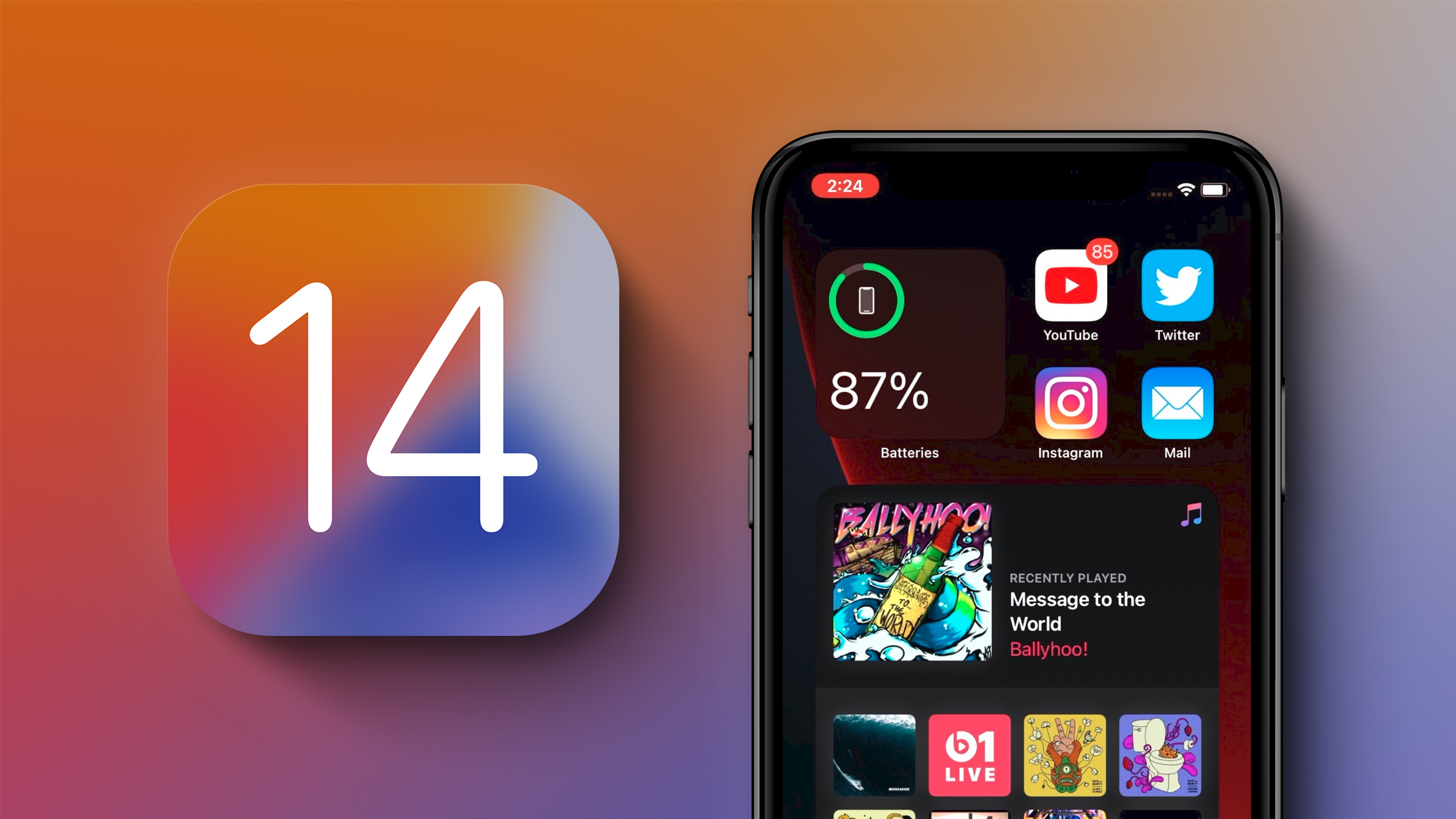
If you've installed iOS 14 or iPadOS 14 through Apple's developer program or the public beta after it's been released, you may decide you want to downgrade because of issues. Keep reading to learn how it's done.


Compared to betas of previous years, ‌iOS 14‌ and ‌iPadOS 14‌ are relatively stable. That said, Apple's beta versions of its major software updates can be notoriously buggy, especially the early releases.

You may find apps not working properly, poor battery life, device crashes, and features that don't do what they're supposed to. Fortunately, you can restore your iPhone or iPad to the previous version of iOS.

If you made an archived backup before you installed the beta, you can remove the ‌iOS 14‌ beta and restore the backup. If you didn’t make a backup, you can still downgrade, but you won't be able to restore your device to its original state before you upgraded.

Also, if you've installed watchOS 7 on your Apple Watch, it's important to note that you won't be able to use it with your ‌iPhone‌ once you've gone back to iOS 13. Downgrading an ‌Apple Watch‌ to a previous version of watchOS can't be done manually either – if you want to remove ‌watchOS 7‌, you'll have to send your watch in to Apple.

How to Downgrade from ‌iOS 14‌ or ‌iPadOS 14‌


  1. Launch Finder on your Mac.
  2. Connect your ‌iPhone‌ or ‌iPad‌ to your Mac using a Lightning cable.
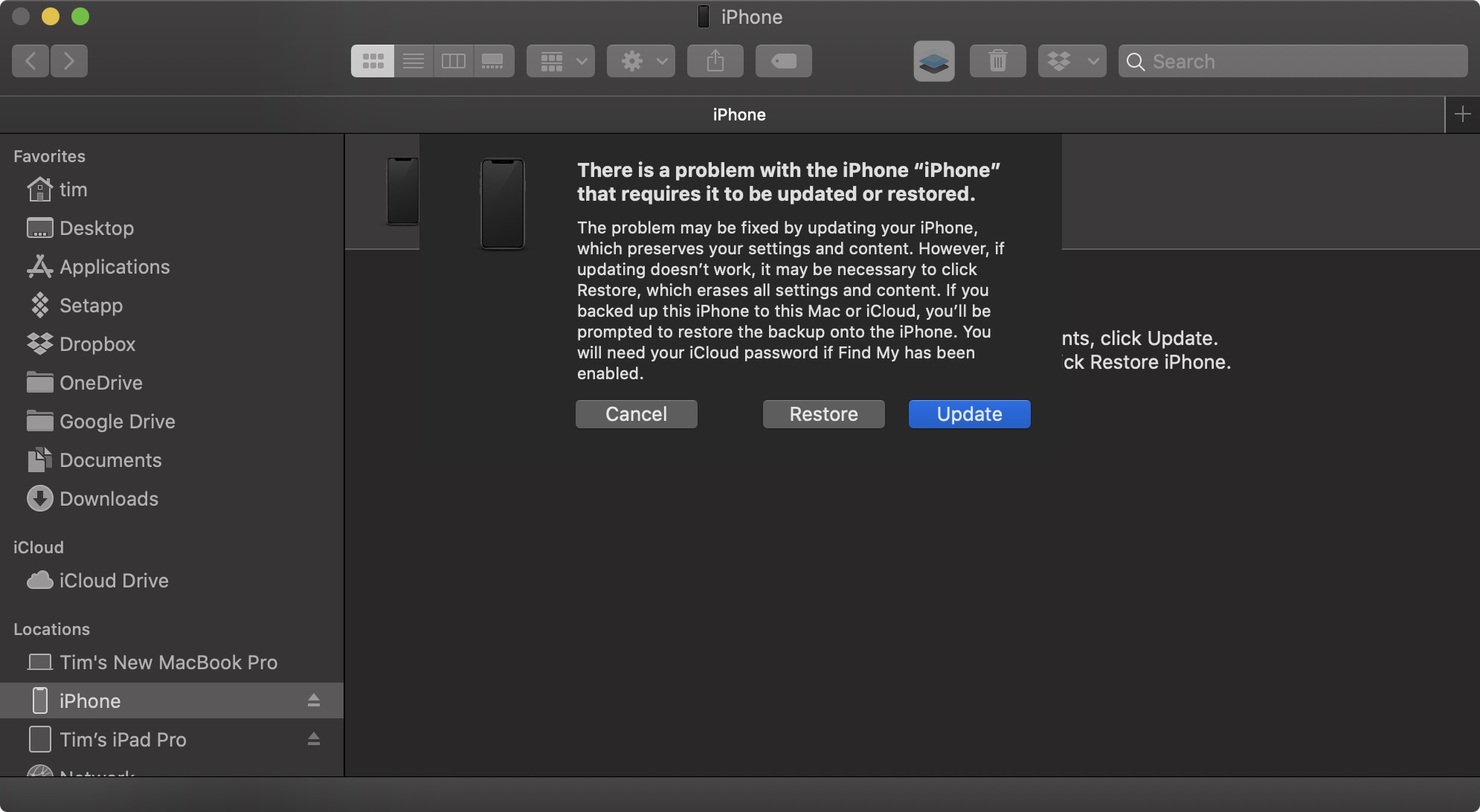
  3. Put your device into recovery mode. The method of doing this depends on your device, so check the list below these steps to find your model. Apple also provides more information on Recovery mode in this support article.
    restore
  4. A dialog will pop up asking if you want to restore your device. Click Restore to wipe your device and install the latest public release of iOS or iPadOS.
  5. Wait while the restore process completes.

How to Enter Recovery Mode on Your iOS Device


  • ‌iPad‌ models with Face ID: Press and quickly release the Volume Up button. Press and quickly release the Volume Down button. Press and hold the Top button until your device begins to restart. Continue holding the Top button until your device goes into recovery mode.
  • ‌iPhone‌ 8 or later: Press and quickly release the Volume Up button. Press and quickly release the Volume Down button. Then, press and hold the Side button until you see the recovery mode screen.
  • ‌iPhone‌ 7, ‌iPhone‌ 7 Plus, and iPod touch (7th generation): Press and hold the Top (or Side) and Volume Down buttons at the same time. Keep holding them until you see the recovery mode screen.
  • ‌iPad‌ with Home button, ‌iPhone‌ 6s or earlier, and ‌iPod touch‌ (6th generation) or earlier: Press and hold both the Home and the Top (or Side) buttons at the same time. Keep holding them until you see the recovery mode screen.
One you've followed the above steps, you can restore a backup of your device from ‌iOS 13‌ or ‌iPadOS‌ 13 using your Mac or iCloud.
This article, "How to Downgrade From iOS 14 and iPadOS 14" first appeared on MacRumors.com

Discuss this article in our forums


from MacRumors: Mac News and Rumors - All Stories https://ift.tt/2YIpTtJ

Apple's A12Z Under Rosetta Outperforms Microsoft's Native Arm-Based Surface Pro X

https://ift.tt/2CJxOhR

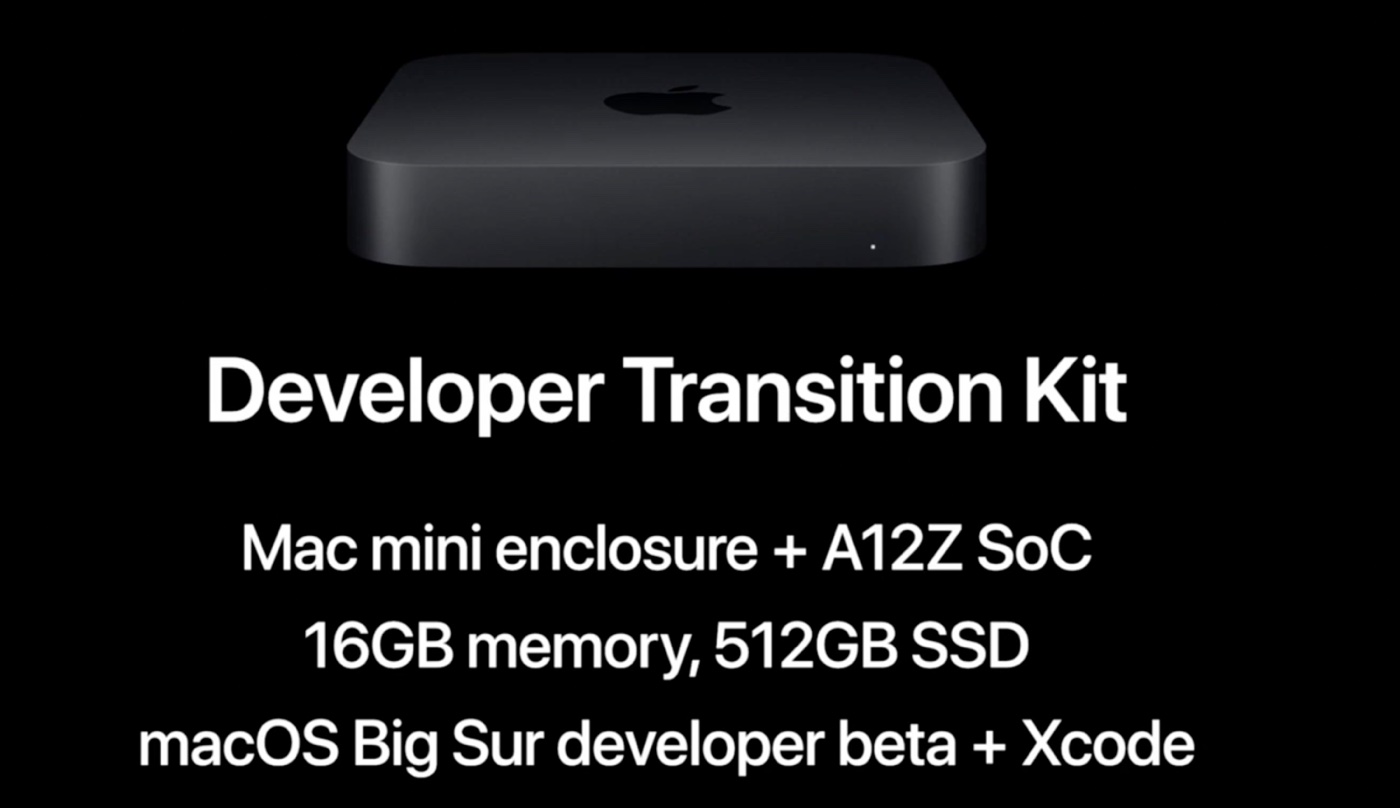
Apple's Developer Transition Kit equipped with an A12Z iPad Pro chip began arriving in the hands of developers this morning to help them get their apps ready for Macs running Apple Silicon, and though forbidden, the first thing some developers did was benchmark the machine.


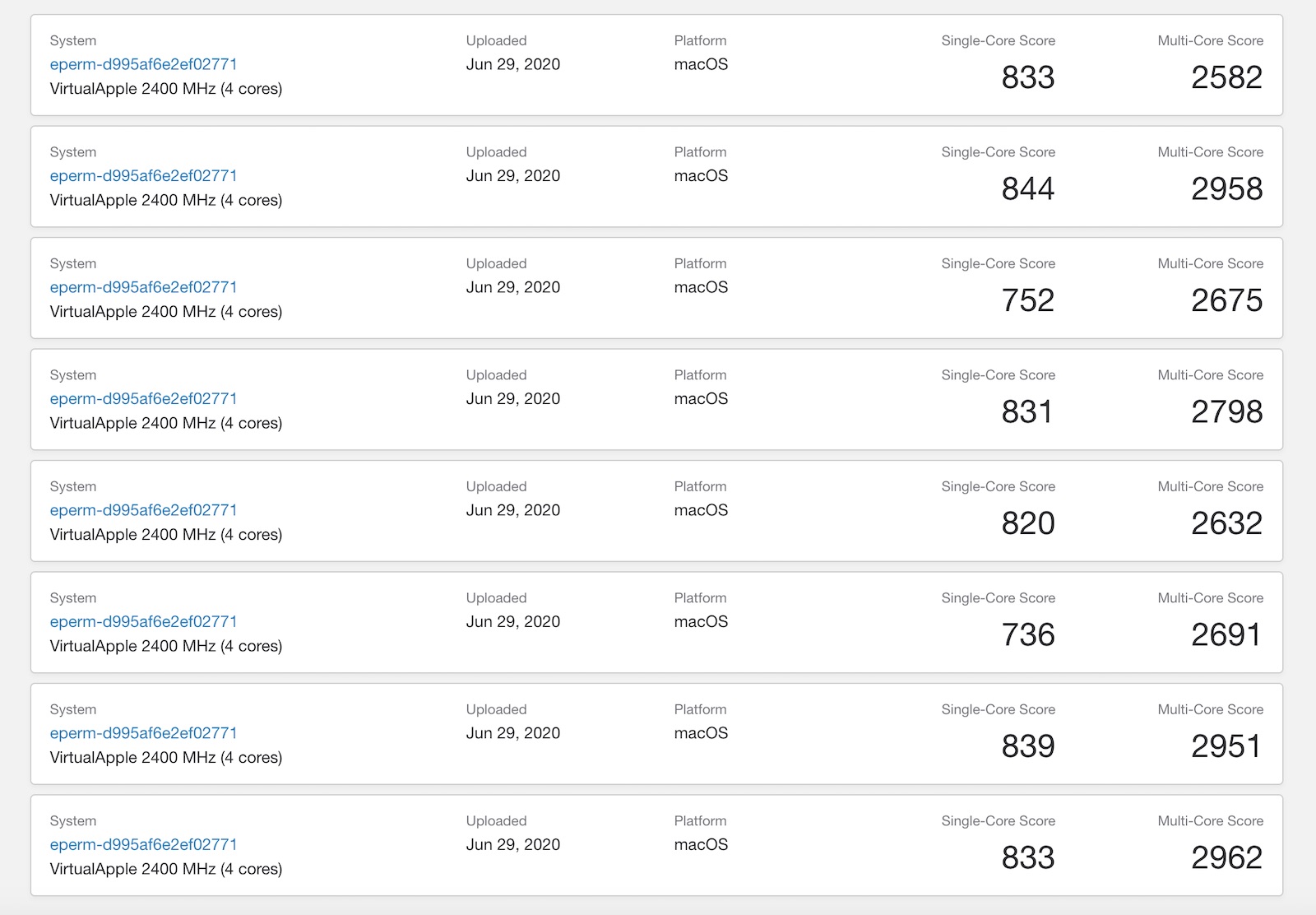
Multiple Geekbench results have indicated that the Developer Transition Kit, which is a Mac mini with an ‌iPad Pro‌ chip, features average single-core and multi-core scores of 811 and 2,871, respectively.


As developer Steve Troughton-Smith points out, the two-year-old A12Z in the ‌Mac mini‌ outperforms Microsoft's Arm-based Surface Pro X in Geekbench performance, running x86_64 code in emulation faster than the Surface Pro X can run an Arm version natively.


Averaging seven Geekbench 5 benchmarking results, Microsoft's Surface Pro X features a single-core score of 726 and a multi-core score of 2,831, meaning the A12Z outperforms the Surface Pro X in single-core testing and is on par or slightly better in multi-core performance.


The Surface Pro X features a Microsoft-designed 3GHz Arm processor based on the Qualcomm SQ1 chip.

Apple's DTK provided to developers is just a test machine using an older A12Z chip (it's the same as the A12X chip in the 2018 ‌iPad Pro‌ but with an extra GPU core unlocked). Apple's Arm-based Macs that run ‌Apple Silicon‌ will have new chips designed for the Mac and based on the A14 chip created for the 2020 iPhone lineup with a 5-nanometer process.

Apple says its ‌Apple Silicon‌ Macs will bring major improvements in performance and power efficiency, and the first Arm-based Mac is set to be released before the end of 2020.
This article, "Apple's A12Z Under Rosetta Outperforms Microsoft's Native Arm-Based Surface Pro X" first appeared on MacRumors.com

Discuss this article in our forums


from MacRumors: Mac News and Rumors - All Stories https://ift.tt/2Zjrup8

Apple Watch Executive Kevin Lynch Discusses New Sleep Tracking and Hand Washing Features

https://ift.tt/2ZouC37

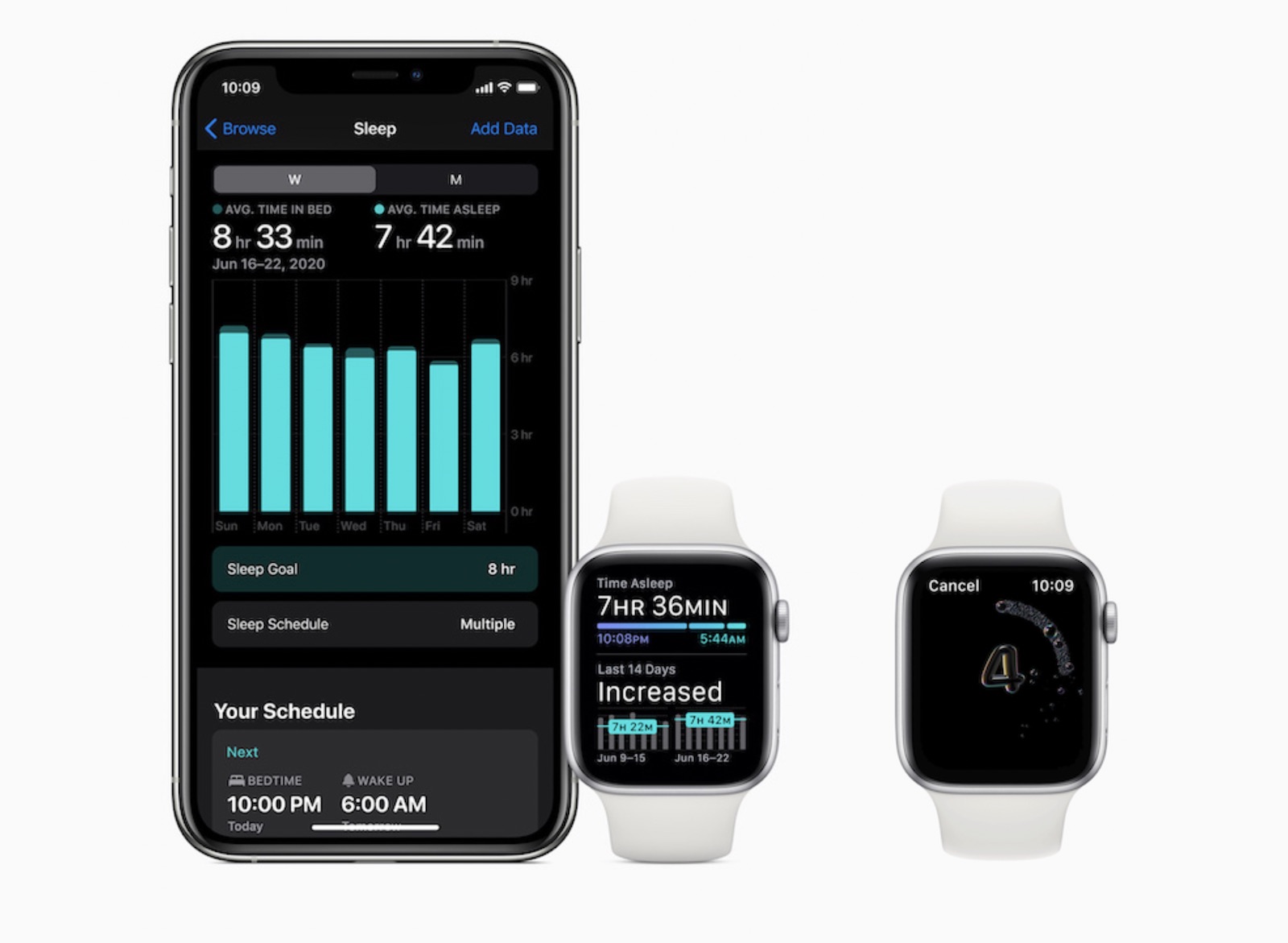
Following WWDC last week, Apple's VP of Technology Kevin Lynch has taken time to discuss the Apple Watch's new sleep tracking and hand washing features in watchOS 7 with publications like The Independent, CNET, and TechCrunch.


While some third-party apps provide very detailed sleep analysis, Apple's implementation of sleep tracking is fairly basic, focusing only on duration of sleep, movement disturbances, and heart rate. Lynch told CNET that this simplicity was an intentional decision, noting that Apple did research and found that extra data was not entirely useful.

"Movement of your arm is an input, but it's not a complete picture of what's going on inside your brain," said Lynch, as an example.

"You can't really coach yourself to have more or less REM stages," he added. "We felt like that wasn't the best way Apple could add value here on sleep. We focused on the transition to the bed, which we think is way more actionable, and will result in people getting a better night's sleep, which then has secondary effects of perhaps your REM stages sorting themselves."

Lynch said that, through research, Apple ultimately determined that duration of sleep is the most important metric.

"In any of these adventures we go on when building things here we ask, what will make the most difference for people that, from a mainstream perspective, will be easy, helpful and empowering," Lynch told The Independent.

Like many other health features on the Apple Watch, the Sleep app provides positive reinforcement only. If users meet their sleep goals, they receive positive feedback, but if they do not, the Watch stays silent.

"There could be anxiety that people have about going to sleep, and that anxiety itself can actually cause more problems in terms of going to sleep," Lynch told CNET. "Many people are already well aware that they haven't been getting enough sleep, and so we're not adding to that, but we are positively acknowledging when you have achieved your goals."

As for hand washing coaching in watchOS 7, Lynch told TechCrunch that the functionality was the result of "years of work." The feature encourages users to wash their hands for a CDC-recommended 20 seconds by providing a countdown with haptic feedback. If a user opts in, the feature automatically activates when the sound of hand washing is detected.
Related Roundups: Apple Watch, watchOS 6, watchOS 7
Buyer's Guide: Apple Watch (Caution)

This article, "Apple Watch Executive Kevin Lynch Discusses New Sleep Tracking and Hand Washing Features" first appeared on MacRumors.com

Discuss this article in our forums


from MacRumors: Mac News and Rumors - All Stories https://ift.tt/2ZnxJbc

Apple Shares Trailer for Short-Form Sports Docuseries 'Greatness Code'

https://ift.tt/nvEILJ

Apple today shared a trailer for "Greatness Code," a short-form sports docuseries that features stories from athletes like LeBron James, Tom Brady, Shaun White, Usain Bolt, and more.


The season features seven mini episodes, each examining a pivotal moment that defined an athlete's career. Episodes highlight the following athletes:

  • Four-time NBA MVP, three-time NBA champion and two-time Olympic gold medalist LeBron James

  • Six-time Super Bowl champion and four-time Super Bowl MVP Tom Brady

  • Olympic gold medalist and co-captain of the US Women's National Soccer Team Alex Morgan

  • Record-holding Olympic gold medalist snowboarder Shaun White

  • World's fastest man and eight-time Olympic champion Usain Bolt

  • Five-time Olympic gold medalist and 15-time world champion swimmer Katie Ledecky

  • 11-time world champion surfer Kelly Slater

"Greatness Code" will premiere on Apple TV+ on Friday, July 10, which is also the premiere date for "Little Voice" and WWII film "Greyhound," starring Tom Hanks.

‌Apple TV‌+ provides original movies and TV shows for $4.99 per month or $49.99 per year, plus there's a free year of service for those who have recently purchased an Apple device. For those who don't qualify for the free year, Apple offers a one-week free trial. The easiest way to get started with ‌‌Apple TV‌‌+‌ is to click or tap the button below to sign up for a free one-week trial, and then enter your information to confirm and activate your account.

Try Apple TV+ free for 1 week


You can also check out our step-by-step instructions for getting up and running from various devices.
This article, "Apple Shares Trailer for Short-Form Sports Docuseries 'Greatness Code'" first appeared on MacRumors.com

Discuss this article in our forums


from MacRumors: Mac News and Rumors - All Stories https://ift.tt/3g76M2q

Deals: Apple's 2019 128GB iPod Touch Discounted to $274.99 on Amazon ($24 Off)

https://ift.tt/2t4UuEX

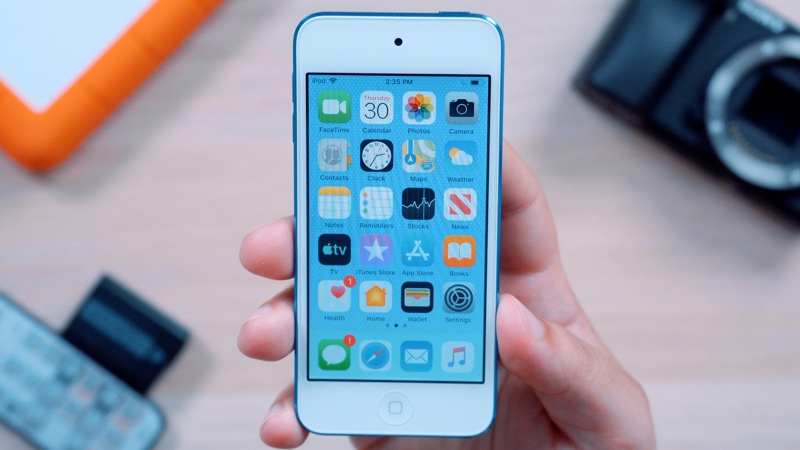
Amazon today is discounting Apple's 128GB iPod touch from 2019 to $274.99, down from $299.00. This discount is a match of the previous Amazon low price seen on this model of the iPod touch, and it's only available in the Silver color option.

Note: MacRumors is an affiliate partner with Amazon. When you click a link and make a purchase, we may receive a small payment, which helps us keep the site running.

Apple updated the iPod touch in May of 2019 with an improved processor, support for Group FaceTime, augmented reality capabilities, and more. The Wi-Fi iPod touch is a device focused on letting users listen to music via Apple Music and play games from the App Store or using Apple Arcade.

$24 OFF
128GB iPod touch for $274.99


If you're on the hunt for more discounts, be sure to visit our Apple Deals roundup where we recap the best Apple-related bargains of the past week. If you're looking for audio devices to pair with an iPod Touch, visit our Best AirPods Deals and Best HomePod Deals guides to shop for the lowest prices on Apple's Bluetooth headphones and speaker.
Related Roundup: Apple Deals

This article, "Deals: Apple's 2019 128GB iPod Touch Discounted to $274.99 on Amazon ($24 Off)" first appeared on MacRumors.com

Discuss this article in our forums


from MacRumors: Mac News and Rumors - All Stories https://ift.tt/3idthoh

Best iPhone & iPad games 2020

https://ift.tt/eA8V8J

From puzzles and shooters to adventure games and RPGs, these are the 100 best iPhone & iPad games available in 2020 - complete with reviews, videos and download links

from Latest iPhone Articles from Macworld UK https://ift.tt/2qpruTf