Thursday, November 15, 2018

Nikon’s Z6 mirrorless camera launches tomorrow for $2,000


via News – MySmartPrice https://ift.tt/2qPID8M

Review: Mophie's USB-C Equipped 26,000mAh Powerstation 3XL Has Enough Juice to Charge Your MacBook or MacBook Air

https://ift.tt/2B8zE8K

Mophie recently announced the launch of its largest battery pack yet, the Powerstation 3XL, which is designed for charging Apple's line of MacBook and MacBook Air devices.

The Powerstation 3XL features a 26,000mAh capacity and 45 watts of power, making it ideal for charging devices that include the iPhone, iPad Pro, 12-inch MacBook, and new MacBook Air.


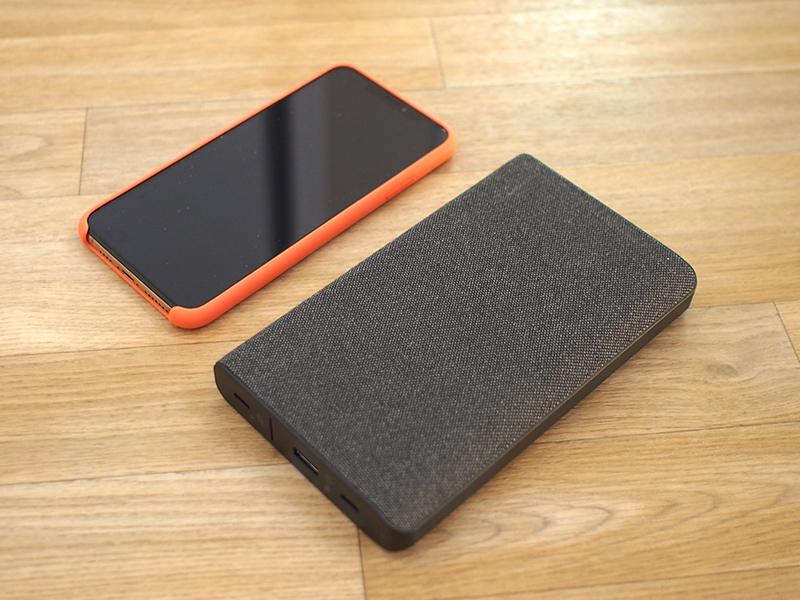
As you might expect with a 26,000mAh device, the Powerstation 3XL is not a small, pocket-sized charger. It's 6.6 inches long and 3.7 inches wide, plus nearly an inch thick.

You can fit this into a bag or backpack without much trouble, but it is bigger than even Apple's largest iPhone, the XS Max. The Powerstation 3XL weighs more than a pound (18 ounces), and it feels like a heavy, sturdy accessory.

The charger is made from a black plastic material that's covered in a soft, tweed material that makes it easy to grip and adds some flair. Design wise, this is a high-quality charger that looks like it's expensive, which it should, because Mophie is charging $200.
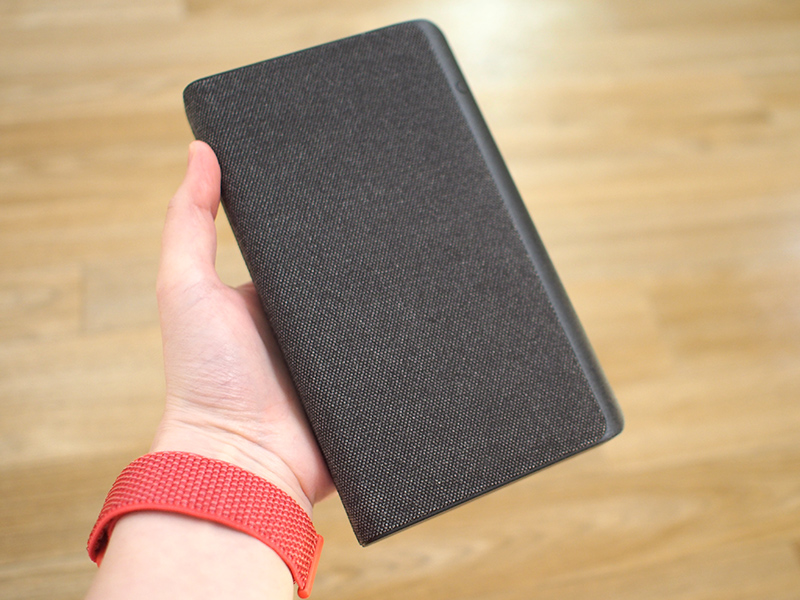

At the bottom of the Powerstation 3XL, there are two USB-C ports, one for plugging into USB-C accessories like the MacBook Air or MacBook, and one for charging the power bank with a USB-C cable. You can tell the two ports apart by a little line and a lightning bolt that indicates which side is used for which.

There's also a USB-A port next to the USB-C charging port so you can also charge USB-A accessories. In total, you can charge one device using the USB-C port and one device using the USB-A port at once, and if you plug in a USB-C cable and a power adapter, you can charge the Powerstation and your devices with passthrough charging.

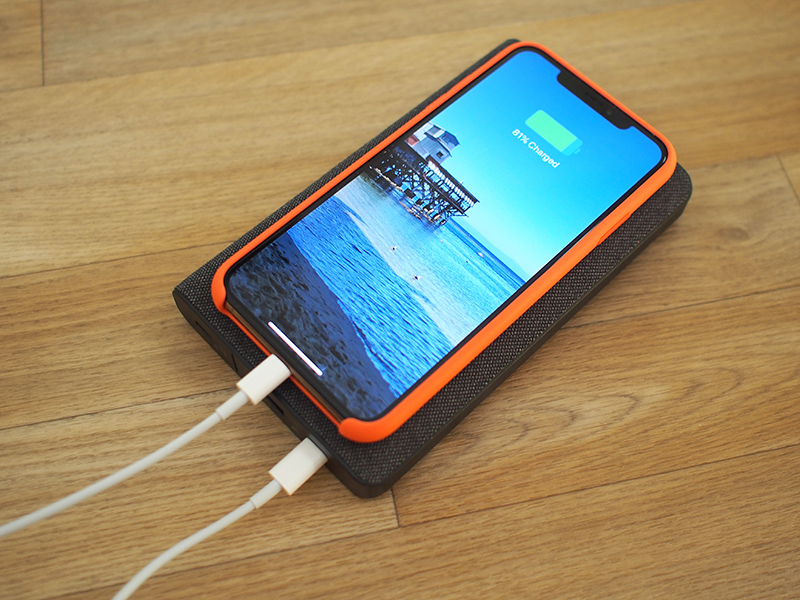
Mophie says the Powerstation 3XL has a Priority+ charging feature that will provide power to your devices connected to it via USB-C or USB-A before charging the power bank itself, so if you leave the whole shebang plugged in, your devices will charge and then the Powerstation 3XL will charge. I tested this feature out and did indeed see the Powerstation providing power to my iPhone and iPad before charging itself.

A button at the top right of the Powerstation 3XL can be pressed to initiate charging or to let you know how much charge is left in conjunction with four LEDs that light up to let you know the power level.

At 45W, the Powerstation 3XL provides more than enough power to charge up a MacBook Air or a MacBook at a fast charging speed. Both the MacBook Air and MacBook ship with 30W power adapters from Apple for charging purposes.

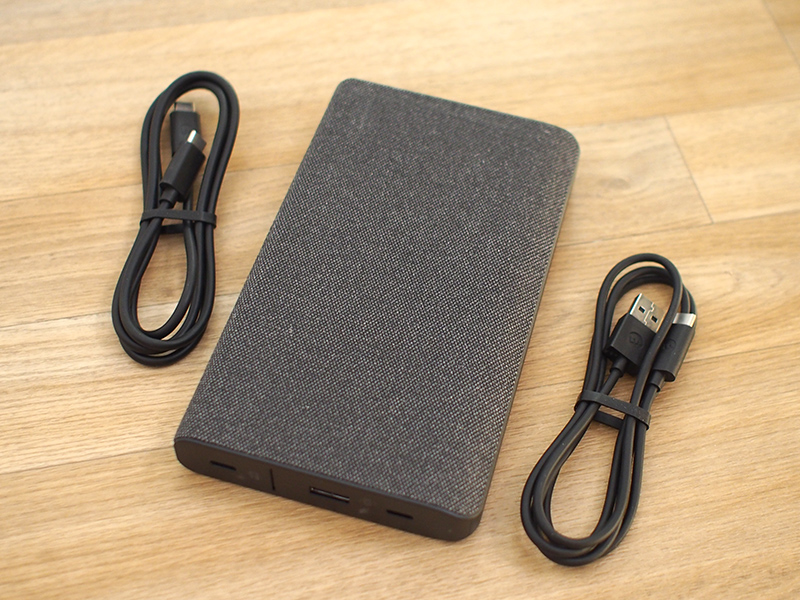
Mophie includes a USB-C to USB-C cable for connecting to your MacBook or other USB-C device, and a USB-C to USB-A cable, which is for charging the Powerstation 3XL.

Though not provided, if you combine the Mophie Powerstation 3XL with a USB-C to Lightning cable from Apple (and Apple is the only manufacturer of these cables at the current time), you can use the accessory to fast charge a compatible iPhone.

iPhones that support fast charging include the iPhone 8, 8 Plus, X, XS, XS Max, and XR. With these phones, when charging with the USB-C to Lightning cable, you can get a 50 percent charge in just a half hour.

When testing this with my iPhone XS Max, I was able to get to just over 50 percent within a half hour starting from one percent, and in an hour, the Powerstation 3XL charged it up to 83 percent.

With the USB-C to USB-C cable, I was able to charge my MacBook from zero power to 53 percent using the Powerstation 3XL in one hour, and with the new 11-inch iPad Pro, it charged the device to 66 percent from zero over the course of an hour, also using the USB-C to USB-C cable.

Capacity wise, a single 26,000mAh charge was enough to charge my MacBook from 0 to 100, my iPad mini from 0 to 100, and my iPhone X from dead to 56 percent, so there's a good amount of power there for dealing with multiple devices that need to be charged up.
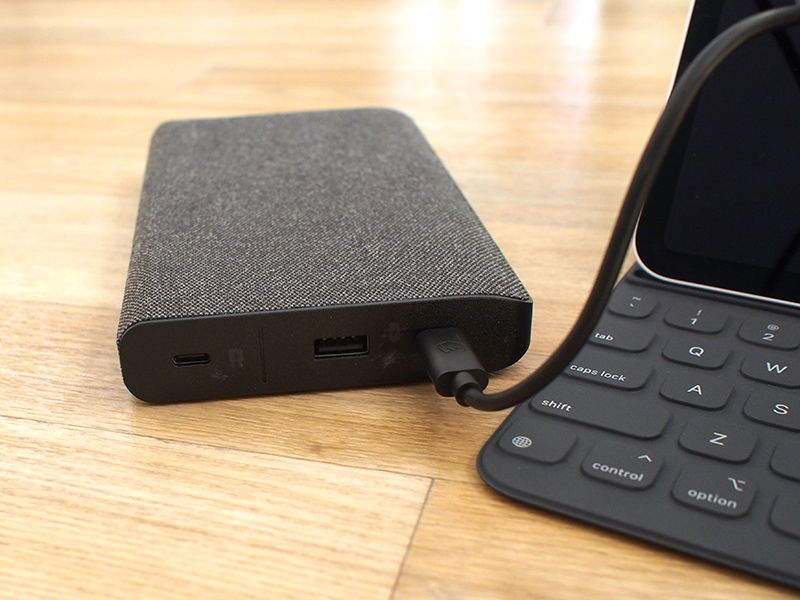

For the record, at 45W, the Powerstation 3XL also offers faster charging than the 18W USB-C power supply that ships with the iPad Pro. Using the standard adapter, my iPad Pro charged from dead to 45 percent in an hour, but with the Powerstation it got up to 66 percent during the same time period.

Though designed for the MacBook and MacBook Air, you can use the Powerstation 3XL to provide a bit of extra juice for a 13 or 15-inch MacBook Pro, but as these are higher-capacity devices that use 61 and 85W power sources, respectively, the 26,000 capacity won't go as far nor will charging be as fast.
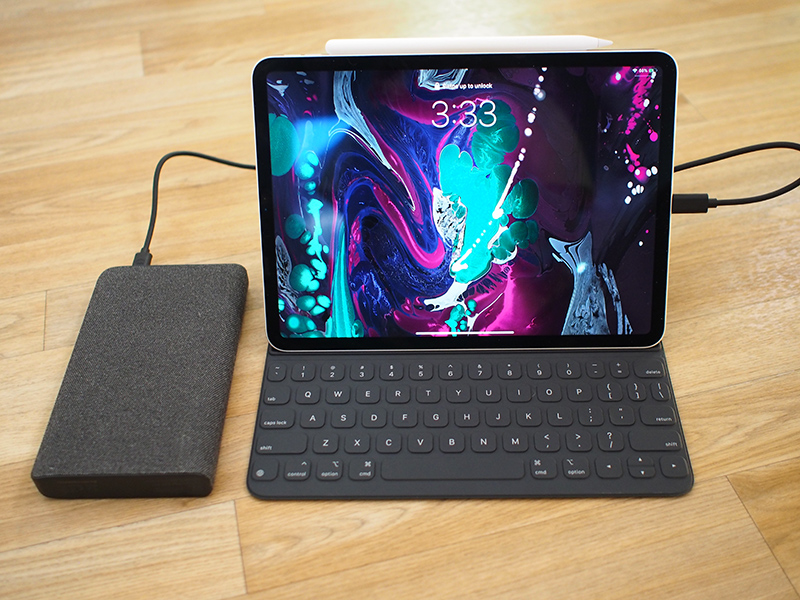

With the MacBook the Powerstation 3XL offers more than double the battery life, and while I don't have a MacBook Air to test, it too should be able to charge to full via the Powerstation. You can charge an iPhone or an iPad a few times over as well, so this is a great device to have on hand for travel and other situations where you need a lot of battery life.

Bottom Line


I have nothing negative to say about the Powerstation 3XL itself. It's heavy and a bit bulky, but that's to be expected from a charger with such a high capacity. It's well made, I love the grippy fabric covering, and it charged up all of my devices flawlessly.

That it offers fast charging for the iPhone and faster charging for the iPad Pro are fantastic side perks, making the Powerstation 3XL one of the most versatile power banks on the market.

Unfortunately, the Powerstation 3XL is super expensive at $199, which is pretty typical of Mophie products. Mophie makes premium power banks that can be hard to recommend over other, more affordable options.

There are other similar power banks on the market that cost less but aren't quite as nice as the Powerstation 3XL. Jackery, for example, makes a 45W USB-C charger that's $120 and about the same size, while Anker and RAVPower both make lower power 30W versions that are priced at $130 and $80, respectively.

There aren't many 45W USB-C power banks on the market, though you can find some options from lesser known brands on Amazon. I'm never a fan of recommending these because lower-quality cables, power banks, and power adapters do have the potential to cause damage if something happens because of less careful manufacturing.

Mophie's products are from a recognized brand, which is nice for peace of mind, and carry a two-year warranty, something that will come in handy if anything goes wrong with such an expensive charging device.

I definitely recommend the Powerstation 3XL because it's a nice charger, but be aware of the fact that there are potentially more affordable options out there. If you can pick this up on sale somewhere, go for it, but otherwise, make sure to do some comparison shopping to make sure you're getting the best accessory to meet your needs at the best price.

How to Buy


Mophie's Powerstation 3XL can be purchased from the Mophie website or from Apple for $199.95. It is an Apple exclusive, so you won't find it available from other retailers.

Tag: Mophie

Discuss this article in our forums


from MacRumors: Mac News and Rumors - All Stories https://ift.tt/2OM52xs

Final Cut Pro X Updated With Support for Third-Party Workflow Extensions

https://ift.tt/2K43RIW

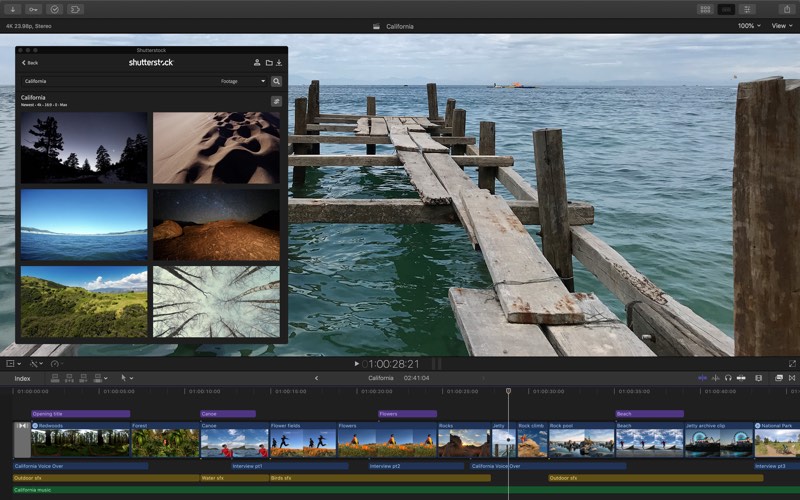
Apple today announced a new update for Final Cut Pro X, which introduces support for workflow extensions that will allow professional video editors to use third-party apps and services directly within the Final Cut Pro app.

Workflow extensions have been designed to match the look of Final Cut Pro, offering tight integration with the app. Media can be dragged into Final Cut Pro libraries, playback can be synced between extensions and the timeline, and more.


Extensions include Frame.io, which enhances post-production, Shutterstock, which allows for browsing and purchasing stock footage, and CatDV for media asset management.

Workflow extensions for Final Cut Pro can be downloaded from the Mac App Store starting today, with Apple planning to add additional third-party FCP extensions on an ongoing basis.

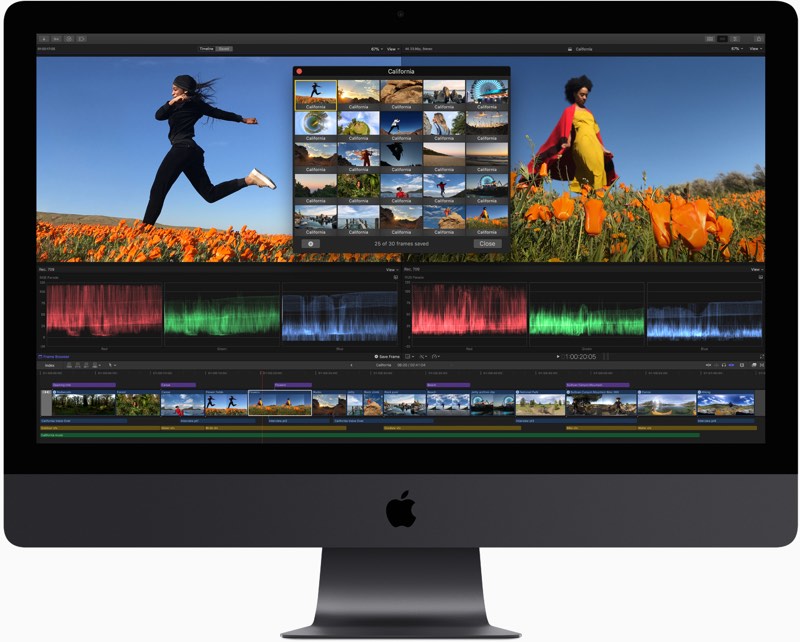
Along with extensions, the new version of Final Cut Pro introduces batch sharing for exporting multiple clips or projects in one step, a new Comparison Viewer window is available for letting editors view reference images while working on color grading, and marquee selection has been improved to make it easier to select individual clips.


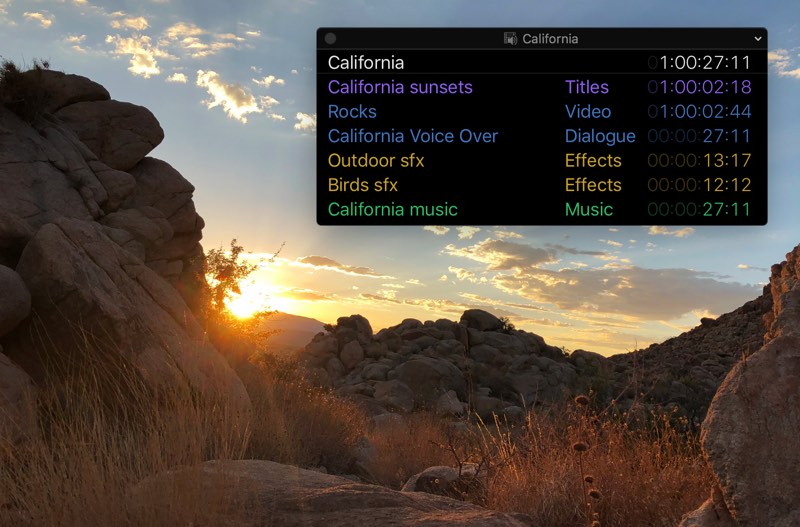
Apple has added a new floating timecode window to make it easier for video editors to follow along with color-coded clip names, roles, project timecode, and source timecode, all presented in a customizable display.


New noise reduction tools are designed to minimize artifacts in low light footage, and editors can create closed captions in an SRT format or burn them into a video for wider compatibility with various websites.

Motion, the motion graphics companion app for Final Cut Pro, is also being updated today. It gains a comprehensive set of color grading tools that match the color correction features available in Final Cut Pro along with new filters for comic and tiny planet effects.

Compressor, another FCP companion app, now uses a 64-bit engine that better takes advantage of all of the memory in a user's Mac and it supports SRT closed captions.

Final Cut Pro can be downloaded from the Mac App Store for $299.99. [Direct Link]

Motion can be downloaded from the Mac App Store for $49.99. [Direct Link]

Compressor can be downloaded from the Mac App Store for $49.99. [Direct Link]


Discuss this article in our forums


from MacRumors: Mac News and Rumors - All Stories https://ift.tt/2qOL4bN

Apple Seeds Third Beta of iOS 12.1.1 to Developers

https://ift.tt/2QEyBCD

Apple today seeded the third beta of an upcoming iOS 12.1.1 update to developers, a little over one week after seeding the second beta and two weeks after the release of iOS 12.1, a major update that brought multiple new features to iOS.

Registered developers can download the new iOS 12.1.1 beta from Apple's Developer Center or over-the-air once the proper configuration profile has been installed from the Developer Center.


The iOS 12.1.1 update reintroduces the feature that lets you take a Live Photo while on a FaceTime call, and it brings improvements for the FaceTime user interface.

Following the update, FaceTime features a reworked bottom bar that includes quick access buttons for muting a call and flipping the camera. Sliding up on the bottom bar brings up additional options with conversation participants. Previously, FaceTime users were required to tap on three dots to access a secondary menu with these features.

For the iPhone XR, iOS 12.1.1 allows Haptic Touch to be used to expand notifications on the Lock screen. iPhone XR owners are able to long press on a notification banner to see additional content, much as other iPhone owners can 3D Touch on a notification to expand it.

iOS 12.1.1 also adds a new option in Apple News to hide the side bar on the iPad when using the app in landscape mode, it introduces an option to turn off the physical SIM in the device in favor of the eSIM, and it tweaks the icon of the Apple Watch app so it looks like the Apple Watch Series 4.

Related Roundup: iOS 12

Discuss this article in our forums


from MacRumors: Mac News and Rumors - All Stories https://ift.tt/2ThEpE8

Apple Seeds Third Beta of macOS Mojave 10.14.2 to Developers

https://ift.tt/2FaLbbG

Apple today seeded the third beta of an upcoming macOS Mojave 10.14.2 update to developers, one week after seeding the second beta and two weeks after releasing the macOS Mojave 10.14.1 update.

The new macOS High Sierra 10.14.2 beta can be downloaded through the Software Update mechanism in System Preferences after the proper profile has been installed from Apple's Developer Center.


We don't yet know what improvements the second update to macOS Mojave will bring, but it is likely to include bug fixes and performance improvements for issues that weren't able to be addressed in the macOS 10.14.1 update.

No new features were discovered in the first two 10.14.2 betas, but we'll update this post if anything new is found in the third beta.

macOS Mojave 10.14.2 comes shortly after the release of macOS 10.14.1, an update that brought support for Group FaceTime on the Mac and introduced new emoji characters.

Related Roundup: macOS Mojave

Discuss this article in our forums


from MacRumors: Mac News and Rumors - All Stories https://ift.tt/2zYEa7V

Apple Seeds Third Beta of tvOS 12.1.1 to Developers

https://ift.tt/2h7Dszr

Apple today seeded the third beta of an upcoming tvOS 12.1.1 update to developers for testing purposes, one week after releasing the second tvOS 12.1.1 beta and two weeks after releasing tvOS 12.1.

The new tvOS 12.1.1 developer beta can be downloaded onto the Apple TV via a profile that's installed using Xcode. Subsequent betas can be downloaded over-the-air.


We're not yet sure what fixes and changes the tvOS 12.1.1 update might bring, but it's likely to focus on bugs that were not able to be addressed in the tvOS 12.1 update.

Apple provides little information on its tvOS software and tvOS updates have historically been minor in scale, so we may not know what's included in this update. Nothing new was discovered in the first two betas, but we'll update this post if any new features are found in the third beta.

Related Roundups: Apple TV, tvOS 12
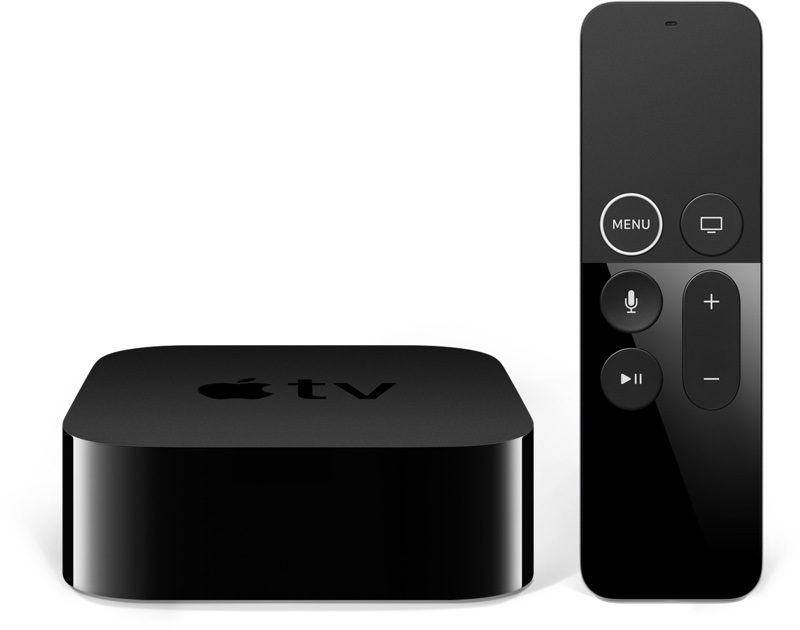
Buyer's Guide: Apple TV (Caution)

Discuss this article in our forums


from MacRumors: Mac News and Rumors - All Stories https://ift.tt/2TenjXA

Apple Seeds Second Beta of watchOS 5.1.2 to Developers

https://ift.tt/2AB6JtL

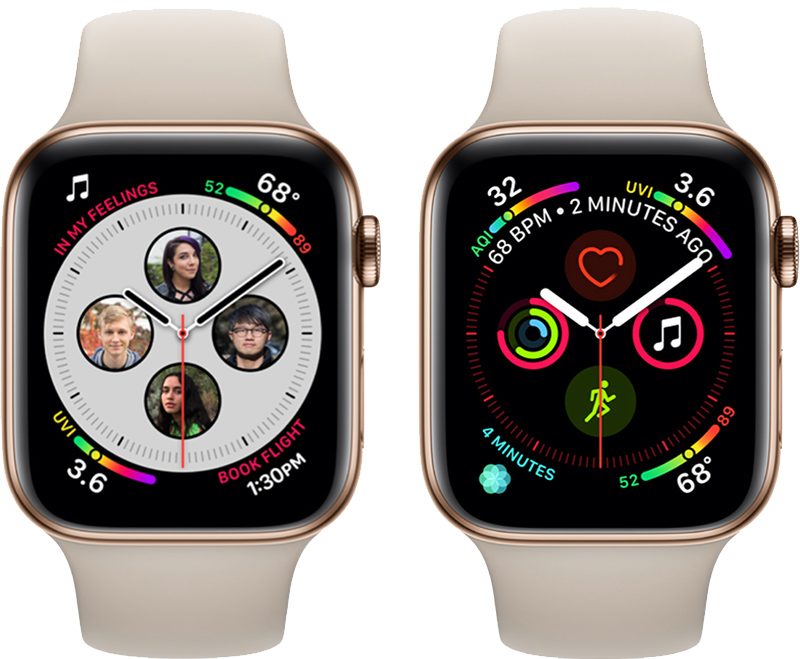
Apple today seeded the second beta of an upcoming watchOS 5.1.2 update to developers, one week after seeding the first beta and a little over a week after releasing watchOS 5.1.1, an updated version of watchOS 5.1 that addressed a bug causing some Apple Watch Series 4 models to be bricked after installing the software.

Once the proper configuration profile has been installed from the Apple Developer Center, the new watchOS beta can be downloaded through the dedicated Apple Watch app on the iPhone by going to General --> Software update.


To install the update, the Apple Watch needs to have at least 50 percent battery, it must be placed on the charger, and it has to be in range of the iPhone.

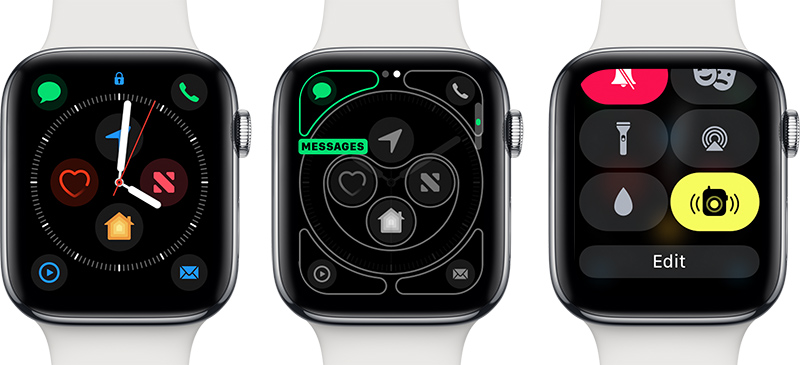
As was discovered in the first beta, the watchOS 5.1.2 update introduces new complications for the two Infograph watch faces on the Apple Watch Series 4. New complications include Mail, Messages, Home, Maps, Apple News, Find My Friends, Phone, and Remote.


watchOS 5.1.2 also introduces a new toggle in Control Center for turning the Walkie-Talkie feature on and off.

The previous watchOS 5.1 and watchOS 5.1 updates introduced support for Group FaceTime in an audio-only capacity, brought new emoji characters, and included a new full-screen "Color" watch face option for the Apple Watch Series 4 models.

Related Roundups: Apple Watch, watchOS 5
Buyer's Guide: Apple Watch (Buy Now)

Discuss this article in our forums


from MacRumors: Mac News and Rumors - All Stories https://ift.tt/2zWFB6X