https://ift.tt/2OUGYZc
With the release of
AirPlay 2 earlier this year and the follow-up addition of Dolby Atmos support for
Apple TV with
tvOS 12, there have been significant improvements in the home entertainment experience for Apple users.
While AirPlay 2 support initially launched for
HomePod with other speaker and receiver brands to come, the rollout has taken a bit of a time, and in fact there are still only a few brands that support the standard.
Sound United's Denon and Marantz brands were the first standalone receivers to gain AirPlay 2 support back in August, and I've had a chance to test out the setup using a
Denon AVR-X3500H receiver.
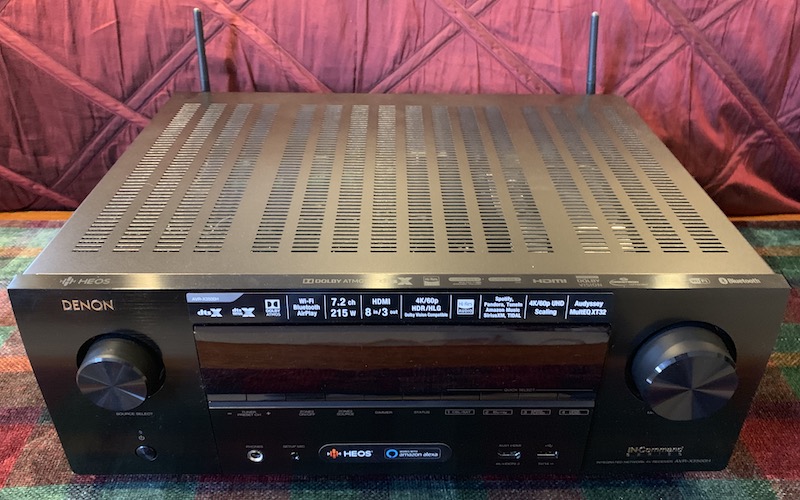 Denon AVR-X3500H
For those unfamiliar with component home theater systems, the AV receiver acts as the center of your entire system, managing both audio and video to connect all of your various content sources to outputs like your television and speakers.
They've become increasingly packed with technology over time depending on how much you're willing to spend, offering support for such features as decoding various surround sound formats, driving an ever larger number of speakers, accepting direct wireless audio streaming via Bluetooth or AirPlay, connecting to Internet services via Wi-Fi or Ethernet, and more.
I've paired the Denon receiver with Focal's
Sib Evo 5.1.2 system that includes Dolby Atmos support, giving me the opportunity to check out both of the recent technological additions to the Apple ecosystem for a quick overview.
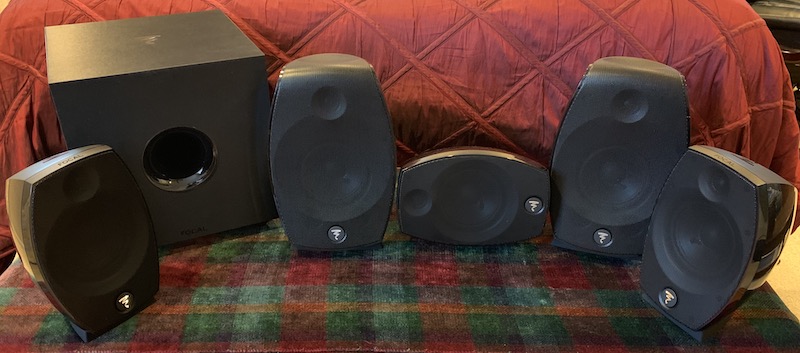 Focal Sib Evo 5.1.2 speaker system with Cub Evo subwoofer
The Sib Evo 5.1.2 includes two front loudspeakers with upward-firing Dolby Atmos speaker drivers, three satellite speakers with one intended to be turned on its side and used as a center speaker, and a Cub Evo active subwoofer.
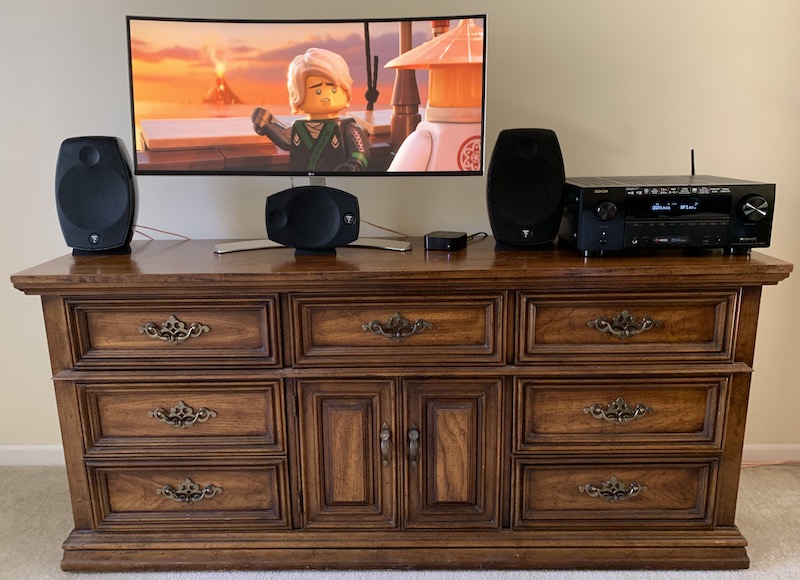
Denon's AVR-X3500H can handle eight HDMI inputs and up to three HDMI outputs. With support for Dolby Atmos, DTS:X, and DTS Virtual:X, all of the top surround sound formats are included. Add in AirPlay 2 and Alexa voice control, and you've got a powerful and flexible centerpiece for your home entertainment system.
AirPlay 2
If you're an Apple fan, you likely already have an Apple TV hooked up to your home entertainment system, so you can stream multi-room audio to the system via the Apple TV. But built-in support for AirPlay 2 on the AVR-X3500H and other Denon receivers gives you another option for direct delivery of audio to what in some cases may be the best speakers in your house.
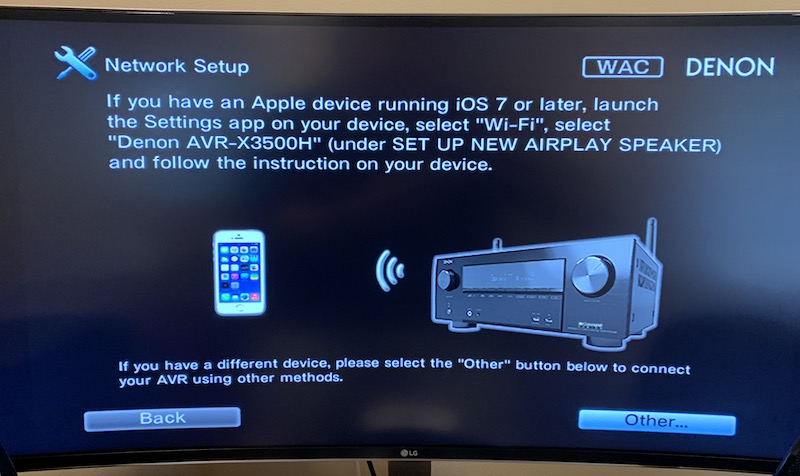 Denon AVR-X3500H Wi-Fi and AirPlay setup
When you set up the Denon receiver for the first time, it walks you through a network setup process that can grab your Wi-Fi network details from an iOS device, getting your receiver online so that it can directly access content and serve as an AirPlay 2 destination. As is pretty typical for electronics like this, the on-screen setup process isn't particularly pretty, but it makes each step clear and relatively easy to navigate through using the receiver's remote.
Once you have the receiver online and set up for AirPlay 2, you'll see it pop up in your list of speakers in the music widget on your iOS device. With AirPlay 2, you can send synchronized audio to multiple speakers located throughout your home and control all of it right from your iPhone,
iPad,
Apple Watch, or iTunes on Mac.
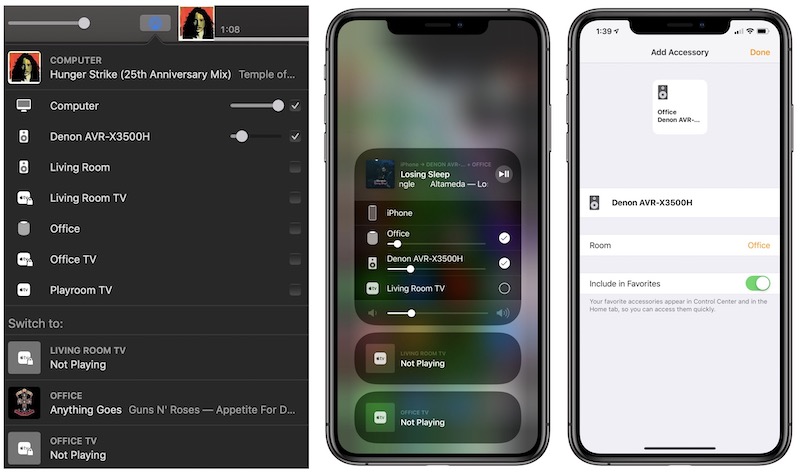 Denon receiver showing up in AirPlay 2 in iTunes for Mac, iOS Music widget, and iOS Home app
Setting up the receiver in the Home app lets you assign it to a room and zone, allowing it to integrate with other speakers in various areas around the house.
When sending audio to multiple speakers via AirPlay 2, you'll see several sliders for controlling volume, allowing you to control either individual speakers or the entire set. If you have different speakers set at different volume levels, adjusting the master volume slider will change the individual speaker volume levels proportionally.
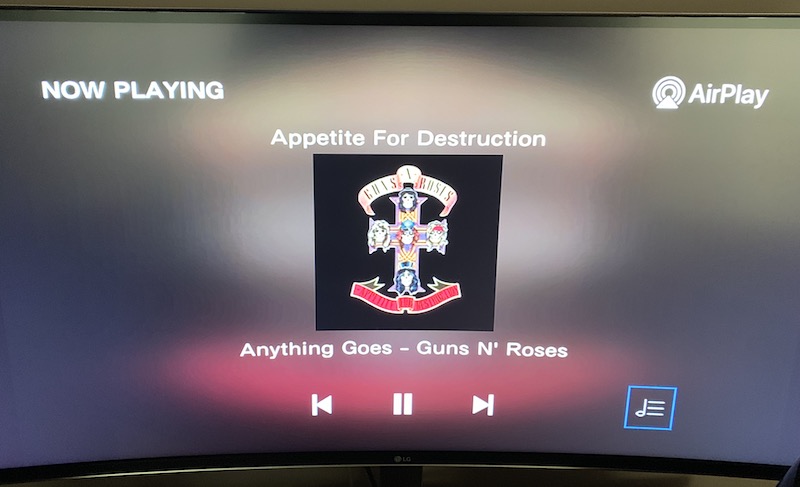 Now Playing screen displayed when audio is being sent to Denon AVR-X3500H via AirPlay
You can use AirPlay 2 to route audio directly to an Apple TV hooked up to a home audio system, so I wouldn't run out and buy a whole new receiver just for AirPlay 2 support, but it's nice to have the extra option for direct AirPlay 2 streaming to a receiver if you don't have an Apple TV on that setup or just want to cut out the middleman and stream directly to your high-quality speakers.
Dolby Atmos
Dolby Atmos takes advantage of three-dimensional space to offer a more immersive sound experience for your home theater system, typically using either downward-firing speakers mounted in the ceiling or upward-firing speaker drivers to reflect sound off of the ceiling, and when combined with the rest of the traditional speakers in your system, you'll find sounds coming at you from all angles.
Focal's Sib Evo system uses upward-firing drivers built into the main front left and right speakers. The Atmos drivers use their own speaker wire connections and connect to their own terminals on the receiver, and the Denon manual walks you through exactly which terminals to use for which speakers, as a host of speaker configurations are supported.
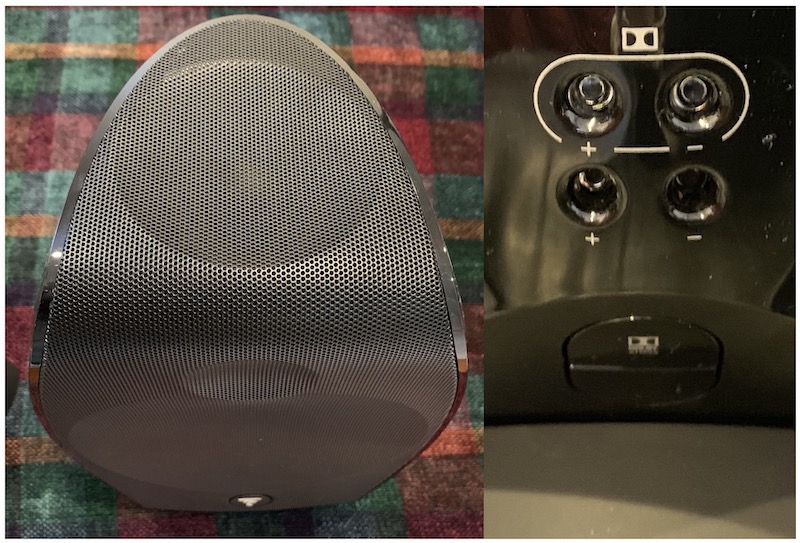 Close-up of front speaker with upward-firing Dolby Atmos driver (left) and dual speaker wire connections on rear (right)
A key component of the Dolby Atmos experience is speaker calibration, which ensures that output from the receiver is properly adjusted for optimal sound quality. With different sizes and shapes of rooms, sound can bounce around in unpredictable ways, and it's important that your home audio system be configured for your unique environment. That's particularly true with the Dolby Atmos speakers, which in this setup will project sound upward and off the ceiling before hitting your ears. Everything needs to reach your ears at the proper time and in the proper balance, and calibration will make sure that happens.
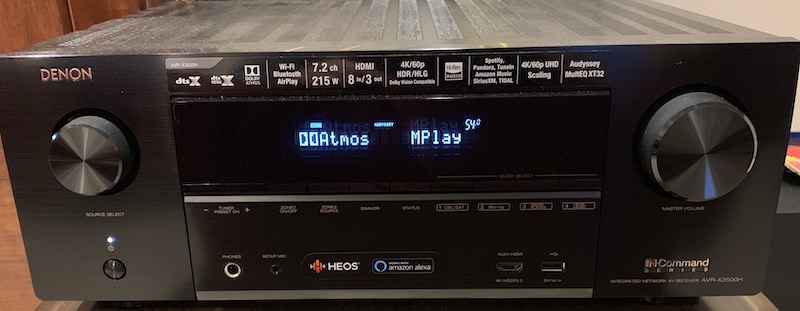
Receivers like the Denon AVR-X3500H include a wired microphone to be used in the calibration process, and a setup wizard will walk you through the process of situating the microphone in as many as eight closely-spaced locations where the viewers will be sitting, and at each position the system will rotate one by one through each of the eight speakers in the Sib Evo 5.1.2 system, generating loud tones to be picked up by the microphone. Once each speaker has been assessed at each calibration location, the receiver will configure its output to optimize the sound field.
With tvOS 12, the Apple TV now
supports Dolby Atmos, although content must be specifically made available in the format to support it. The number of Dolby Atmos titles on the iTunes Store is growing, but it's still a small portion of the overall library.
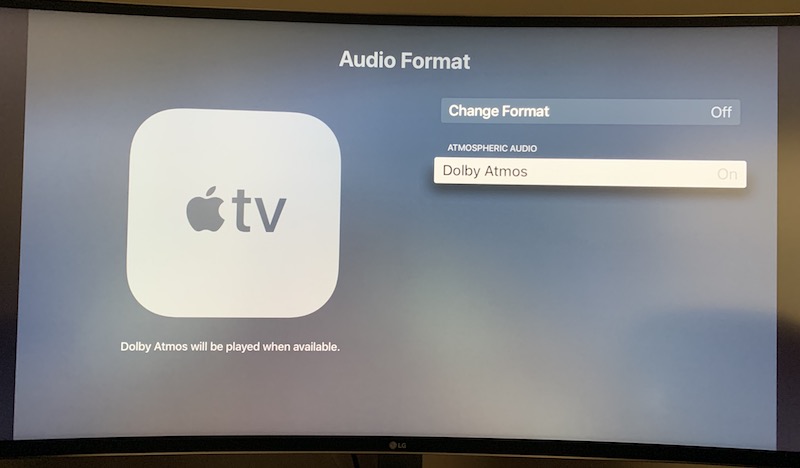 tvOS audio format settings
So if you've already got a Dolby Atmos system hooked up to your TV or are looking to add one (and they're getting even simpler and cheaper with more sound bar options available), make sure to keep an eye on your current titles to see if they get upgraded with Dolby Atmos and look for the Dolby Atmos icon when browsing the iTunes movie selections on your Apple TV.
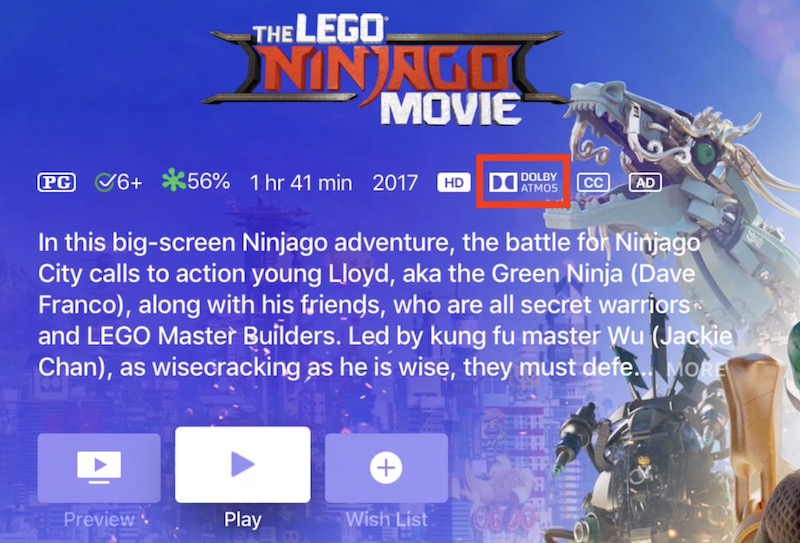 Dolby Atmos icon on tvOS iTunes movie listings
For those titles that do include Dolby Atmos, you can definitely tell the difference. The soundscape is more encompassing and it really does feel like you're truly immersed in the movie.
Wrap-up
It's still early for AirPlay 2 and Dolby Atmos support in the Apple ecosystem, but they're setting the stage for making Apple's products a more important part of your home entertainment system. In this age where we have our portable devices on us at all times, it's nice to be able to directly beam audio all around our homes, including to what are in many cases the highest-quality audio systems we own hooked up to our TVs.
And for when we sit down in front of those TVs to watch movies, it's great to have the Apple ecosystem starting to support technologies like Dolby Atmos that improve the experience. Yes, support is still limited and it will take time for all studios to get on board and update much of their back catalogs, but the list of Atmos-compatible movies on the iTunes Store is getting longer and is rapidly becoming an expected feature for new releases.
There are plenty of Dolby Atmos-compatible home theater systems on the market already, whether they be component systems, theater-in-a-box systems, or sound bars, so there are lots of options if you're looking to upgrade your television experience.
AirPlay 2 support is rolling out to a number of wireless speakers, but support in separate receiver components remains rare, led by Sound United's Denon and Marantz brands.
Denon's AVR-X3500H carries an MSRP of $999, but can frequently be found discounted by as much as $200 at third-party retailers including those
selling through Amazon.
Focal's Sib Evo 5.1.2 is priced at $1299 from a variety of retailers including
Amazon sellers.
Note: Sound United loaned MacRumors the Denon receiver and Focal loaned MacRumors the Sib Evo 5.1.2 system to assist with this article. No other compensation was received. MacRumors is an affiliate partner with Amazon and may earn commissions on purchases made through links in this article.
Discuss this article in our forums

from MacRumors: Mac News and Rumors - All Stories https://ift.tt/2FvSXwU