http://bit.ly/2GthGB8
Back in mid-2018, First Alert
launched its Onelink Safe & Sound smoke and carbon dioxide detector that doubles as a Bluetooth speaker and Wi-Fi connected Alexa assistant while also including
HomeKit support to integrate with the rest of your smart home products in the Apple ecosystem.
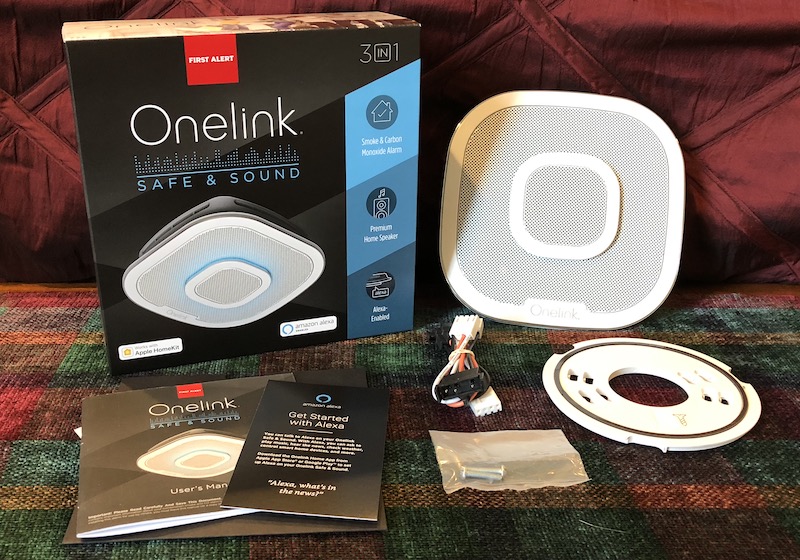
I've been using the Safe & Sound for a few months now, and I must say, it's turned out to be more useful than I'd initially thought it would be.
Installation
The Onelink Safe & Sound is a hardwired smoke detector, so you'll have to use this in a location that's tied into your home's electrical system rather than being able to rely on battery power. But if you've already got hardwired smoke detectors, swapping them out for Safe & Sound units is simple and straightforward for anyone with a modicum of do-it-yourself experience. Just make sure you turn off power to your existing detector at the breaker, unscrew the detector from the ceiling, and disconnect the wiring.
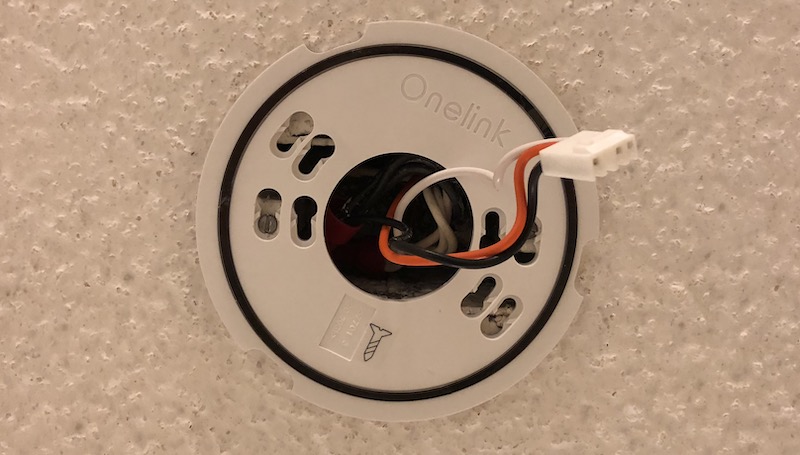
Once you've got the bare wires hanging out of the ceiling, it's just a matter of attaching the Safe & Sound's mounting plate to the ceiling (likely by simply screwing it directly into the existing junction box in the ceiling), plugging in the proper wiring harness to the back of the Safe & Sound, connecting it to the house wiring with included wire nuts, and attaching the body of the detector to the mounting plate with a twist.
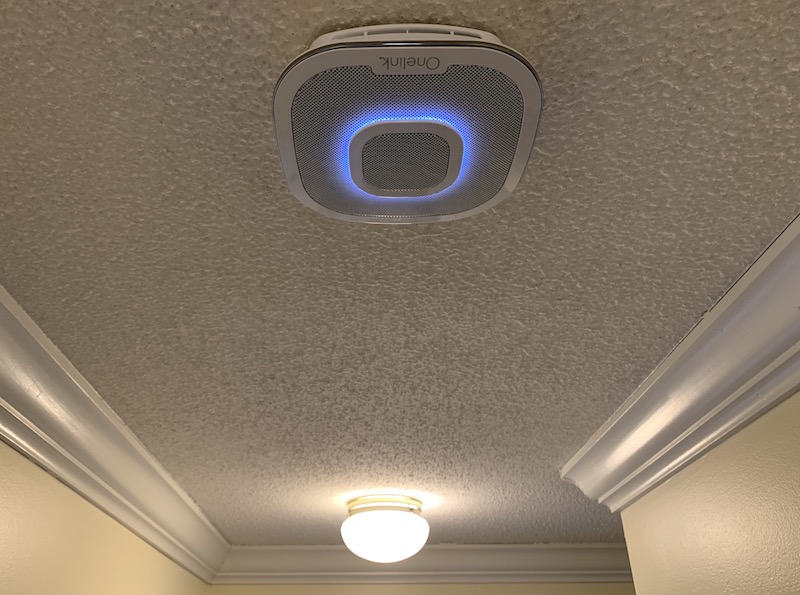
Turn the power back on at the breaker, run through the setup for Onelink, HomeKit, and Alexa in the Onelink app on your iOS device, and you're good to go. It sounds like quite a few steps, but they're all pretty easy and quick to accomplish.
Setup
The Onelink app makes it easy to set up the Safe & Sound, walking you through a series of illustrated steps to ensure your device has Wi-Fi and Bluetooth active, configure Wi-Fi for the Safe & Sound, and pair it to your device with optional notifications for various events. From there, you can scan the HomeKit code on the body of the alarm to allow the Safe & Sound to show up alongside your other HomeKit devices, while also assigning it a name and location within the house and setting a name
Siri will recognize.
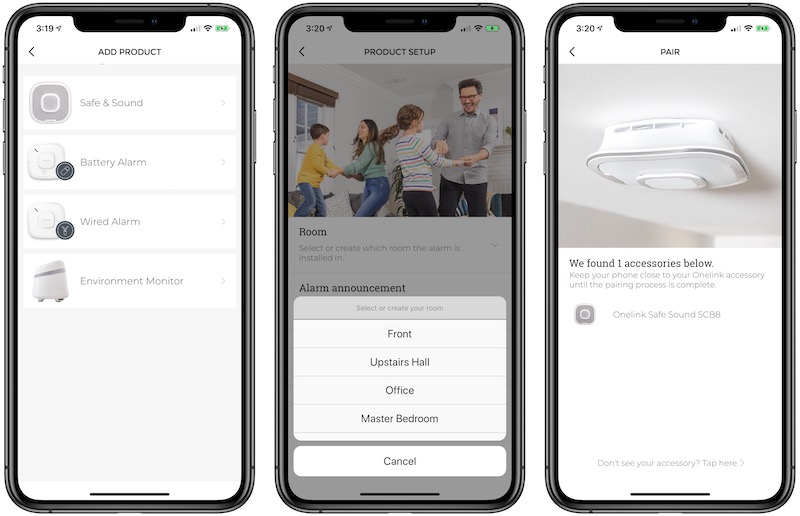
If you have multiple detectors, you'll need to set them up one at a time in the Onelink app, but as you add them to the same home in the app it will automatically interconnect them so that an alarm activated in one area of the home will be repeated on all other alarms to ensure everyone in the house is alerted in the event of an emergency.
Verbal Cues
When the alarm activates, it includes both loud alert sounds and voice instructions urging residents to evacuate the premise. Using names given to the various locations for the alarms, the voice instructions will say, for example, "Smoke detected in the hallway." A carbon monoxide alarm trigger will include the location of the detected danger and the peak level of carbon monoxide detected.
Onelink App
Once the detector is set up, the app continues to be used as the place to manage it. The app lets you adjust various settings on the Safe & Sound, as well as activate a testing mode to ensure everything is working properly. First Alert recommends the alarms be tested weekly, although most people likely won't do it nearly that frequently once the novelty wears off.
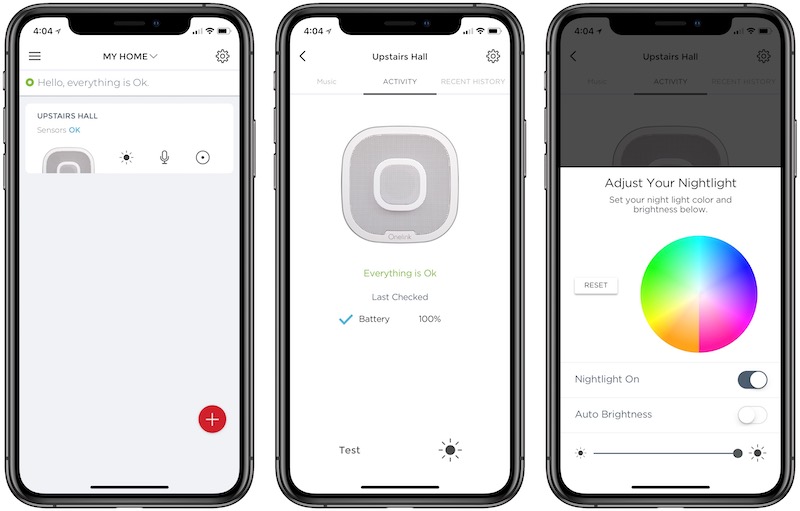
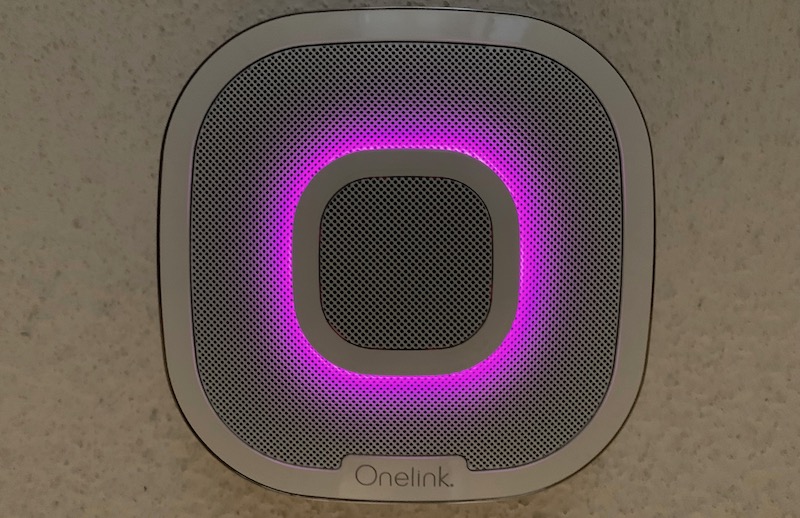
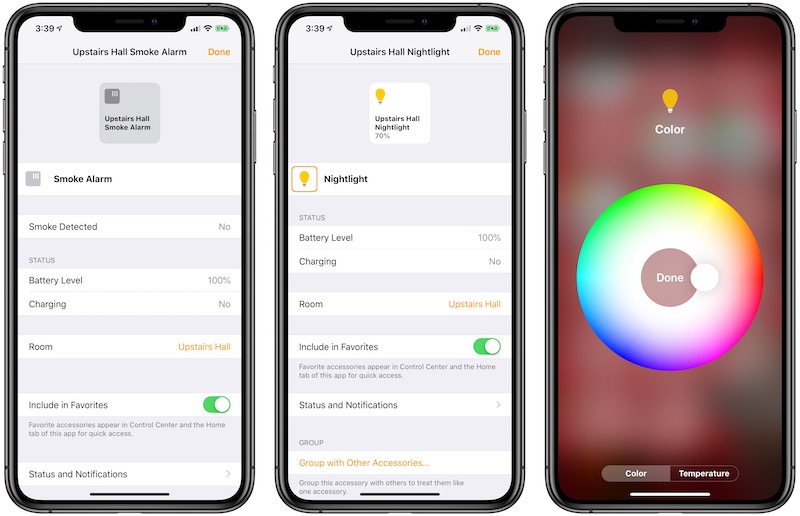
The app can also be used to set the color and brightness of the nightlight feature of the detector, which I've found to be a nice addition considering its location in the upstairs hallway where my children and guests may need to find their way to the bathroom in the middle of the night.
Beyond the alarm and nightlight functions, the app is also where you can manage the Alexa and speaker functions of the Safe & Sound, which are the more unique aspects of this product.
Speaker Functionality
A distinguishing feature of the Safe & Sound is its ability to function as a Bluetooth speaker, allowing you to stream music to it directly from your phone, computer, or other Bluetooth-enabled sources. The sound is actually fairly decent with a surprising amount of depth considering the limitations of putting a speaker in a smoke detector. It's not going to win audio awards, but it's good enough if you just want some tunes or a podcast beamed to a centrally located speaker for background sound.
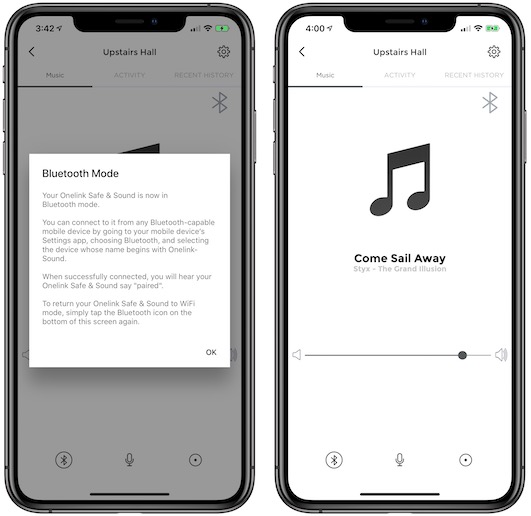
Following my original installation several months ago, I did notice a bit of choppiness over Bluetooth, particularly at the beginning of tracks as they were buffered. Performance improved the closer I got to the speaker, but given the fixed placement of the Safe & Sound, it's not always convenient to get closer to it. That choppiness has, however, improved significantly in recent months, presumably through firmware updates to the Safe & Sound. I can now reliably stream audio from my phone to the Safe & Sound from at least 20 feet away in another room with no choppiness.
Alexa
Not only does the Onelink Safe & Sound act as a Bluetooth speaker, but it also supports direct access to Amazon's Alexa voice assistant. My kids in particular have found it handy to use Alexa as an encyclopedia or dictionary, as it's the only Alexa-enabled device on our second floor.
I've found the Safe & Sound to be quite sensitive to the Alexa wake word, to the point where the Safe & Sound in our upstairs hallway will activate instead of the Amazon Echo in our living room even when I'm speaking in the living room. As with other Alexa products, we do experience the occasional spurious activation of the voice assistant, which isn't helped by having a kid named Alex, but aside from that, it will occasionally wake up in response to speech that isn't obviously close to the intended wake word.
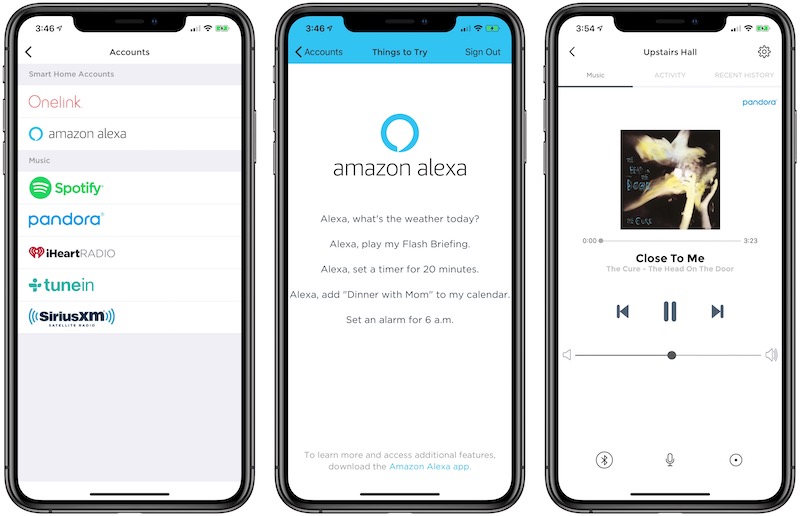
If you've got Alexa set up to handle other functions in your house such as phone calls, smart home control, and more, you can also access those functions from the Safe & Sound.
If you're listening to audio content on the Safe & Sound over a Bluetooth connection, you can still access Alexa. The Safe & Sound will reduce the Bluetooth audio to a whisper for the duration of your interaction with Alexa, returning it to normal volume when you're done.
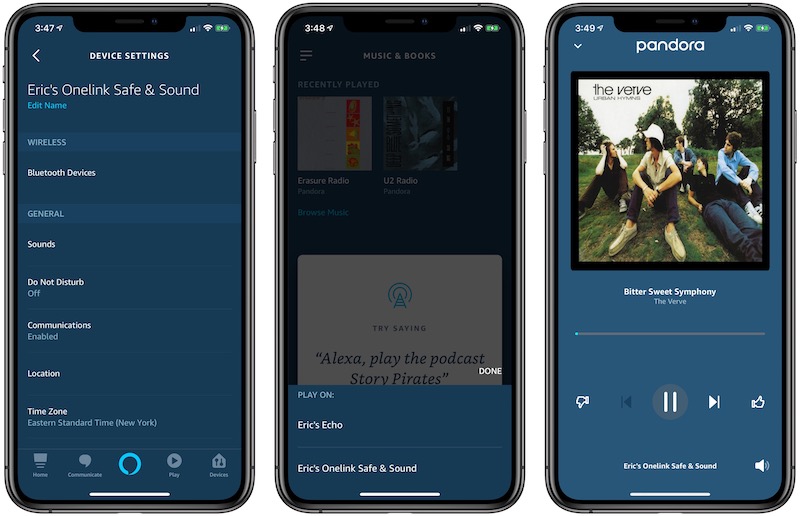
With Alexa, you can also access a variety of music services, letting you stream songs and other content from Spotify, Amazon Music, Pandora, SiriusXM, iHeartMedia, Audible, and TuneIn. Playback can be controlled via voice and a simple info/control screen in the Onelink app, or in the Amazon Alexa iOS app to some degree. You won't have full app support in the Alexa app, but if you just need to access a playlist, album, or song, it's easy enough to get it going on the Safe & Sound.
For Apple fans with Alexa devices around the house, a welcome recent addition is support for
Apple Music, letting you play content from your Apple Music subscription right from your Alexa devices. Unfortunately, the feature is currently limited to Amazon's own Echo devices, so Apple Music isn't supported on the Onelink Safe & Sound at this time. Amazon has, however, said it plans to extend support to third-party Alexa devices in the future.
HomeKit and Siri
With HomeKit support, the Onelink Safe & Sound detectors become part of your larger home automation ecosystem, meaning you can organize them into Rooms for grouping various HomeKit items in the same location. The detectors will also show up in some other apps such as the Eve and iDevices Connected apps, enabling you to see all of your connected devices and check on their status.
HomeKit support also means First Alert's smoke and carbon monoxide detectors work with Siri commands. Given that these detectors are generally passive devices that primarily only need to be interacted with on rare occasions, it's not a critical feature, but can be a handy one for those times. Available commands include variations of:
- How is my [location] CO detector?
- How is my [location] smoke detector?
- Do I have a smoke detector?
- Is the [location] smoke alarm tripped?
- Is the [location] CO alarm tripped?
- Change the brightness on my [location] smoke detector to [x] percent.
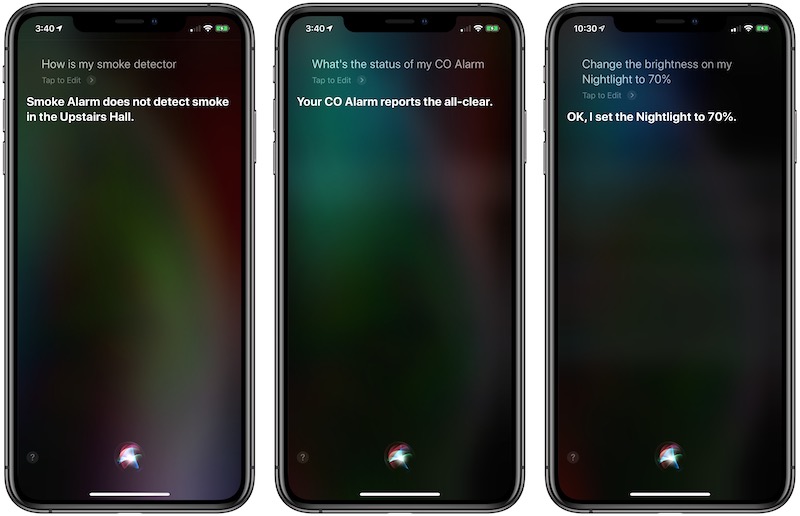
Even though I don't use HomeKit and Siri controls very often with the Safe & Sound, it's nice to know they're available and that I can quickly use Siri or the Home app to check on my alarms while away from home if the need arises.
From the time of the Safe & Sound's original announcement at
CES 2018 and launch in mid-2018, First Alert has promised future support for AirPlay 2, which would let the Safe & Sound's speaker functionality integrate with other devices and speakers in the Apple ecosystem for synchronized multi-speaker playback, Siri music support, and more. Unfortunately, a firmware update to add AirPlay 2 support to the Safe & Sound has yet to appear, and First Alert has not committed to a timeframe for a launch, so we're still waiting for that feature to make its debut.
Reliability
When I first had the opportunity to test the Onelink Safe & Sound, I was skeptical about how it would perform. I had a pair of first-generation Onelink Smoke and Carbon Monoxide Alarms (one hardwired and one battery) back in 2016 that simply failed to perform well, and that's a major issue when these detectors can be a matter of life and death. Despite being rated for a ten-year lifetime, my original battery-powered unit began chirping a low-battery warning within a matter of weeks. A replacement unit died within a similar timeframe. It wasn't clear whether something with my network setup or some other factor was causing excessive battery drain, and First Alert later issued a firmware update intended to address the battery life issue.
When it came to my original hardwired Onelink Smoke and Carbon Monoxide Alarm, that detector performed a bit more reliably than the battery-powered version, although it did lose its connection to the app and HomeKit and have to be reset a few times. And after a year, it stopped accepting firmware updates, with the app reporting the detector's firmware was up to date when it definitely was not. First Alert did replace the detector free of charge (as it did with the battery-powered ones that failed), and the replacement had no similar issues.
Those experiences gave me significant pause when considering the Onelink Safe & Sound, but in over six months of testing, I've had absolutely no problems with its reliability. It's maintained a connection to my HomeKit setup ever since the initial configuration, and I've had no trouble connecting to it via the Onelink app.
Besides the Safe & Sound, First Alert recently launched second-generation versions of its basic Smoke and Carbon Monoxide Alarms, so hopefully lessons learned from the original version and incorporated into the Safe & Sound have also made their way to the new standalone detectors.
The Future
Just last month at
CES 2019, First Alert
announced its second-generation Onelink Safe & Sound that includes built-in mesh Wi-Fi technology as part of First Alert's push into home Wi-Fi with an upcoming Onelink Surround Wi-Fi system that will be able to use second-generation Safe & Sound units as nodes for a mesh network.
Wrap-up
I thankfully haven't had an opportunity to test out First Alert's Onelink Safe & Sound alarm capabilities in a real-life scenario, but I've been pleased with the easy setup and solid reliability in connecting to the Onelink app and HomeKit.
The Alexa and speaker capabilities are a nice bonus, and I was pleasantly surprised to find it's able to produce decent sound, certainly sufficient for casual music listening and providing assistant functions like answering questions, setting timers, and more. Music service integration through Alexa is rather basic with only barebones app support, but Bluetooth gives you another option for piping music straight from another device.
If you're okay with being part of the Alexa ecosystem, it's a convenient package, but the Onelink Safe & Sound's price tag will undoubtedly give many potential customers pause. It carries an MSRP of $249.99, although it can regularly be found through some retailers
such as Amazon for around $199.
Granted, the technology packed into the Safe & Sound necessitates a premium price, but this probably isn't something you're going to want to buy a six-pack or more of and scatter all around your house wherever you need a smoke detector. But if you want to put one or two in central areas of your home to supplement your more basic smoke detectors, it's an interesting product.
AirPlay 2 could really be a game-changer for the product, delivering a lot of extra value to those in Apple's ecosystem by helping deliver whole-home audio through an array of speaker products. Unfortunately, the long-promised feature has yet to appear and we don't have an estimate of when it might show up. So at least for now, I'd recommend making any buying decisions under the assumption that AirPlay 2 may never arrive, and if it does, it'll be a nice bonus.
Note: First Alert provided MacRumors with a Onelink Safe & Sound for the purpose of this review. No other compensation was received. MacRumors is an affiliate partner Amazon. When you click a link and make a purchase, we may receive a small payment, which helps us keep the site running.
This article, "
Review: First Alert's Onelink Safe & Sound Packs HomeKit, a Speaker, and Alexa Into a Smoke Detector" first appeared on
MacRumors.com
Discuss this article in our forums

from MacRumors: Mac News and Rumors - All Stories http://bit.ly/2Bmztqc

 Note: MacRumors is an affiliate partner with Amazon. When you click a link and make a purchase, we may receive a small payment, which helps us keep the site running.