Tuesday, February 19, 2019

Review: 2019 Buick Regal TourX Features a Clean and Modern Infotainment System Design With CarPlay

http://bit.ly/2V98i9T

GM was one of the early adopters of CarPlay, with the feature debuting on a few 2016 Chevrolet models and rapidly spreading across the company's various brands including Buick, GMC, and Cadillac.

As part of a 2018 model year redesign intended to breathe some more life into its Regal sedan, Buick introduced the Regal TourX, an all-wheel drive wagon version that offers more cargo space to compete against some of the top models in the class including the Subaru Outback and Volvo V60.
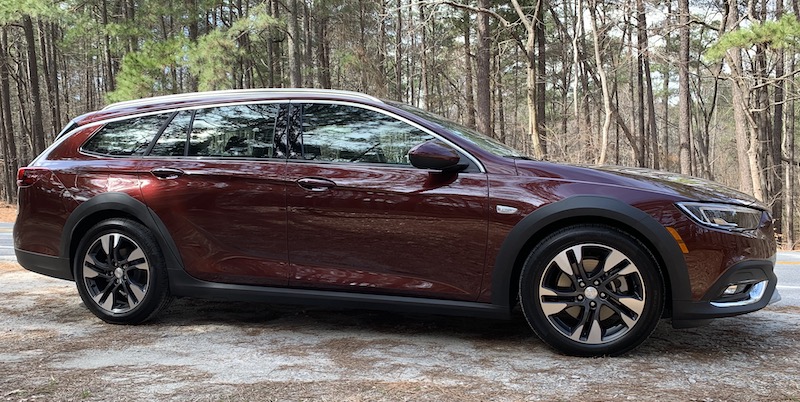

I've spent some time testing out a 2019 Buick Regal TourX to get a sense of GM's latest infotainment system (which GM is calling next-generation Buick Infotainment) and how it integrates with CarPlay.
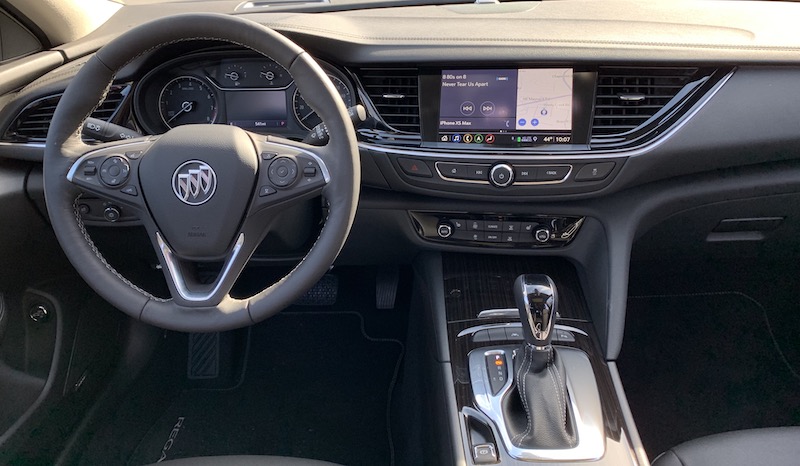

My test vehicle was the high-end Essence trim, nearly maxed out with most of the available upgrades including built-in navigation, panoramic moonroof, automatic cruise control, park assist, automatic emergency braking, and more.

Buick Infotainment


GM has been working on unifying its infotainment offerings, starting with the 2017 Cadillac CTS that launched with the "next-generation CUE" infotainment system. The same general system with some slight tweaks has been starting to expand across the Buick, Chevrolet, and GMC brands since that time, with the Buick Regal receiving the new Buick Infotainment version of the system on some 2018 vehicles.

The Essence trim of the Regal TourX comes with a generous 8-inch touchscreen display integrated nicely into the dashboard, while the mid-level Preferred and base TourX trims come with a slightly smaller 7-inch display as standard. The Buick Infotainment system operates identically on both screen sizes, although you'll need the 8-inch screen if you want features like built-in navigation and a marketplace for third-party apps. All trims support CarPlay and Android Auto.
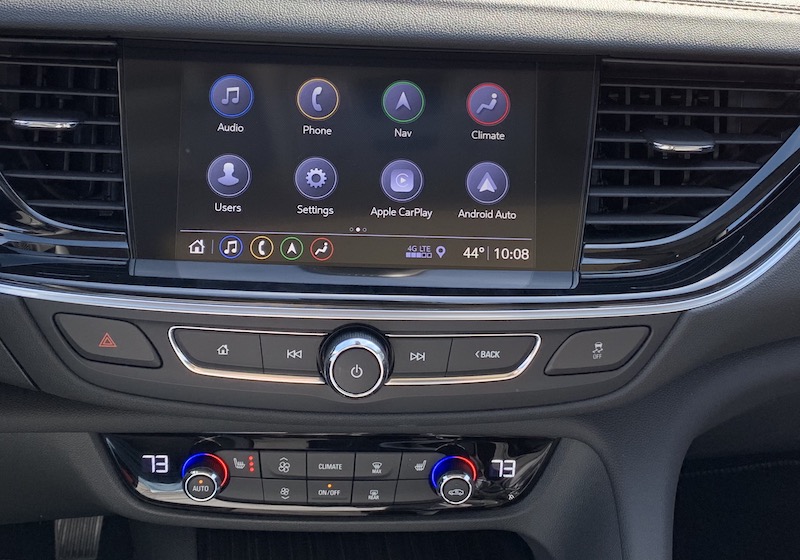
Main app screen with hardware controls below

While it doesn't float above the dashboard like on some other vehicles where the driver's line of sight is of utmost priority, the Regal TourX's display is still highly visible, with prominent placement tilted slightly toward the driver. A matte finish and a bit of brim from the dashboard help cut down on visible fingerprints and glare, and the whole thing comes across as a very cohesive design rather than a screen awkwardly stuck onto the dashboard.

Below the screen, there's a strip of hardware controls including a centered volume/power knob, forward and back buttons on either side to change tracks or station presets, and home and back buttons on the outside edges of the row. It's a fairly limited selection of physical controls, but it's largely sufficient for the most common quick adjustments that are more easily made by feel.
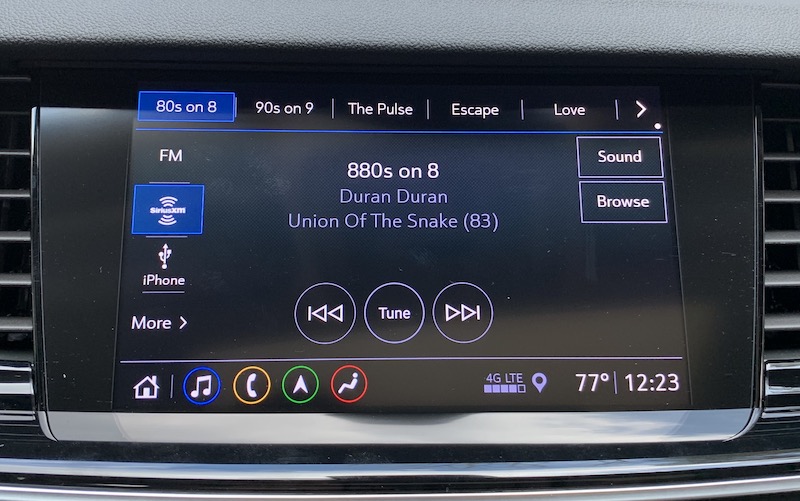
Audio controls

The Buick Infotainment system offers an extremely clean design that's very simple to navigate. It has a modern look that's reminiscent of a smartphone or tablet operating system. Icons are simple and easy to recognize at a quick glance, with a little bit of color to differentiate the major functions.
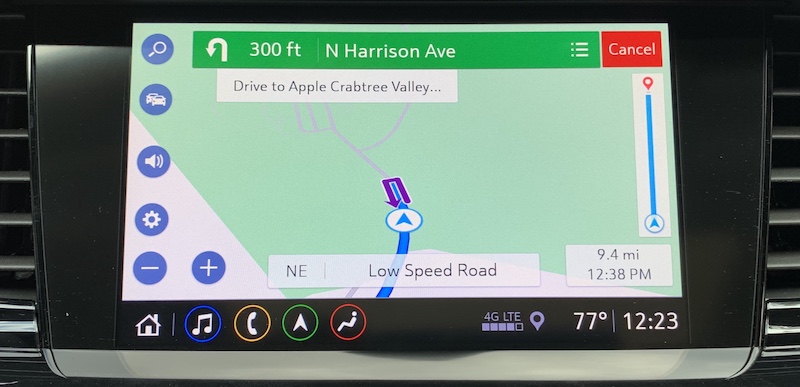
Built-in navigation

The system is controlled strictly by touch, with no trackpad or scroll wheel input provided. That's a good thing in my view, as direct manipulation via a touchscreen is a far more natural interaction mechanism.
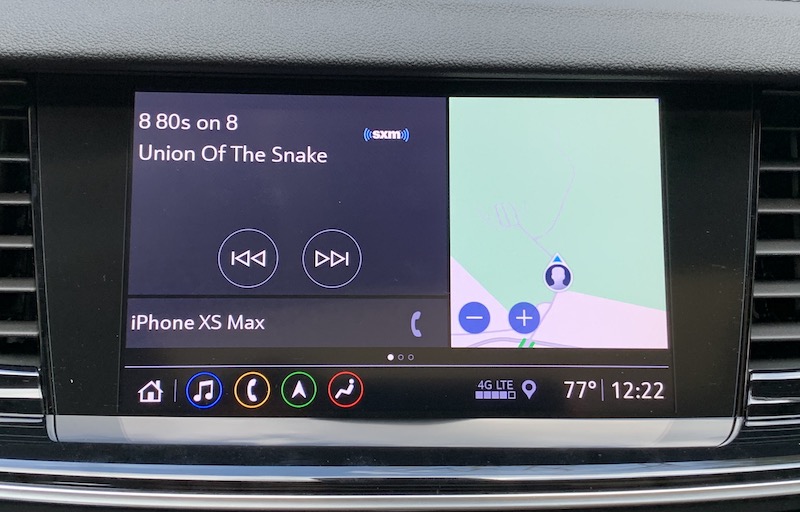
Multi-view home screen with audio, map, and phone sections

The system offers a couple of different home screen views, with the ability to swipe between them. One view divides the screen into three sections, with one showing a map of your general area, another showing your current audio information and track controls, and then a small strip showing any connected phones to give you quick access to their functions.
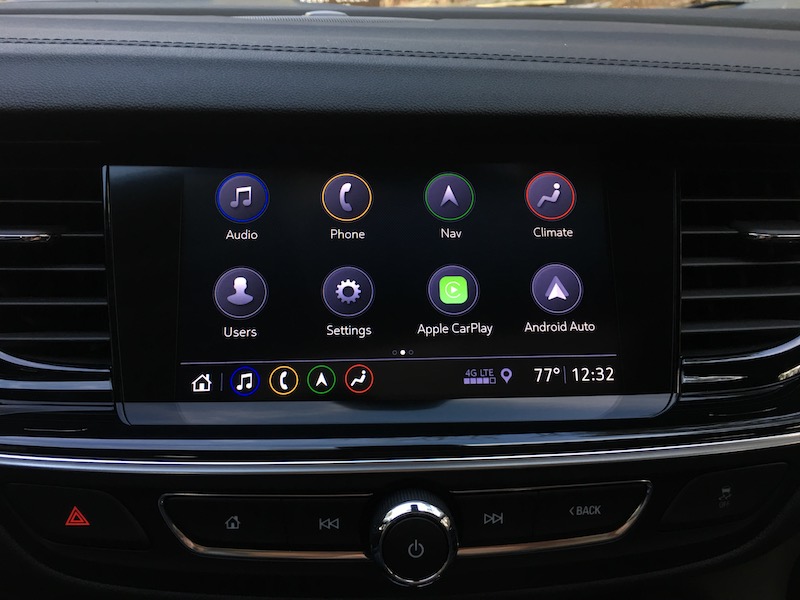
Third-party app management screen

The other main home screen view is a customizable 4x2 grid of app icons that spans multiple pages if necessary. Aside from the default apps included on the system, you can also download a number of third-party apps including The Weather Channel, Spotify, and more.
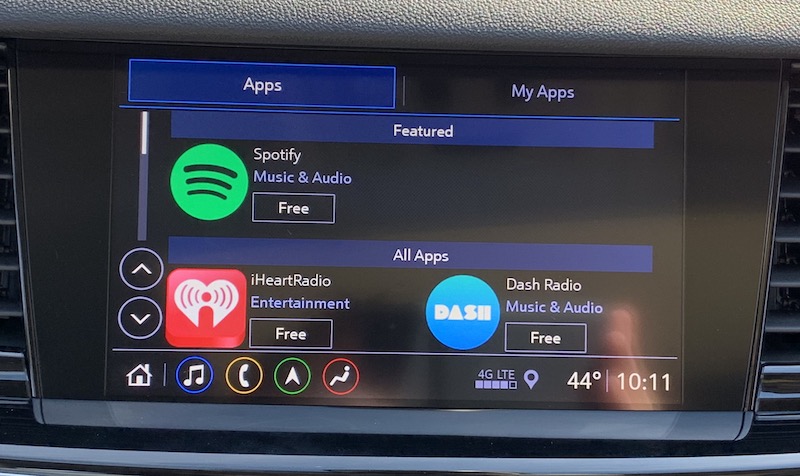
Second page of home screen apps

Any of the app icons on these home screen pages can be rearranged by tapping and holding, then dragging the icon to the desired location, with other icons adjusting their positions to make room, just like on iOS.
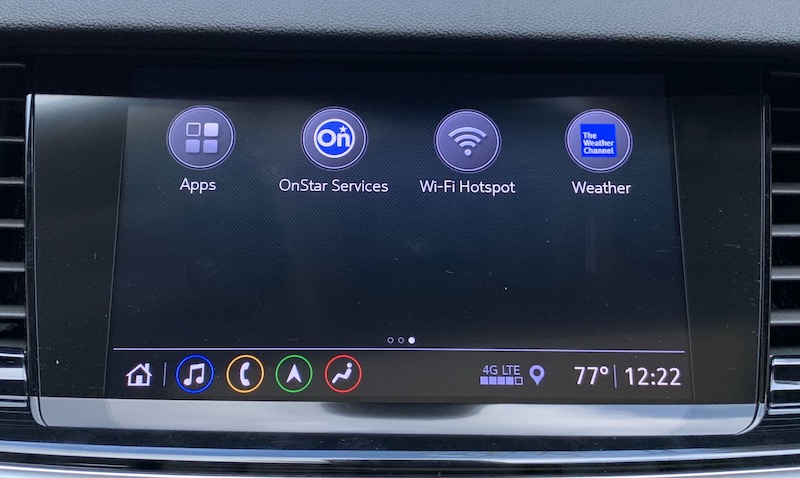

When you're within the Buick Infotainment system, there's a persistent shortcut tray or bar along the bottom that offers icons for quickly getting back to the home screen or to music, phone, navigation, or climate. The bar also shows the current time, exterior temperature, and cellular signal strength.
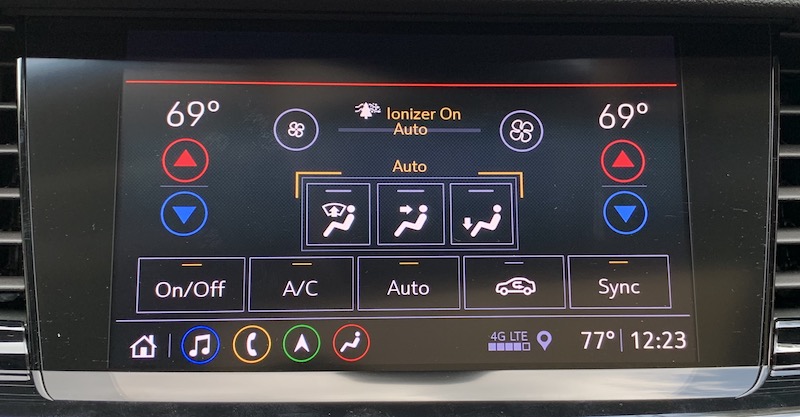
Onscreen climate controls

Most climate controls can be managed through a set of buttons and knobs located lower on the center stack, but you can also make adjustments through the infotainment system.

CarPlay


CarPlay on the Buick Regal TourX requires a wired connection using one of the two USB-A ports inside the center console compartment. While connected, you can store your phone either inside the compartment or in a nearby cupholder with the cable routed through one of the gaps in the front of the console compartment lid.
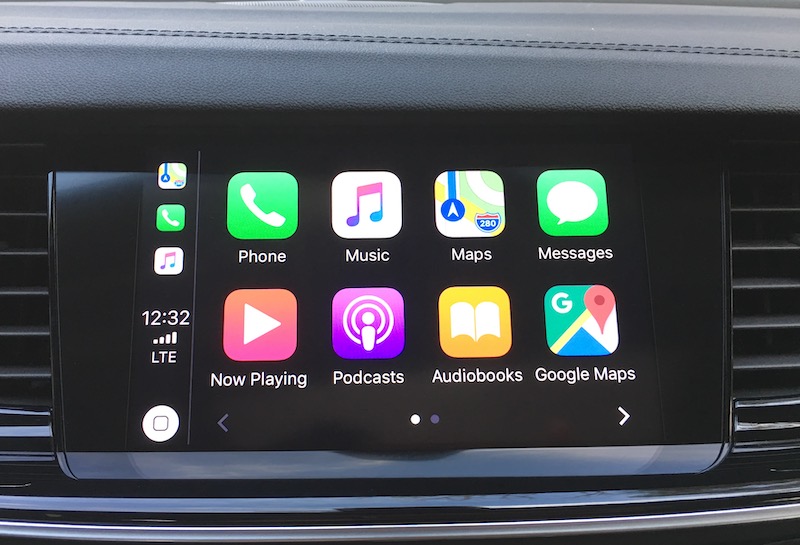
CarPlay home screen

CarPlay does take over the entire infotainment screen when it's active, so you won't be able to see information such as audio or navigation from the Buick system. If you've opted for the digital driver's display that's standard on the Essence trim and an option on the Preferred trim, that helps overcome the visibility issue as you can select from several different views to get the information you need right in front of you.
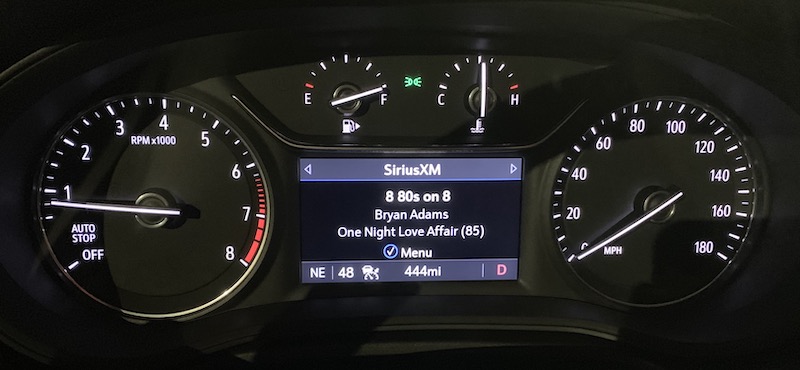
Driver's display showing current audio information

There's no Buick app icon on the CarPlay home screen, but the hardware home button makes it easy to get in and out of CarPlay at any time. Pressing the home button while in CarPlay takes you back to the Buick system, while pressing and holding the button takes you into CarPlay. That makes this system one of the relatively few with an always-available hardware method for accessing CarPlay regardless of what you're doing in the infotainment system.
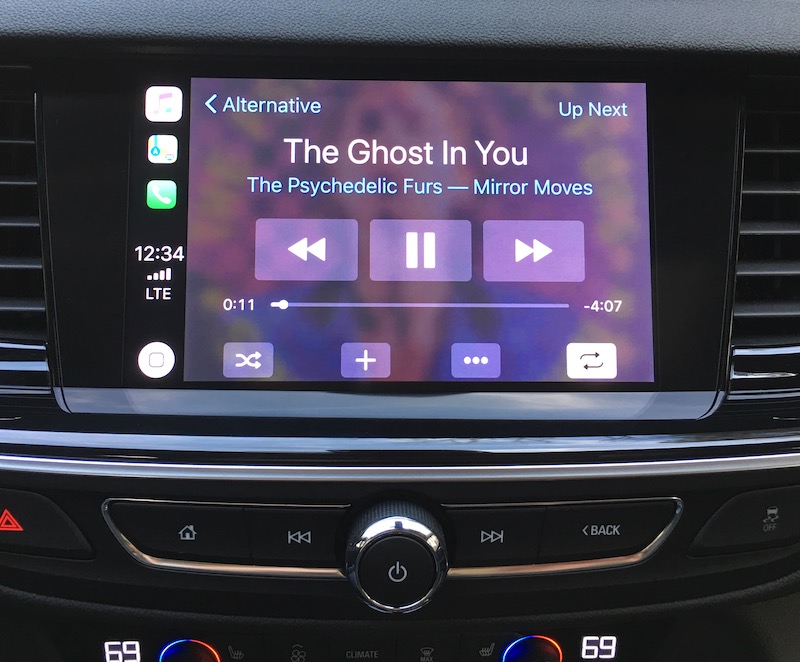
CarPlay's "Now Playing" screen

Colors on the CarPlay screens look a little washed out, and there don't appear to be any settings to adjust the color. I'm not sure the reason for this issue with the colors, as they seem fine on the native infotainment system. I got used to the CarPlay colors after a while, and it's not a major problem, but it was definitely noticeable at first after coming from other vehicles with more vivid colors.
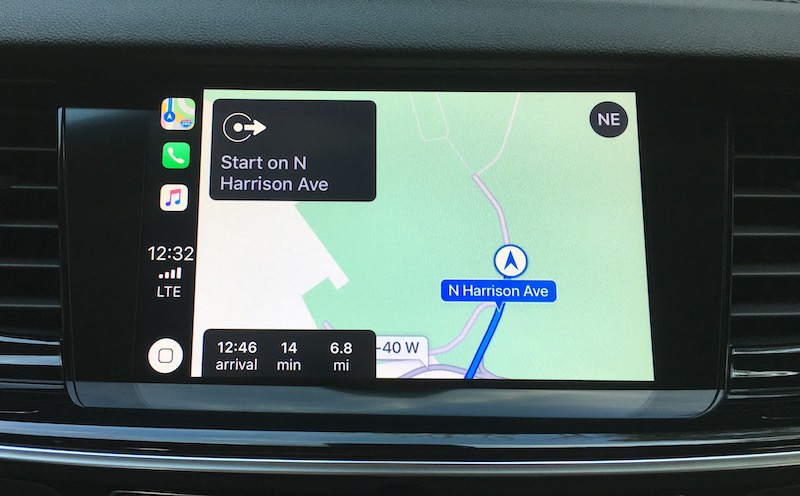
Apple Maps in CarPlay

Voice control is managed through a dedicated button on the steering wheel, with a short press bringing up the Buick voice assistant and long press accessing Siri.
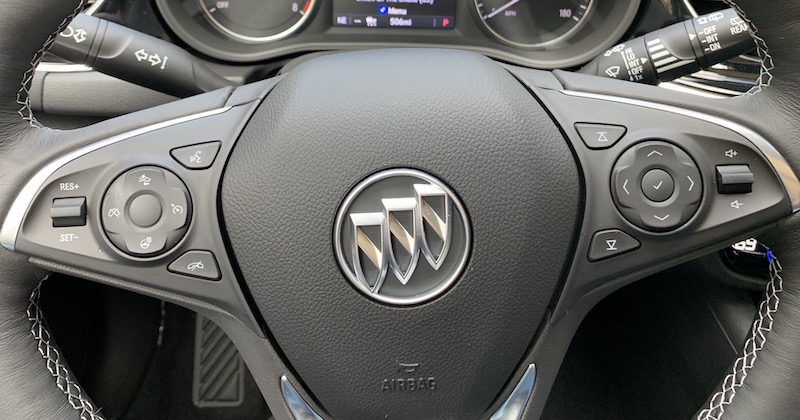
Voice assistant/Siri button is at top right of left cluster

Ports and Wireless Charging


Aside from the two USB-A ports inside the center console that can be used for connecting for CarPlay purposes, my tester also came equipped with a pair of charge-only USB-A ports on the rear of the center console. There's also a 12V power port up front and another in the rear cargo area.
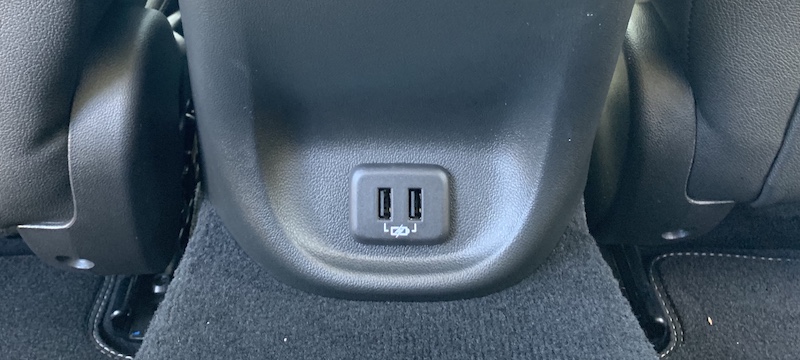
Charge-only USB ports on rear of center console

A vertical wireless charging pocket is available on the Regal TourX, but only on the Essence trim and only as part of a $1,725 package that also includes LED auto-leveling and cornering headlights, heated side mirrors, rear park assist, lane change/blind zone alert system, rear cross traffic alert system, and upgraded power lumbar seat controls.
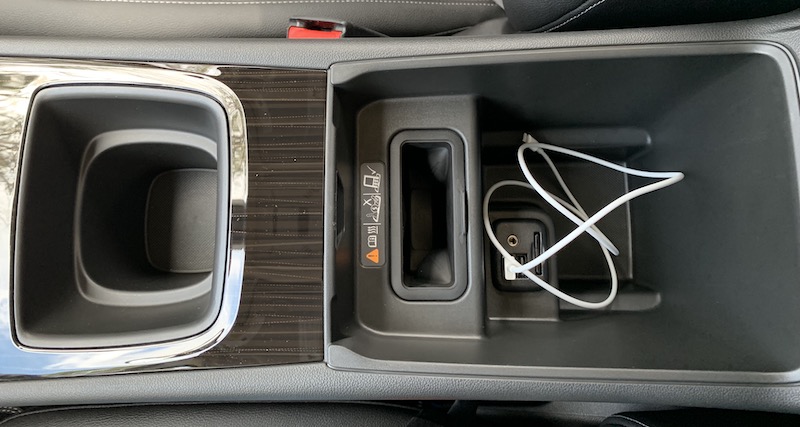
Center console with vertical charging slot and two USB ports inside the compartment

Unfortunately, the charger has a few design issues. First, it's located inside the center console compartment, which makes things a bit more difficult than just tossing your phone on the charger when you hop in the car and grabbing it as you exit. Second, it doesn't fit Plus/Max-sized iPhones. A naked iPhone XS Max can be forced down into the charger, but even then it's not deep enough to allow the phone to charge.
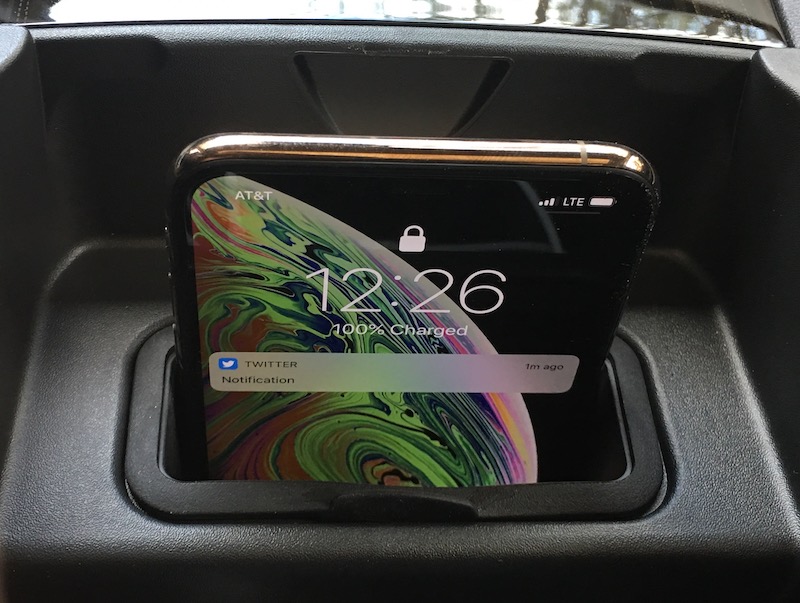
iPhone XS Max squeezed into the charger but not charging

In fact, GM's wireless charging system is generally a bit of a mess for iPhone owners, as you can see in device compatibility matrix. Prior to the 2019 model year, some of GM's models used wireless chargers that didn't fully implement the Qi standard, and so they were incompatible with iPhones unless the vehicles are retrofitted with newer hardware. But even now that GM has rolled out full Qi support in 2019 models, the company acknowledges that Plus/Max iPhones may not fit in their chargers.

OnStar and Wi-Fi Hotspot


As a GM vehicle, the Buick Regal TourX comes with the company's powerful OnStar suite of connected services. Basic access such as vehicle diagnostics, maintenance reminders, and the third-party app marketplace is included for ten years, while buyers receive a one-month trial of OnStar's Safety and Security Plan that offers automatic crash response, roadside assistance, stolen vehicle assistance, and turn-by-turn navigation assistance from a live advisor.
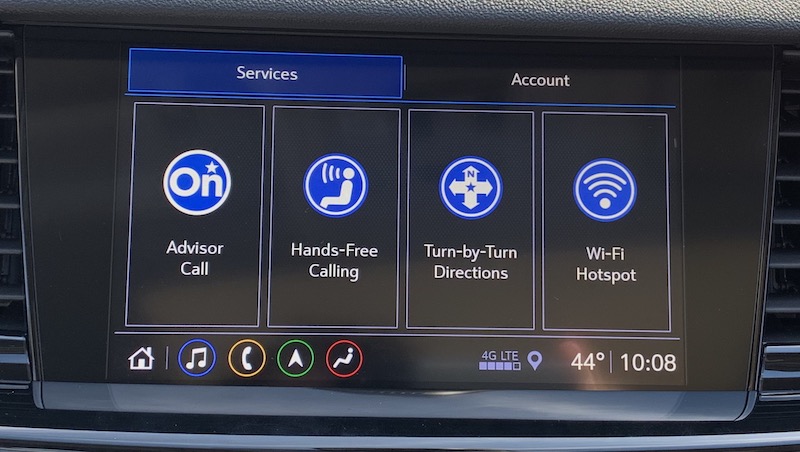
Onscreen options for OnStar services

Once your trial runs out, you can choose from a variety of paid plans with different combinations of features.

The Regal TourX also has available 4G LTE hotspot service through AT&T. Service can be purchased separately or as part of the Unlimited Access Plan bundle that also includes OnStar services.

Wrap-up


I really liked the Regal TourX's infotainment system with a clean and modern user interface that makes it easy to find exactly what you need without garish colors. The minimal hardware controls are enough to get things done by feel without making it overly complicated, and they look nice too. The overall hardware design of the center stack is great, with the screen fitting in extremely well rather than looking like an iPad mini stuck onto the dashboard as an afterthought.

CarPlay integrates quite well with the Buick Infotainment system, and the available driver's display helps compensate for the lack of a split-view widescreen infotainment display. The 8-inch screen in particular provides plenty of real estate for both CarPlay and the Buick Infotainment system, and the screen and hardware controls are within easy reach of the driver. The dual-duty hardware home button makes it simple to jump back and forth between the systems as needed.

Beyond the infotainment system itself, the Regal TourX could use some refinements. The only available USB ports for plugging into the system are inside the center console compartment, which is fine for those who prefer to keep their phones tucked away, but I prefer having some options with at least one USB somewhere on the center stack and another inside the console.

Wireless charging is another area that really needs improvement here. While GM is moving past its early issues with iPhone incompatibility on the technology side, it's mindboggling that Apple's larger phones won't even physically fit in the charger. Apple's Plus/Max phones have been essentially the same size since the iPhone 6 Plus launched in 2014, so there's no excuse for not making the charger large enough to accommodate them.

That said, the wireless charging issue may not affect that many users, as many will have smaller phones that fit fine or won't want to use wireless charging since they have to plug in for CarPlay anyway. It's also an expensive add-on considering it requires the top-end trim plus an additional pricey package to even get it, so I imagine many owners won't even opt to have their vehicles equipped with it.

The 2019 Buick Regal TourX starts at $29,995 for the base model, which does include CarPlay on the 7-inch touchscreen. The mid-level Preferred trim starts at $33,595, and if you want to upgrade that to the larger 8-inch screen with built-in navigation, you'll have to do it as part of a package that includes other features like Bose premium audio, the digital driver's display, and remote start, which pushes the price to around $35,500.

Alternatively, you can go straight to the high-end Essence trim starting at $35,995 and get the 8-inch screen standard. A package adding navigation and Bose premium audio bumps the price to just over $37,000, and if you go all-in on the advanced safety features and other options, you can push the price tag up to over $43,000.

Related Roundup: CarPlay
Tags: GM, Buick

This article, "Review: 2019 Buick Regal TourX Features a Clean and Modern Infotainment System Design With CarPlay" first appeared on MacRumors.com

Discuss this article in our forums


from MacRumors: Mac News and Rumors - All Stories http://bit.ly/2GRuwsQ

New Feature Coming For Chromebook Extended Displays


via Chrome Unboxed – The Latest Chrome OS News http://bit.ly/2Irrb6m

HomePod Estimated to Have Just 4% Market Share Worldwide Despite 45% Sales Growth Last Quarter

http://bit.ly/2In3YC9

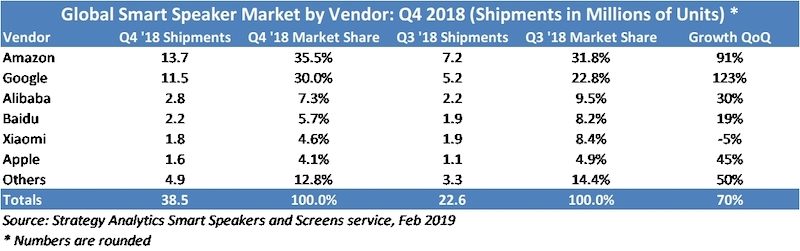
HomePod shipments totaled 1.6 million units in the fourth quarter of 2018, a 45 percent increase on a year-over-year basis, according to Strategy Analytics. Despite the growth, the research firm estimates that Apple's share of the worldwide smart speaker market was just 4.1 percent during the quarter.


By comparison, Amazon and Google commanded the market with an estimated 13.7 million and 11.5 million smart speakers shipments respectively. The two companies combined for an estimated 65.5 percent market share in the quarter.


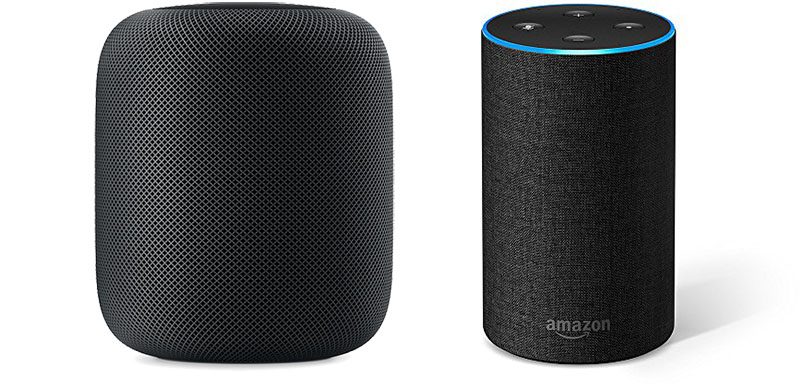
A lot of this comes down to pricing. At $349, the HomePod is significantly more expensive than the Amazon Echo and Google Home. In particular, the smaller Amazon Echo Dot and Google Home Mini models were available for as low as $25 during the holiday season, a fraction of the cost of a HomePod.

"Amazon and Google both have broad model lineups, ranging from basic to high-end, with even more variants from Amazon. Apple of course has only its premium-priced HomePod, and likely won't gain significant share until it offers an entry-level product closer to Echo Dot and Home mini," CIRP co-founder Josh Lowitz said last month.

To improve sales, many resellers offered the HomePod for $249 during the holiday season, and $279 is a commonly seen price too.

Second is the fact that the HomePod is not so smart, as many reviews found, due to Siri's shortcomings compared to Amazon Alexa and Google Assistant. Apple recently restructured its Siri team as it works to make improvements.

A third reason is availability. Apple launched the HomePod two to three years after its largest competitors, and sales remain limited to the United States, United Kingdom, Australia, Canada, France, Germany, Spain, Mexico, China, and Hong Kong. Amazon and Google smart speakers are available in more countries.

Last year, analyst Ming-Chi Kuo said Apple was "mulling" a "low-cost version" of the HomePod, potentially due to shipments falling "far below market expectations." It could end up being a Siri-enabled Beats speaker.

Of course, the Strategy Analytics data is estimated to begin with. Apple does not disclose HomePod sales, instead grouping the speaker under its "Wearables, Home, and Accessories" category in its earnings reports alongside the Apple Watch, Apple TV, AirPods, Beats, iPod touch, and other accessories.

Related Roundup: HomePod
Buyer's Guide: HomePod (Neutral)

This article, "HomePod Estimated to Have Just 4% Market Share Worldwide Despite 45% Sales Growth Last Quarter" first appeared on MacRumors.com

Discuss this article in our forums


from MacRumors: Mac News and Rumors - All Stories http://bit.ly/2BDXoBp

Eve Systems' Portable 'Flare' Lamp With HomeKit Support Launches in the U.S. and Canada

http://bit.ly/2Il7Vrb

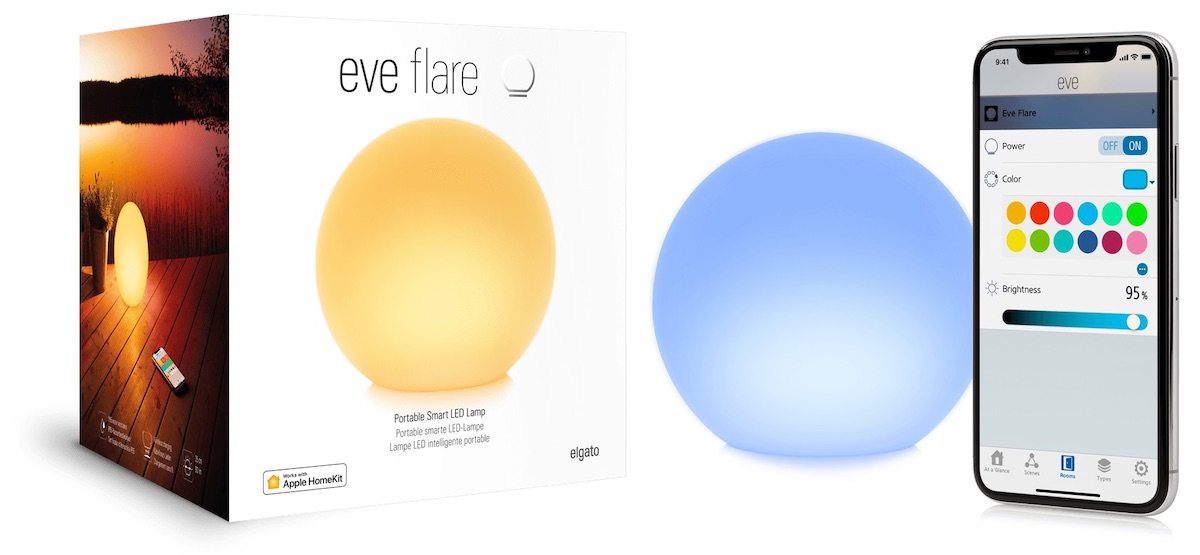
Following an announcement last year and launch in Europe, Eve Systems today released the portable LED lamp Eve Flare in the United States and Canada. Similar to Hue Go, Eve Flare lets you pick up and easily move the lamp around the house -- or to outdoor locations thanks to IP65 water resistance -- to bring light wherever you go.


Eve Flare is compatible with Apple HomeKit and offers six hours of battery powered light. When the battery runs down, you can recharge Eve Flare easily thanks to an included wireless charging base.
“Wherever you need a pop of light, it is easy with Eve Flare. Find a spot, open the Eve App, pick the perfect shade and enjoy hours and hours of soothing light,” says Ina Hirsch, Director of Marketing. “As with all Eve products, there’s no bridge required so Eve Flare is built to go from your bedroom to your balcony to your garden and beyond.”
The lamp allows you to choose from pre-made lighting shades or create your own custom color scenes, and does not require a bridge to work with HomeKit. Thanks to HomeKit support, you can include Eve Flare in your existing scenes and automations to turn the light on/off when you arrive/leave home, activate a scene via Siri, and more.


Eve Systems is continuing its rebranding from Elgato by focusing solely on its Eve line of HomeKit products, a move that was announced last summer. After that news, Eve Systems announced a new power strip, light strip, and light switch; and also updated the Eve Room in the fall. All of these products are compatible with HomeKit.

Eve Flare is priced at $99.95 and available to purchase today on Eve's website or on Amazon.

Note: MacRumors is an affiliate partner with Amazon. When you click a link and make a purchase, we may receive a small payment, which helps us keep the site running.

Tag: Eve

This article, "Eve Systems' Portable 'Flare' Lamp With HomeKit Support Launches in the U.S. and Canada" first appeared on MacRumors.com

Discuss this article in our forums


from MacRumors: Mac News and Rumors - All Stories http://bit.ly/2GSoIzh

SoundCloud's New Tool Lets Artists Distribute Music Directly to Apple Music and Spotify

http://bit.ly/2ImChJL

SoundCloud today announced a new feature that allows creators to distribute their music directly to major streaming music services like Apple Music, Spotify, and Amazon Music (via Billboard). The tool will be included in SoundCloud Pro and Pro Unlimited subscription tiers for artists, and each artist will get 100 percent of earnings back from each streaming platform, meaning SoundCloud won't take any cuts and won't charge additional distribution fees.


Artists on SoundCloud Pro or Pro Unlimited who are 18 years or older, control all rights to their original music, have no copyright strikes, and have garnered at least 1,000 plays in the past month will be able to use the tool. These eligible artists will now see a distribution button within the track manager section of SoundCloud, prompting them to select from a list of distribution channels like Apple Music, and schedule their release.

Last September, Spotify launched a beta for a service similar to SoundCloud's, allowing indie artists to bypass distributors and upload their music directly to the service. SoundCloud is now expanding this idea to support all streaming services, and the company hopes that these companies see it more as a location to scout new up-and-coming artists rather than another streaming rival.
"SoundCloud isn’t, nor ever was, meant to be a one-way, mass streaming experience," Trainor explains. "Streaming has risen, people are paying for music again and it’s fantastic what all the major streaming services are doing there. But what SoundCloud has been about, always, is empowering creators and giving that connection between creator and listener. Our overall position is about continuing to invest in that -- it’s not about trying to chase those other mass services."
While SoundCloud does offer a monthly streaming music service that is a competitor to Apple Music and Spotify, the company's major difference is in its community of artists who create and share their music on the platform. With the expansion of direct uploads to Apple Music and Spotify, these creators will now have even more outlets for their music to be heard.


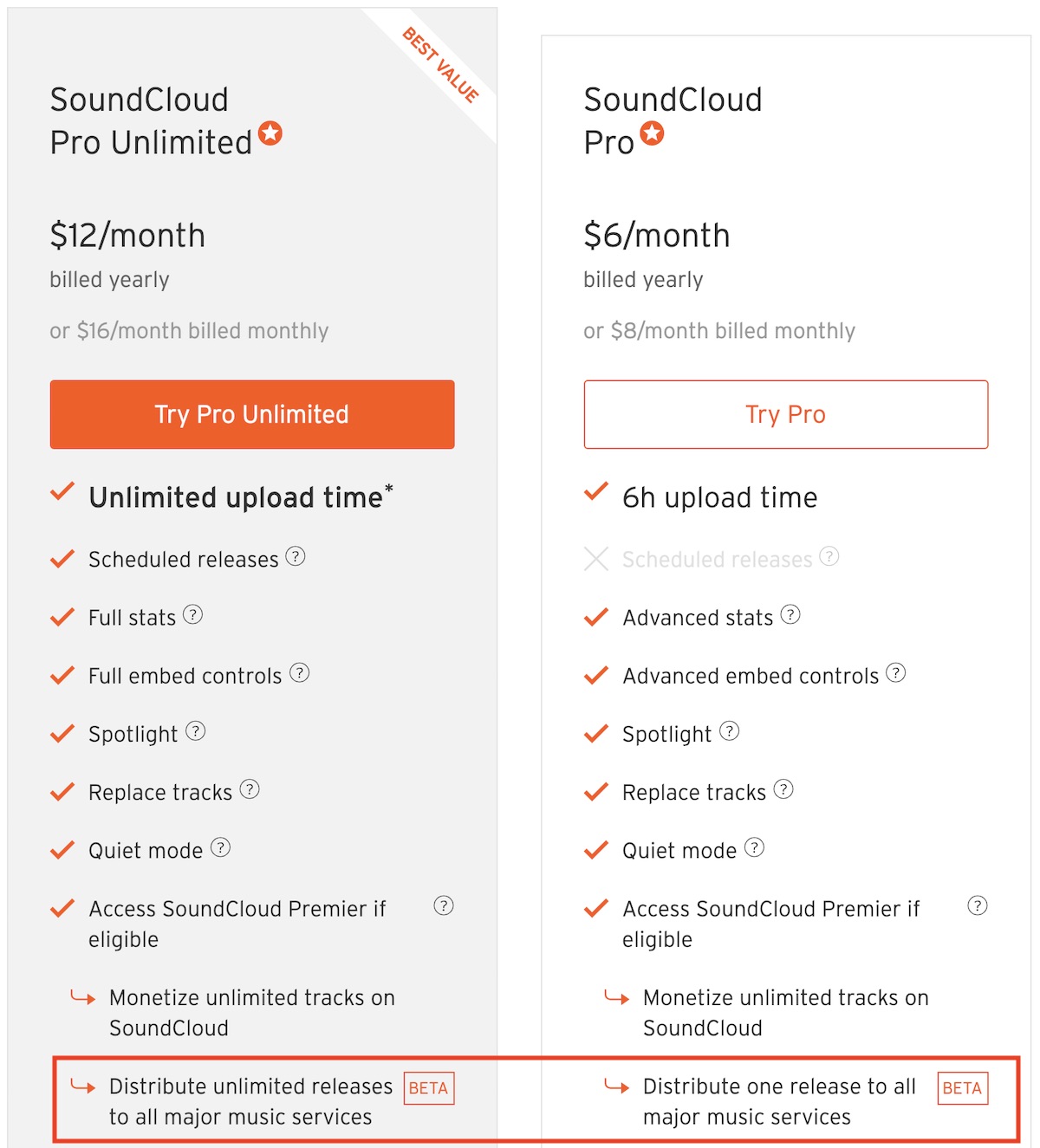
SoundCloud Pro starts at $6/month and Pro Unlimited $12/month (both billed yearly). At the Pro and Pro Unlimited level, artists can schedule releases, check full stats on tracks, gain access to full embed controls, replace tracks, and now distribute unlimited releases to all major music services. At this point, SoundCloud notes that this tool is still in beta.


This article, "SoundCloud's New Tool Lets Artists Distribute Music Directly to Apple Music and Spotify" first appeared on MacRumors.com

Discuss this article in our forums


from MacRumors: Mac News and Rumors - All Stories http://bit.ly/2BK1PLd

Apple Maps Vehicles to Begin Surveying Final U.S. States

http://bit.ly/2EjJXIN

As part of its efforts to rebuild Apple Maps, Apple has been collecting street-level data with LiDAR-equipped vehicles for over three years, with at least 45 states across the U.S. partially surveyed to date.


That total is set to rise in the coming months, as Apple has confirmed it will begin surveying Alaska, South Carolina, and Tennessee between March and July, according to an update to its recently revamped Apple Maps image collection website. Data collection is also set to continue in seven other states over that time.
Apple is conducting ground surveys around the world to collect data which will be used to improve Apple Maps. Some of this data will be published in future Apple Maps updates. We will also periodically revisit some locations to gather new data in an effort to maintain a high-quality, up-to-date map. We are committed to protecting your privacy while conducting these surveys. For example, we will blur faces and license plates on collected images prior to publication.
To our best knowledge, the only states that Apple has yet to confirm surveying are Arkansas and Oklahoma, although Twitter users have spotted the vehicles in both states since last year and perhaps earlier. It's possible the vehicles were only passing through those states without collecting mapping data.


Whether the total is 48 or 50 states, Apple's surveying efforts have reached nearly every corner of the United States. Apple plans to roll out its improved Maps app across the country section by section over the next year.

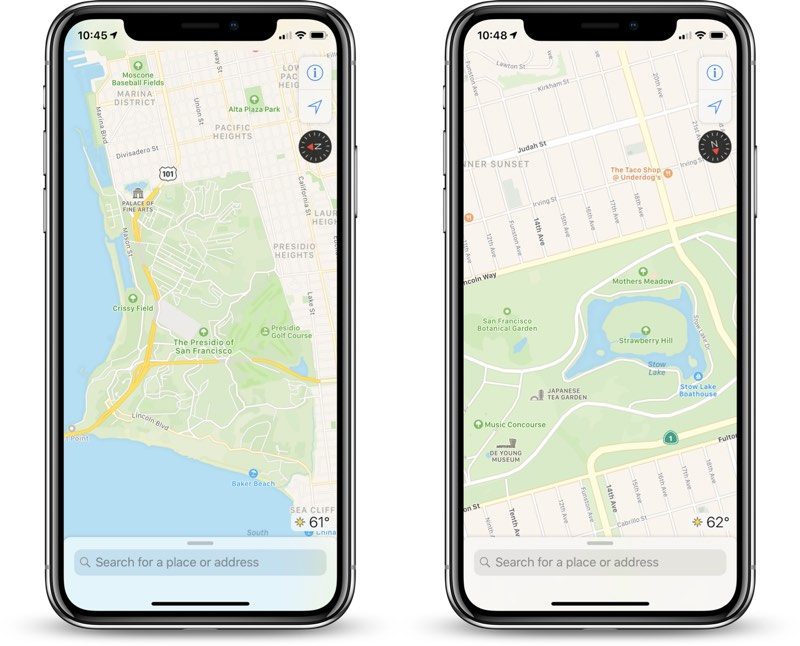
The improvements first rolled out in Northern California in iOS 12 and have extended to Hawaii and Southern California over the past few months. The overall look and feel of Apple Maps is mostly the same, but zooming and panning reveals more details like grass, trees, sports fields, and parking lots.

Apple Maps vehicles have also surveyed parts of Croatia, France, Ireland, Italy, Japan, Portugal, Slovenia, Spain, Sweden, and the United Kingdom, and they are headed to Andorra in April, according to Apple's website. It's unclear when the Apple Maps improvements will be available internationally.


This article, "Apple Maps Vehicles to Begin Surveying Final U.S. States" first appeared on MacRumors.com

Discuss this article in our forums


from MacRumors: Mac News and Rumors - All Stories http://bit.ly/2T91HPu

Epson Printers Gain Siri Shortcuts Support for Voice-Activated Printing

http://bit.ly/2Gy5hMS

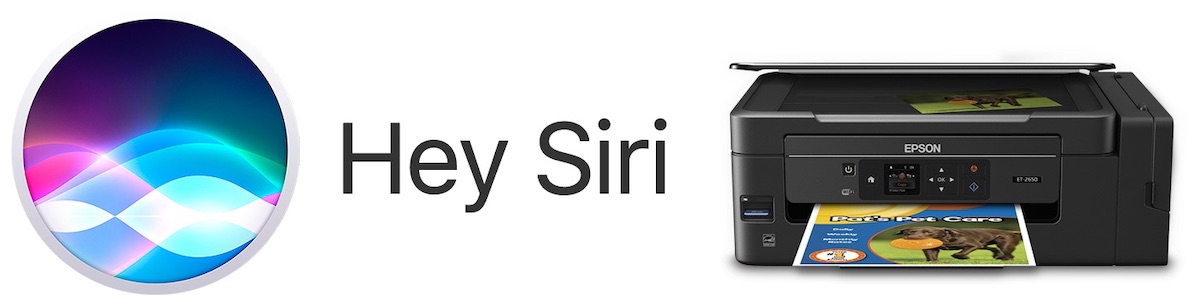
Printer company Epson today announced the launch of voice-activated mobile printing support for Siri, Amazon Alexa, and Google Assistant. With the addition, iOS users can snap a photo and ask Siri to print to a compatible Epson printer thanks to Siri Shortcuts.


You'll need the Epson iPrint app, which now supports Apple's new Shortcuts app on iOS. After the shortcut is installed, you can set up a voice activation phrase for printing, and when an image is displayed on your iPhone ask Siri to print it, even if you aren't home.

Other commands supported include scanning a document with an iPhone, iPad, or the Epson printer, and you can also ask Siri how much ink you have left in the printer. The company says all of these Shortcuts will help streamline printing and scanning documents since you will no longer have to navigate any software menus.
“Our customers have overloaded daily routines and are always looking for ways to save time and quickly get errands done,” said Jack Rieger, senior product manager of software and user experience, Epson America. “By expanding compatibility with some of the top smart home voice assistants, Epson is committed to making printing and scanning easier and more efficient for all of our busy customers.”
Compatible printers include those with support for the Epson Connect service, like Epson EcoTank, WorkForce, and Expression models. Once enabled, you can say "Hey Siri, open Epson printer" to get started.

Tag: Siri

This article, "Epson Printers Gain Siri Shortcuts Support for Voice-Activated Printing" first appeared on MacRumors.com

Discuss this article in our forums


from MacRumors: Mac News and Rumors - All Stories http://bit.ly/2IkYpEt