Wednesday, February 20, 2019

Samsung Unveils New $1,980 Galaxy Fold Smartphone

https://ift.tt/2DSKaB6

At its Unpacked 2019 event that took place in San Francisco today, Samsung officially unveiled its foldable smartphone, the Galaxy Fold. According to Samsung, the Galaxy Fold is a powerful smartphone and a revolutionary tablet all in one, a device that "defies category."

When folded up, the Galaxy Fold has a 4.6-inch display that's designed to fit in the palm of a hand, and when opened up, it has a 7.3-inch display that's tablet sized. It works with a hidden hinge with gears that are under the display. You can't see the hinge, providing a seamless look for the device.


Described as a luxury device, the Galaxy Fold comes in four colors: black, silver, green, and blue, and with some color options, the outside hinge shade can be customized.


Samsung worked with Google to create apps optimized for the dual-display fold, which supports a feature called App Continuity to keep the same apps open regardless of whether the Galaxy Fold is open or closed. With Google Maps, for example, in a folded mode you can see the map, but if you open it up, you can see a whole lot more.


Inside, there's a 7-nanometer processor and 12GB of RAM, with Samsung describing it as one of the most powerful smartphones on the market. There's a 4,380mAh battery, which is actually two batteries on either side of the hinge.

It has six cameras - three on the back, two on the inside, and one on the front so it can capture images no matter which way it's folded.

Galaxy Fold comes in two versions, one with LTE and one with 5G. Pricing starts at a whopping $1,980 and it will be available starting on April 26. It will ship with Samsung's upcoming AirPods competitors, the Galaxy Buds.

Tag: Samsung

This article, "Samsung Unveils New $1,980 Galaxy Fold Smartphone" first appeared on MacRumors.com

Discuss this article in our forums


from MacRumors: Mac News and Rumors - All Stories https://ift.tt/2GQe8ZQ

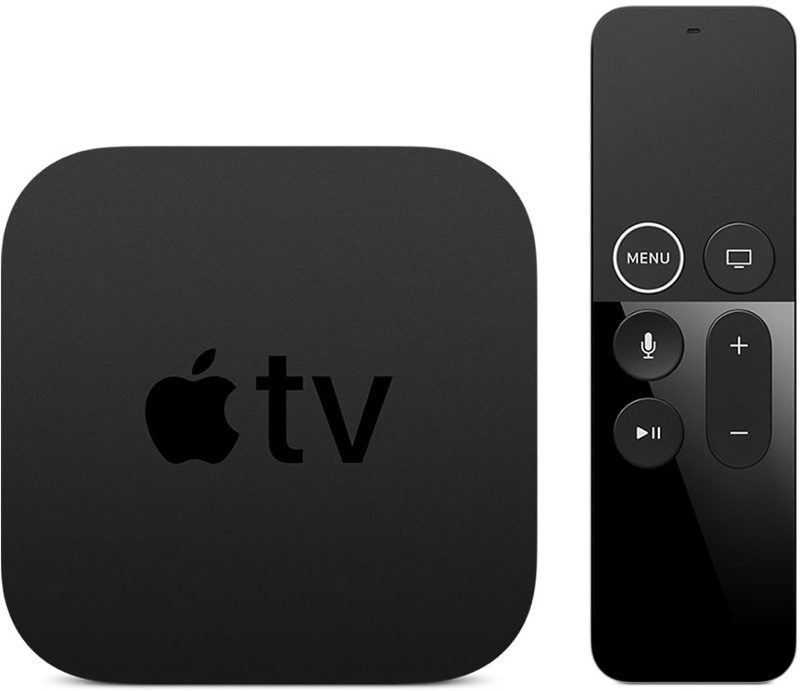
Apple Seeds Third Public Beta of tvOS 12.2 for Fourth and Fifth-Generation Apple TV

https://ift.tt/2yXhhkr

Apple today seeded the third beta of an upcoming tvOS 12.2 update to its public beta testing group, one day after providing the beta to developers and a week after releasing the second tvOS 12.2 public beta.

The tvOS 12.2 public beta can be obtained by going to the Settings app on the Apple TV and navigating to the Software Updates section under "System." "Get Public Beta Updates" will need to be toggled on, and once it is, the Apple TV will download the beta software.


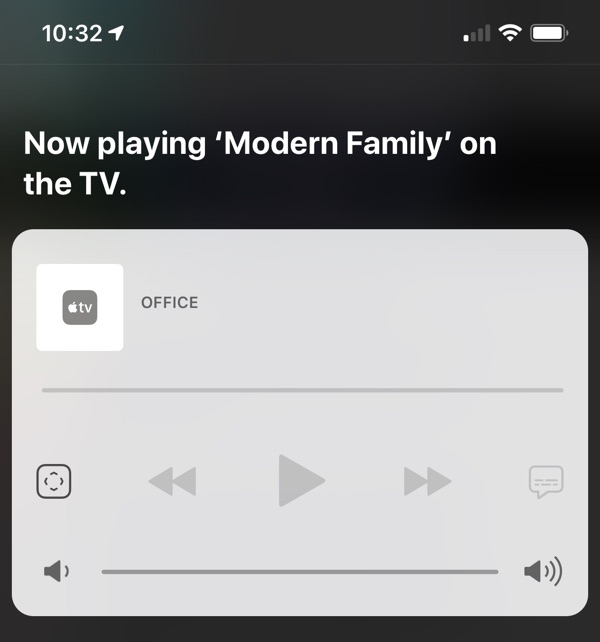
tvOS 12.2, paired with iOS 12.2, lets users ask Siri to play specific media on an Apple TV from an iOS device. You can, for example, ask Siri to play Modern Family on the TV in the living room. This works for music and TV content.


No other new features were discovered in the tvOS 12.2 beta as of yet, and it's often difficult to determine what's new because Apple does not provide release notes letting us know what's changed.

Related Roundups: Apple TV, tvOS 12
Buyer's Guide: Apple TV (Don't Buy)

This article, "Apple Seeds Third Public Beta of tvOS 12.2 for Fourth and Fifth-Generation Apple TV" first appeared on MacRumors.com

Discuss this article in our forums


from MacRumors: Mac News and Rumors - All Stories https://ift.tt/2V9nSSO

Apple Releases Safari Technology Preview 76 With Bug Fixes and Performance Improvements

https://ift.tt/1RqQQYZ

safaripreviewiconApple today released a new update for Safari Technology Preview, the experimental browser Apple first introduced three years ago in March 2016. Apple designed the Safari Technology Preview to test features that may be introduced into future release versions of Safari.

Safari Technology Preview release 76 includes bug fixes and performance improvements for Dark Mode, WebRTC, Web API, CSS, Rendering, Payment Request, Media, and Web Inspector.

The new Safari Technology Preview update is available for both macOS High Sierra and macOS Mojave, the newest version of the Mac operating system that was released to the public in September 2018.

The Safari Technology Preview update is available through the Software Update mechanism in the Mac App Store to anyone who has downloaded the browser. Full release notes for the update are available on the Safari Technology Preview website.

Apple’s aim with Safari Technology Preview is to gather feedback from developers and users on its browser development process. Safari Technology Preview can run side-by-side with the existing Safari browser and while designed for developers, it does not require a developer account to download.


This article, "Apple Releases Safari Technology Preview 76 With Bug Fixes and Performance Improvements" first appeared on MacRumors.com

Discuss this article in our forums


from MacRumors: Mac News and Rumors - All Stories https://ift.tt/2XcJ3Fg

Third Public Beta of iOS 12.2 Coming Today

https://ift.tt/2QEyBCD

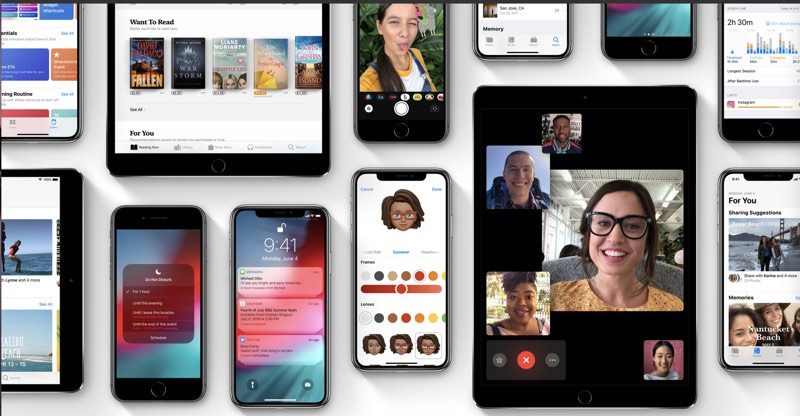
Apple today plans to release the third beta of an upcoming iOS 12.2 update to its public beta testing group, one day after seeding the third beta to developers and two weeks after releasing the second public beta.

Beta testers who have joined Apple's beta testing program will receive the iOS 12.2 beta update over-the-air after installing the proper certificate on an iOS device. The update will become available right around 10:00 a.m. Pacific Time or 1:00 p.m. Eastern Time.


Those who want to download the new beta can do so after signing up for the beta program, which gives access to iOS, macOS, and tvOS betas.

The iOS 12.2 update expands Apple News to Canada for the first time, with Canadian iPhone and iPad users able to access news stories in English, French, or both. It introduces infrastructure for AirPlay 2 and HomeKit on third-party TVs, a feature announced in early January.

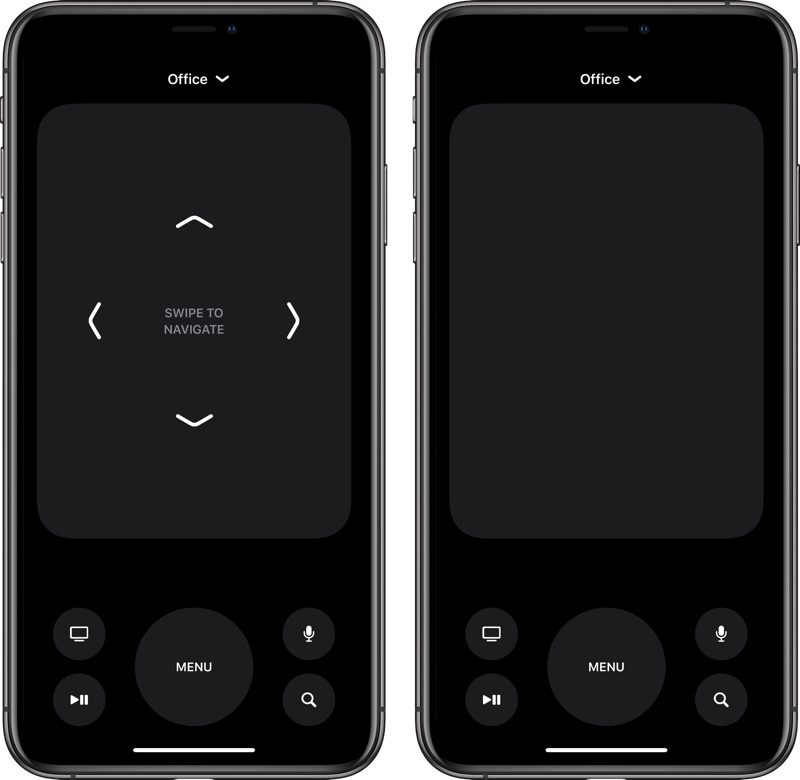
The TV remote feature in Control Center has been redesigned to take up the full display of an iPhone (with further tweaks introduced in the third beta), and there are tweaks to the Wallet app with a refined interface and a new look for Apple Pay Cash. Changes have been made to Safari with warnings about unsecured websites and new search arrows, and there's now a setting to set Downtime for apps on a day by day basis.


Apple is improving Safari's privacy in iOS 12.2 through a new Motion & Orientation toggle located under Settings --> Safari --> Privacy & Security, which is disabled by default. The setting needs to be enabled on to allow websites to display content that relies on motion data from the accelerometer and gyroscope in the iPhone and iPad.


There are new Animoji in the second iOS 12.2 beta, including a boar, a shark, a giraffe, and an owl. Animoji can be used within the Messages and FaceTime apps. For some AT&T users, there's a new "5G E" icon for the cellular signal, replacing the standard LTE icon. This is a bit misleading of AT&T, because the iPhone does not support 5G, nor is the network AT&T calls 5G E actual 5G. Instead, it's an upgraded version of LTE, with more info available here.


The third beta revamps the Remote in Control Center with a darker interface, changes the logo of Apple News, tweaks the About screen, and includes a new feature that will offer Today at Apple session suggestions via Siri. It also fixes the Group FaceTime bug and reenables Group FaceTime for beta users, and it fixes that pesky Lock screen bug that replaced battery charge with the date.

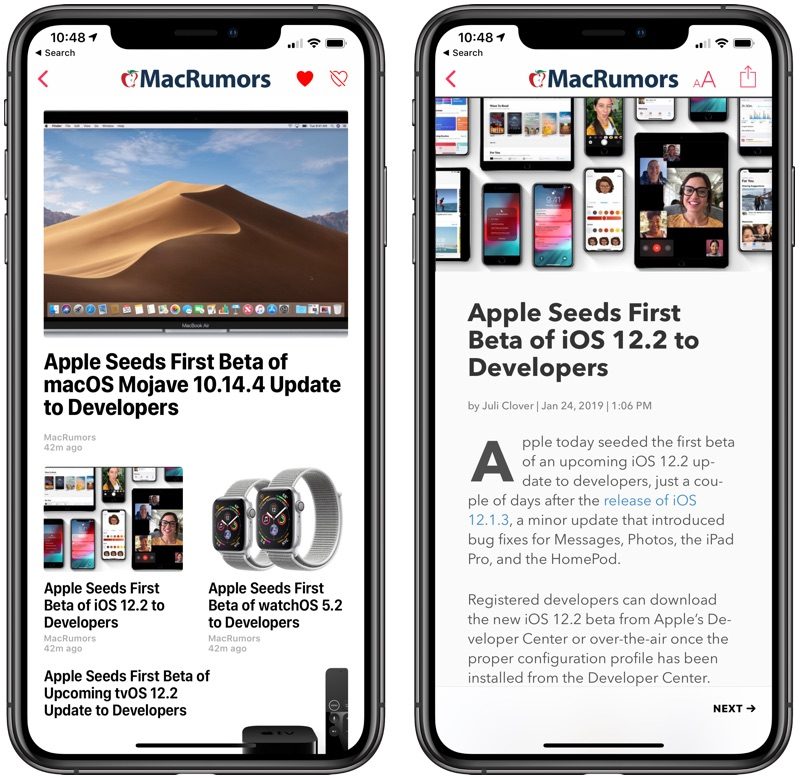
For a full list of everything new in the third beta, make sure to check out our iOS 12.2 beta 3 tidbits post. A complete list of all of the new features found in iOS 12.2 so far can be found in our full iOS 12.2 overview.

The iOS 12.2 update will likely see several rounds of beta testing over the course of the next month or so before it launches to the public.

Related Roundup: iOS 12

This article, "Third Public Beta of iOS 12.2 Coming Today" first appeared on MacRumors.com

Discuss this article in our forums


from MacRumors: Mac News and Rumors - All Stories https://ift.tt/2SMnixN

Review: Satechi's Type-C Stand for iMac Offers Easy Access to USB Ports With Ergonomic Design

https://ift.tt/2trfmCW

Satechi has offered a few options for iMac stands over the past few years, allowing customers a chance to elevate their iMac for a more ergonomic workspace, and gain access to a limited number of ports.


Now Satechi has released the Type-C Aluminum Monitor Stand Hub for iMac, an all-new iMac stand that is a bit of a combination of the two previous accessories, offering a greater number of useful ports and some added height under your iMac.

Design


Satechi's new iMac stand is designed with a brushed aluminum finish and unibody construction, perfectly matching any modern iMac with a silver aluminum finish. The front plate of the stand is matte black, mirroring the silver and black colors of the iMac, and this area is where you'll find the stand's seven ports. There's also a very faint white LED to the right of the ports that indicates a successful connection to the iMac.


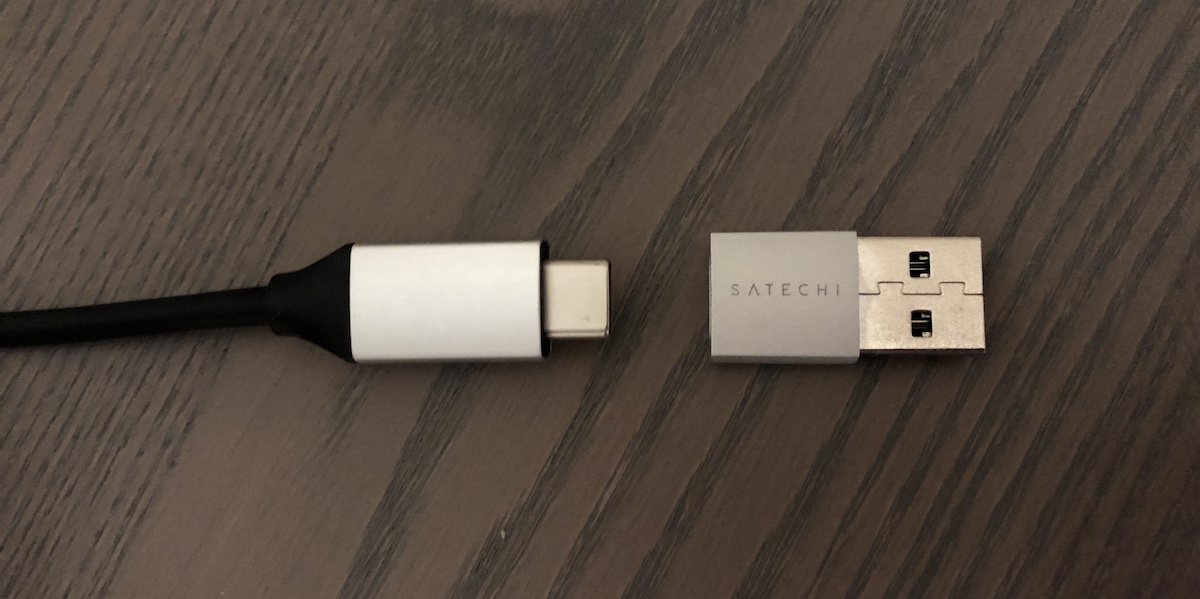
In total, there is a microSD card slot, SD card slot, audio jack, three USB-A ports, and one USB-C data port (not meant for fast charging). The stand itself has a USB-C cable to connect to Thunderbolt 3-enabled iMacs, and it comes with a small USB-C to USB-A dongle adapter so it's essentially compatible with any iMac. As a note, I have a late 2015 27-inch Retina iMac, and have not faced any issues with the adapter and ports on the Satechi stand.

In terms of height, Satechi's accessory sits about 1.63 inches tall, with small rubber feet that ensure your entire workstation is stable after placing the iMac on the stand (max load being 50 lbs). There aren't any storage compartments or drawers in Satechi's stand, but the small amount of empty space created between your desk and the underneath of the stand does provide a little hidey hole perfect for external storage, flash drives, and other small devices.
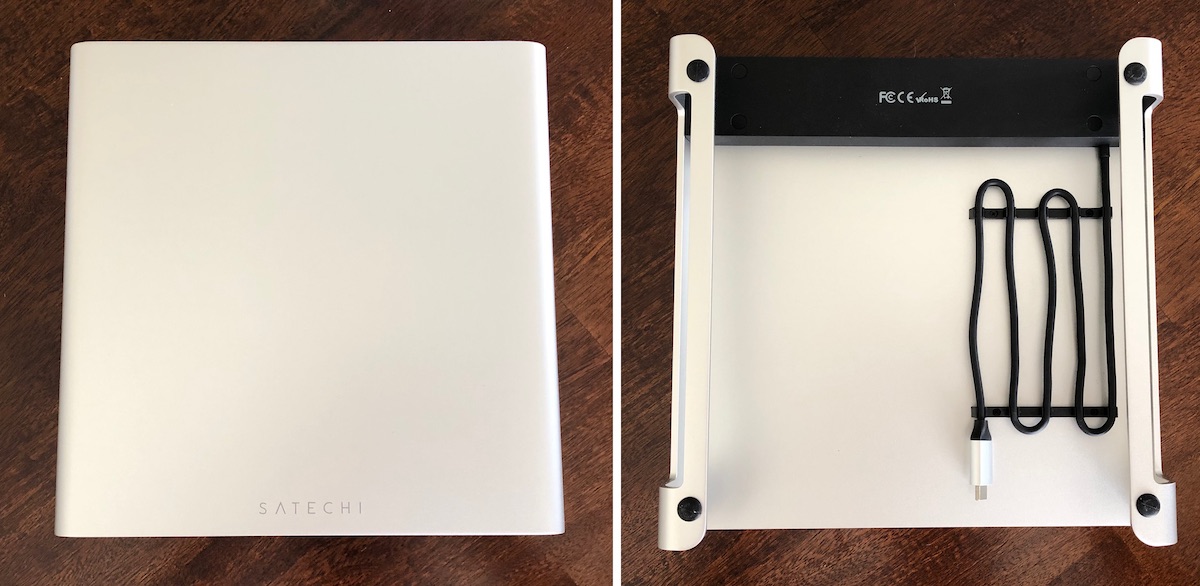

There is also no locking mechanism to keep the base of the iMac in place on top of the stand. The iMac still sits securely in place given how heavy it is, but if you were to provide force against the iMac it does brush pretty easily along the silver aluminum of Satechi's stand. Some sort of rubberized coating at the center of the top of the stand could have alleviated this a bit.

Port Use


I've been in the market for a USB hub for my workstation for a few months now, mainly because the angle of my iMac to a nearby wall makes it difficult to gain access to the computer's rear-facing ports. Satechi's device has solved this in one go, providing more than enough ports for my day-to-day use.


All three USB-A ports worked as expected during my testing, registering on my iMac desktop just as they would when plugged into the back of the computer. The USB-C port is aimed only at data transfers and is not meant for charging, although I was able to charge my iPhone X with a USB-C to Lightning cable. Still, this was not fast charging as that method of charging is not supported through Satechi's accessory, because the device doesn't support the USB-C power delivery protocol.

The Satechi stand is perfect for adding some charge onto your iPhone while you work via the USB-A ports, and you can expect typical refuel times through basic Lightning to USB-A cables. The USB ports provide up to 5 Gbps of speed, so the accessory is great for basic needs but anyone looking for faster USB connections might be left disappointed.


A big drawback to the stand's design is that all of this port access will immediately clutter your workspace if your keyboard sits directly in front of it. Any flash drive inserted into the stand, or charging cable tied to your nearby iPhone, will easily come into contact with your keyboard.


It's easy enough to reorient the stand to your benefit, pushing it back to clear up space for a flash drive and tucking some cable into the space underneath the stand, but it's definitely a downside for anyone who dislikes visual clutter on their desk.

Satechi vs. Twelve South


I've been using Twelve South's original HiRise iMac Stand essentially the entire time I've had my 2015 iMac, and there was barely any adjustment period going from the HiRise to the Satechi stand. Twelve South's HiRise is just under 3.5 inches tall and has adjustable brackets for numerous height levels, so it provides more options for my iMac compared to the Satechi stand.

Satechi Type-C Stand (left) and Twelve South HiRise (right)

But, going too tall for your computer monitor isn't a good idea, and I had my Twelve South HiRise sitting at around the middle bracket, which was nearly the exact height of the Satechi dock, just a bit taller. In general, a good rule of thumb to follow for an ergonomic workspace is to place your monitor so that the top of the display is about level with your eyes, and your neck is bent slightly to read the middle of the screen.


Following this rule, Satechi's stand was essentially perfect for my height. It's felt comfortable to work on the past few weeks, and I haven't once felt neck strain due to the position of my monitor (which I would prior to owning the HiRise). The downside is that Satechi doesn't allow you to customize the height, so the accessory might not exactly be for everyone of all height levels, but its default position should hit the sweet spot for most people.

The main thing I miss when not using the HiRise is its enclosed compartment, where I could hide flash drives, external storage, an Apple TV remote, and some of my favorite Apple Watch bands. The trade off of having USB ports on the Satechi stand is something that will likely benefit me more in the long run, so as of now I've decided to keep the Satechi dock under my iMac for the near future.

Bottom Line


The Satechi Type-C Stand for iMac is a great, versatile accessory with plenty of easy access to useful USB ports and an ergonomic height bonus for anyone who works on an iMac all day. It lacks the hidden compartment organization and customizable height options of rival accessories like the Twelve South HiRise, but the option of having front-facing USB ports on an iMac workstation will likely outweigh the negatives for many users.


You can buy the Satechi Type-C Stand for iMac in Silver or Space Gray for $89.99 on the company's website.

Note: Satechi provided MacRumors with a Silver Type-C Stand Hub for iMac for the purposes of this review. No other compensation was received. MacRumors is an affiliate partner with Satechi. When you click a link and make a purchase, we may receive a small payment, which helps us keep the site running.

Tag: Satechi

This article, "Review: Satechi's Type-C Stand for iMac Offers Easy Access to USB Ports With Ergonomic Design" first appeared on MacRumors.com

Discuss this article in our forums


from MacRumors: Mac News and Rumors - All Stories https://ift.tt/2Vdjhzb

Bowers & Wilkins Will Soon Release AirPlay 2 Receivers

https://ift.tt/2TXnOp6

British audio equipment maker Bowers & Wilkins is expected to release its first AirPlay 2-enabled receivers in the near future.


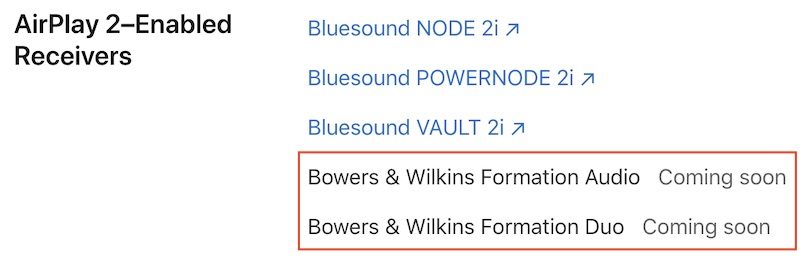
A pair of new Bowers & Wilkins receivers named Formation Audio and Formation Duo are listed as "coming soon" in Apple's recently updated list of HomeKit and AirPlay accessories. Bowers & Wilkins releasing receivers is interesting in itself, as the company is better known for high-fidelity speakers and headphones.


Bowers & Wilkins has yet to announce the products, but we did find a cached GDPR-related fair processing notice page on its website from December 2018 that mentions a line of Formation products, including the Formation Duo, Formation Audio, Formation Bar, Formation Wedge, and Formation Bass.

AirPlay 2 would allow the receivers to work with other AirPlay 2 devices such as the HomePod, the Apple TV, and Sonos speakers. AirPlay 2 receivers also appear in Apple's Home app across iPhone, iPad, Mac, and Apple Watch.

Bowers & Wilkins, acquired by Eva Automation in 2016, will join Denon and Marantz, Bluesound, and Naim in offering AirPlay 2 receivers.


This article, "Bowers & Wilkins Will Soon Release AirPlay 2 Receivers" first appeared on MacRumors.com

Discuss this article in our forums


from MacRumors: Mac News and Rumors - All Stories https://ift.tt/2Sf8fr7

Asus Chromebook Flip C434 certified by FCC, right on time for March release


via About Chromebooks https://ift.tt/2GyCMPf