Wednesday, February 20, 2019

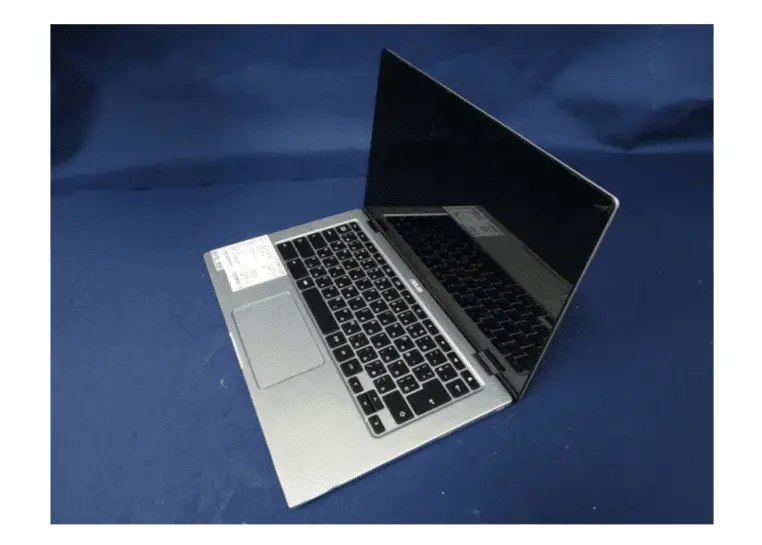
ASUS’ Flagship Chromebook C434 Clears The FCC And Gets A Sweet Promo Video


via Chrome Unboxed – The Latest Chrome OS News https://ift.tt/2Nevpx1

Twitter Taking Applications for Prototype 'Twttr' App for Testing New Features

https://ift.tt/2GWF227

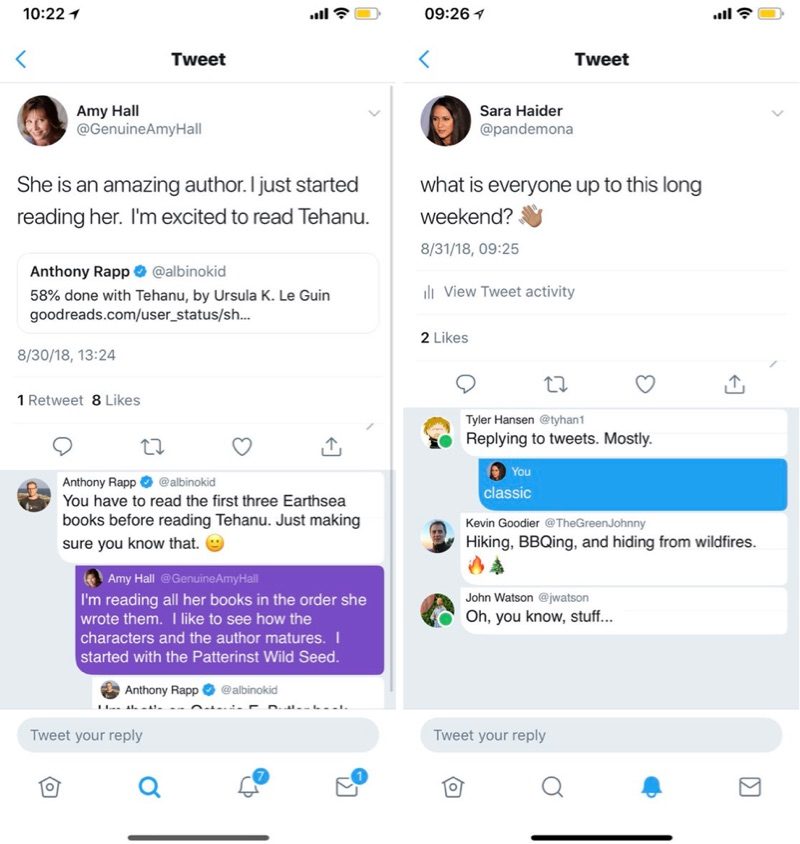
Twitter today launched its Twitter Prototype Program and is accepting applications from people who want to beta test new Twitter features on iOS devices. Twitter's tests will be done through a new app called Twttr rather than in the existing Twitter app.

The first feature Twitter plans to test is a new design for conversations, which will make it easier to follow replies to an initial tweet.


Twitter asks beta testing applicants for their user name, which device they most often use Twitter on, primary language, and country of residence.

After filling out the form, the company says users who have applied will receive an update on application status within a few weeks.

Tag: Twitter

This article, "Twitter Taking Applications for Prototype 'Twttr' App for Testing New Features" first appeared on MacRumors.com

Discuss this article in our forums


from MacRumors: Mac News and Rumors - All Stories https://ift.tt/2Xfiuzq

Apple-Owned Shazam App for iOS Drops Third-Party SDKs in Latest Update

https://ift.tt/2GEkex4

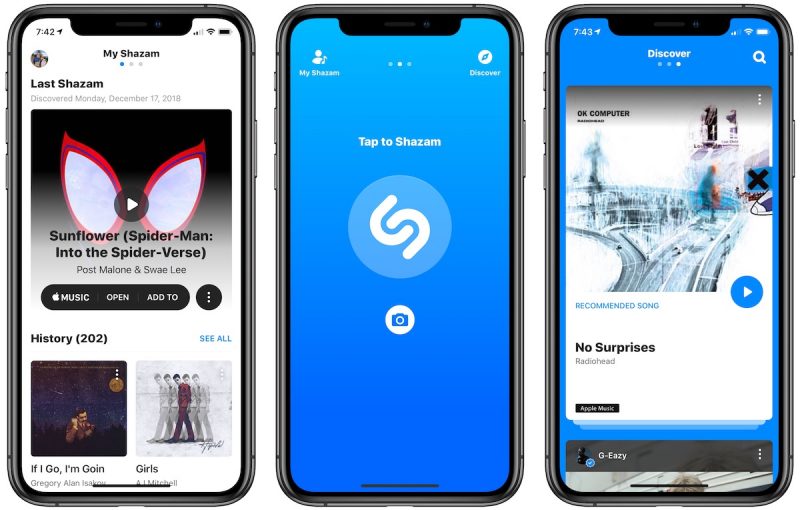
Shazam, the song discovery app that's now owned by Apple, received a minor bug fix update last week, which, according to AppFigures, removes all third-party SDKs.

Shazam for iOS is no longer using ad networks, analytics trackers, or open-source utilities that had the potential to provide app usage data to third-party companies.


Admob, Bolts, Doubleclick, FB Ads, FB Analytics, FB login, Inmobi, IAS, Moat, and Mopub SDKS were all eliminated in the update. The only third-party SDK still in the Shazam iOS app is HockeyApp, which is a Microsoft testing app similar to TestFlight.

Multiple third-party SDKs were also uninstalled on Android, though some services remain in place.

Following the completion of its acquisition of Shazam in September, Apple pulled ads from the app and made it ad-free. Prior to Apple's purchase of Shazam, the app featured several advertisements.

Tag: Shazam

This article, "Apple-Owned Shazam App for iOS Drops Third-Party SDKs in Latest Update" first appeared on MacRumors.com

Discuss this article in our forums


from MacRumors: Mac News and Rumors - All Stories https://ift.tt/2V8A6uN

Seven Handy Mac Tricks You Might Not Know

https://ift.tt/nvEILJ

macOS, the operating system that runs on Apple's Macs, has tons of hidden shortcuts, keyboard commands, and features that have gone under the radar. In our latest video over on our YouTube channel, we dug deep into macOS and came up with a list of useful but lesser known tips and tricks.

You might think you know everything there is to know about the Mac, but we bet there's something new here you've never come across or have forgotten over time, so make sure to check out our video.

Subscribe to the MacRumors YouTube channel for more videos.

  • Continuity Camera - In macOS Mojave, Apple introduced a feature that lets you take a photo on an iPhone or iPad and have it ported over to the Mac into the document or app of your choosing. To get to Continuity Camera in any app where it's supported, go to Edit > Insert From Your iPhone or iPad. From there, choose "Take Photo" or "Scan Document," and it will automatically activate the camera on your iOS device so you can snap a quick photo. You can also right click in most documents to bring up a menu with the option.


  • Password Protect a Folder - Your Mac is protected by a password, but you can add an extra layer of security by password protecting any folder. To do it, open up Disk Utility, select "File" from the menu, choose "New Image" and then "Image from Folder." From there, select the folder you want to protect and create a password. Delete the original folder, and you'll need to enter a password when opening the new folder.


  • Custom Lock Screen Message - There's an option in macOS to create a custom message that shows up on the Lock screen, which is useful if you misplace your app because you can put in a phone number and an email address that people will see right when it's opened up. To get to it, go to System Preferences > Security & Privacy > General > Set Lock Message.


  • Emoji Quick Access - It can be a chore to add emojis to documents, texts, and social media on macOS going through the menu insert options, but there's a keyboard command that will bring up the macOS emoji selector interface in any app. Just press Control, Command, and Space Bar all at once. 😻


  • WiFi Passwords in Keychain - Want to find a lost password for a WiFi network you've connected to before? It's stored right on your Mac in Keychain. Open up Keychain Access, choose System, and locate the WiFi name you're looking for. Right click on it (or double click), choose "Get Info," and then select "Show Password."


  • Copy Paste Screenshots - You can take and share a screenshot without cluttering up your desktop using the hidden screenshot copy paste feature. Hold Command + Control + Shift + 4, select what you want to screenshot, and it's copied to your clipboard. From there, you can paste it within any app, and there's no screenshot on your desktop when you're done.


  • Messages Screen Sharing - Need to help a parent or a friend with an issue on the Mac? You can use Messages to access their screen to make it easier. Just open up Messages, select the name of the person you want to help, and then click on "Details." Click on the screen sharing icon to connect. You can also click on "Buddies" at the top to get more screen sharing options.

Have other useful Mac tips that we didn't share here? Let us know in the comments and we might include them in a future tips and tricks video.


This article, "Seven Handy Mac Tricks You Might Not Know" first appeared on MacRumors.com

Discuss this article in our forums


from MacRumors: Mac News and Rumors - All Stories https://ift.tt/2V7hQSL

HP Chromebook x360 Review: The Total Package


via Chrome Unboxed – The Latest Chrome OS News https://ift.tt/2E0GVrt

ASUS’ Flagship Chromebook C434 Clears The FCC And Gets A Sweet Promo Video


via Chrome Unboxed – The Latest Chrome OS News https://ift.tt/2Nevpx1

Apple Shares White Paper on Self-Driving Car Safety

https://ift.tt/2ve9mRb

Apple today released a white paper outlining its self-driving car testing procedures as required by the National Highway Traffic Safety Administration [PDF via CNET].

The short seven-page document is scant on details about Apple's autonomous car project, but the company says that it is "excited about the potential of automated systems" in many areas, including transportation.
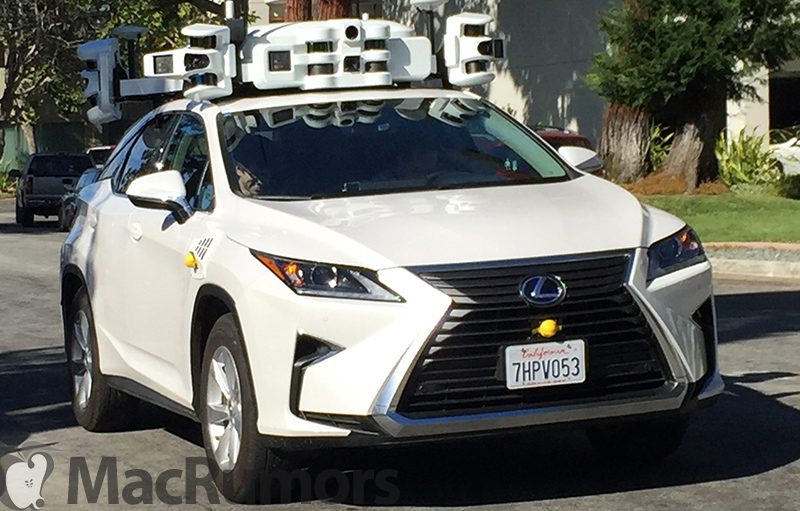

Apple believes autonomous driving systems have the potential to "enhance the human experience" through road safety improvements, increased mobility, and broad social benefits.

Each vehicle that's deployed (Apple uses Lexus SUVs outfitted with LiDAR equipment) is put through "rigorous verification testing" using simulation and closed-course proving grounds.

Apple explains how its autonomous vehicles work, which is basic self-driving vehicle functionality. The software senses what's around it, such as other vehicles, bicycles, or pedestrians using LiDAR, radar, and cameras before a planning component pulls that information together to predict what will happen next.

Using this information, Apple's system delivers commands for the steering, braking, and propulsion systems.

Apple analyzes every action that the system takes, especially scenarios and malfunctions where the safety driver is required to take over. Apple vehicles were in two accidents in 2018, though neither was the fault of the self-driving system and self-driving mode was only activated in one instance.

Every new autonomous driving feature implemented sees rigorous verification testing using test scenarios crafted from data gathered on public roads.
All proposed changes to our ADS software are first subjected to rigorous and comprehensive simulation testing that evaluates the software against predetermined criteria. After passing these simulation tests, the entire system then undergoes on-road testing at closed-course proving grounds. Software changes may be nominated for operation on public roads only after passing this array of extensive simulations and closed-course proving ground tests.

Software that passes to public road testing is incrementally deployed across the test vehicle fleet, with each stage monitored and analyzed. Additionally, changes deemed safety-critical undergo an extra phase of testing conducted by our most experienced drivers and operators.
All in all, Apple's white paper is rather dull and contains information shared by most companies that operate self-driving vehicles, but there are some interesting tidbits and insights into the company's focus on safety and secrecy.

All vehicles go through daily inspections and functionality checks before each outing, and Apple holds daily meetings with safety drivers to review software information and test routes.

Each vehicle is monitored by a safety driver and an operator, with Apple's safety drivers required to undergo rigorous training that includes a defensive driving course, classroom instruction, simulations, operational training, and supervised public road driving.

Drivers must keep both hands on the wheel at all times, work one shift per day, and are required to take frequent rest breaks to stay alert while driving.

Apple is still in the early stages of development on its autonomous driving software, and rumors have suggested the company could potentially release some kind of vehicle in 2023 to 2025.

Vehicles are equipped with a "persistent visual display" of the systems' mode, visible and audible signals when the system returns control to the safety driver, and "multiple, redundant, and fault-tolerant" mechanisms for taking control of the vehicle. Steering, braking, and acceleration commands have set limits to ensure actions can be safely anticipated and interrupted by the driver.

For more on Apple's car project, make sure to check out our Apple Car roundup.

Related Roundup: Apple Car

This article, "Apple Shares White Paper on Self-Driving Car Safety" first appeared on MacRumors.com

Discuss this article in our forums


from MacRumors: Mac News and Rumors - All Stories https://ift.tt/2txs038