Friday, October 25, 2019

Chrome 78 “Aw, Snap!” bug: What you need to know


via Chrome Unboxed – The Latest Chrome OS News https://ift.tt/2JnQmVl

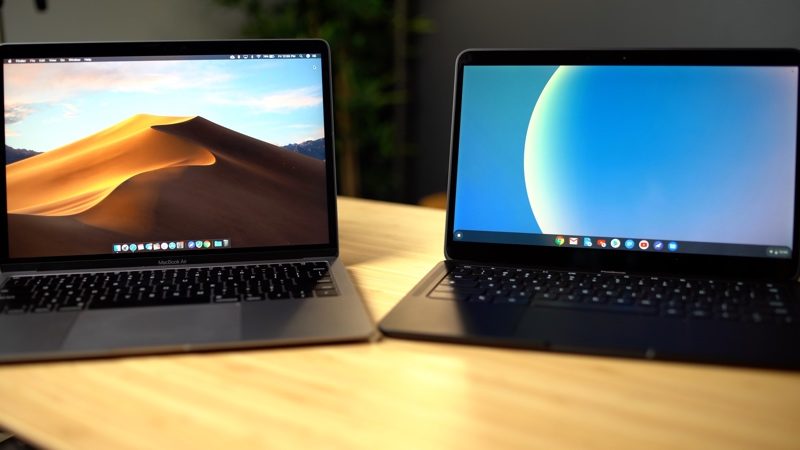
Hands-On With Google's MacBook Air-Style Pixelbook Go

https://ift.tt/365lF0R

Google earlier this month unveiled the Pixelbook Go, a new premium Chromebook that's similar to a MacBook Air or a MacBook Pro, but Chrome OS.

In our latest video, we went hands-on with the Pixelbook Go to see how it measures up to Apple's ‌MacBook Air‌ (the two have similar price points) and whether or not it can serve as a ‌MacBook Air‌ replacement.

Subscribe to the MacRumors YouTube channel for more videos.

Design wise, the Pixelbook Go looks rather similar to a MacBook featuring a lightweight chassis, a large trackpad, a 13-inch display with slim side bezels and a thicker top/bottom bezel, a keyboard with speaker grilles at each side, and a similar hinge mechanism.

A G logo at the top and a wavy, bumpy textured feel at the bottom sets it apart from the ‌MacBook Air‌. Like Apple's MacBooks, the Pixelbook Go offers a simple, clean design.


Pricing on the Pixelbook Go starts at $649 for an Core M3 processor and 64GB of storage, but we tested the upgraded Core i5 model with 8GB RAM and 128GB of storage, which is priced at $849. That's the model most similar to the entry-level ‌MacBook Air‌, which comes with a 1.6GHz Core i5 processor, 128GB of storage, and 8GB RAM for $1,100.

The Pixelbook Go is cheaper than the ‌MacBook Air‌, but there are some areas where it is definitely lacking in comparison. When it comes to the display, for example, it's adequate, but the HD quality just doesn't measure up to the ‌MacBook Air‌'s Retina display. There is an upgraded version of the Pixelbook Go with a 4K display, but that machine is priced at $1,400.

One area where the Pixelbook Go shines is its keyboard. The keyboard doesn't look too different from a MacBook keyboard, but it's super quiet thanks to Google's Hush Keys feature, satisfying to type on, and has the perfect amount of key travel. There are also custom keys, including a key for activating Google Assistant. There are speakers located to each side of the keyboard, and the sound quality is solid. The speakers are a touch louder than the ‌MacBook Air‌'s speakers at maximum volume, but the ‌MacBook Air‌ wins out when it comes to sound quality.


There's a MacBook Air-style trackpad on the Pixelbook Go, but MacBook competitors often have a hard time replicating the feel of Apple's trackpad, and the Pixelbook Go is no exception. There's a physical trackpad button that feels clunky and outdated compared to Apple's Haptic Trackpad.

The Pixelbook Go offers up to 12 hours of battery life, which is the same claim that Apple makes about the ‌MacBook Air‌. In practice, we see around five to eight hours of battery life from the ‌MacBook Air‌ depending on usage, and the Pixelbook Go has been hitting around eight hours.

There are two USB-C ports on Pixelbook Go (one on each side) along with a 3.5mm headphone jack, which is the same general port setup the ‌MacBook Air‌ offers, though the ‌MacBook Air‌ supports Thunderbolt 3.

What really sets the Pixelbook Go apart from the ‌MacBook Air‌ is the operating system. While the ‌MacBook Air‌ runs the full version of macOS, the Pixelbook Go uses Chrome OS. Chrome OS is a Linux-based OS that supports Chrome apps and some Android titles, but it is in general more limited in scope than macOS.


Chrome OS is designed for everyday tasks like browsing the web, creating documents, taking notes, and sending emails rather than more specialized tasks like photo and video editing. Technically, most people who buy something like an entry-level ‌MacBook Air‌ are probably primarily using it for the same purposes, but you do have a bit more flexibility with macOS.

The option to download Android apps has made Chrome OS more useful over the course of the last several years, and there are, for example, apps for photo and video editing, though we wouldn't recommend them for regular full-time usage.

All in all, for most people, the upgrade to the ‌MacBook Air‌ over the Pixelbook Go may be worth the price differential given the better screen quality and the option to use macOS, though it's still much cheaper than the ‌MacBook Air‌ when it comes to the entry-level $649 option. The Pixelbook Go is one of Google's nicest Chromebooks in terms of design, hardware, and the complete Google experience, so it is likely the better choice for those who prefer a Google ecosystem.

What do you think of the Pixelbook Go? Would you use it over a ‌MacBook Air‌? Let us know in the comments.

Tags: Google, Chrome

This article, "Hands-On With Google's MacBook Air-Style Pixelbook Go" first appeared on MacRumors.com

Discuss this article in our forums


from MacRumors: Mac News and Rumors - All Stories https://ift.tt/32O3DhQ

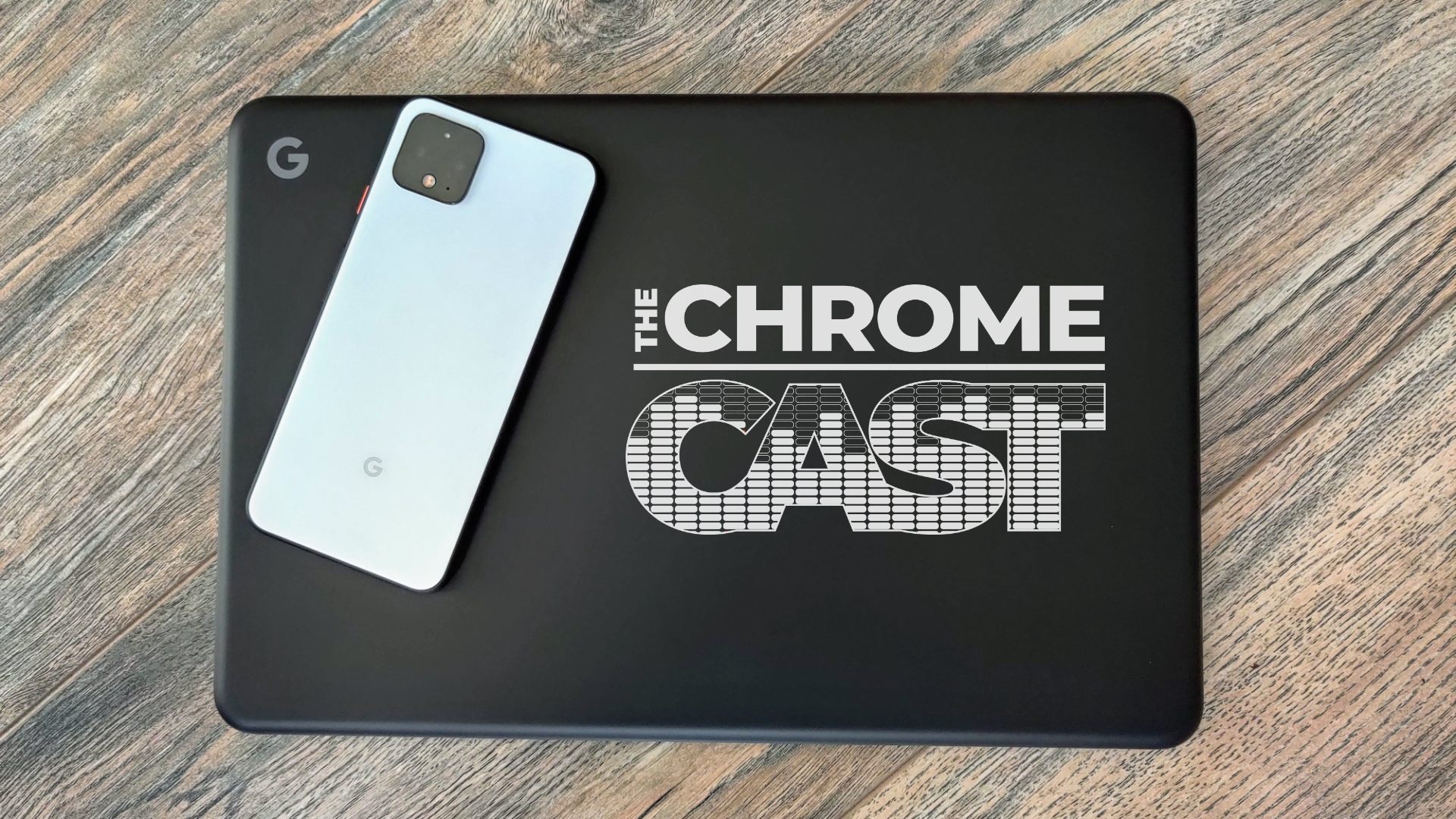
The Chrome Cast 33: Pixelbook Go impresses, Pixel 4 disenchants


via Chrome Unboxed – The Latest Chrome OS News https://ift.tt/2BGDJQX

Future iPhones Expected to Adopt Apple Watch's Low-Power LTPO Display Technology

https://ift.tt/2Webu5B

Apple plans to use a low-power backplane technology called LTPO for future iPhones, according to Korean website The Elec. The backplane is responsible for turning individual pixels on and off on the display.


From the report:
Apple, meanwhile, is moving to more widely apply LTPO panels to its iPhones. This means it needs to find ways to work together with Samsung Display, which is holding its own in terms of both technological prowess and production capacity in the small and mid-sized OLED sector.
LTPO, or low-temperature polycrystalline oxide, has an Oxide TFT structure that uses up to 15 percent less power than LTPS, or low-temperature polysilicon, the backplane technology that Apple currently uses. Naturally, that could contribute to longer battery life on future iPhones.

Apple Watch Series 4 and Series 5 models already feature LTPO displays. Apple's website says the technology enables Series 5 models to have the same up-to-18-hour battery life as Series 4 models despite having an always-on display:
The low temperature poly-silicon and oxide display features a reinvented pixel architecture that lets the screen refresh rate dip from 60Hz to a power-sipping 1Hz when the watch is inactive. A new low-power driver, ultra-efficient power management, and a new ambient light sensor work together so the display can stay always on with up to 18 hours of battery life.
Apple's transition to OLED started small with the original ‌Apple Watch‌ in 2015, followed by the iPhone X in 2017, so it would not be surprising if LTPO expands from the Watch to the iPhone as early as next year.

Related Roundup: iPhone 12

This article, "Future iPhones Expected to Adopt Apple Watch's Low-Power LTPO Display Technology" first appeared on MacRumors.com

Discuss this article in our forums


from MacRumors: Mac News and Rumors - All Stories https://ift.tt/2qDqm1J

MacRumors Giveaway: Win a Leather Apple Watch Band From Southern Straps

https://ift.tt/2p29Qbn

For this week's giveaway, we've teamed up with Southern Straps to give MacRumors readers a chance to win one of the company's brown leather Apple Watch bands.


Southern Straps has a whole range of high-quality leather and nylon ‌Apple Watch‌ bands, including the brown leather band, which is made from a single piece of full-grain Italian leather. The leather hasn't been sanded, buffed, or snuffed, which gives it an attractive, unblemished finish.


Southern Straps uses vegetable dye to create a rich, long lasting color that's achieved without using harmful chemicals, and the band is hand stitched with durable waxed cord in the company's San Francisco factory.


The brown leather ‌Apple Watch‌ band fits all ‌Apple Watch‌ models and is available in 44mm, 42mm, 40mm, and 38mm sizes. The bands are also designed to fit most wrists from 14cm to 25cm. Southern Straps can be ordered with black, silver, or gold lugs to match the different colors of the ‌Apple Watch‌ casing.


Southern Straps offers a two-year warranty on all of its leather bands, offering a guarantee against wear and tear. The brown leather ‌Apple Watch‌ band is priced at $85 from Southern Straps, but we have five to give away to MacRumors readers.


To enter to win, use the Gleam.io widget below and enter an email address. Email addresses will be used solely for contact purposes to reach the winners and send the prizes. You can earn additional entries by subscribing to our weekly newsletter, subscribing to our YouTube channel, following us on Twitter, following us on Instagram, or visiting the MacRumors Facebook page.

Due to the complexities of international laws regarding giveaways, only U.S. residents who are 18 years or older and Canadian residents (excluding Quebec) who have reached the age of majority in their province or territory are eligible to enter. To offer feedback or get more information on the ‌giveaway‌ restrictions, please refer to our Site Feedback section, as that is where discussion of the rules will be redirected.

Southern Straps
The contest will run from today (October 25) at 11:00 a.m. Pacific Time through 11:00 a.m. Pacific Time on November 1. The winners will be chosen randomly on November 1 and will be contacted by email. The winners will have 48 hours to respond and provide a shipping address before new winners are chosen.


This article, "MacRumors Giveaway: Win a Leather Apple Watch Band From Southern Straps" first appeared on MacRumors.com

Discuss this article in our forums


from MacRumors: Mac News and Rumors - All Stories https://ift.tt/3620bSB

Apple in Talks With United Airlines Over Terminal Upgrades at San Francisco International Airport

https://ift.tt/2qKNn2Z

Apple has been meeting with United Airlines over upgrades for United's terminal at the San Francisco International airport, according to a Bloomberg article and multiple tweets from attendees at United's meeting with the media in Chicago.

United has been talking with Apple about potential design ideas for its customer waiting areas at the San Francisco airport, where Apple is known to be one of United's biggest customers thanks to all of the Apple employees that regularly fly out of SFO.


The plan is for Apple to help United reconfigure areas in the airport, though what that specifically means is unclear. Linda Jojo, executive vice president of United Airlines Holdings, mentioned spots Apple employees specifically visited as a hint to what might see a redesign.

"The Apple team in San Francisco has been in our baggage hold areas, customer service and the lobbies," she said. "I'm being deliberately vague," she added.

Earlier this year, United Airlines accidentally revealed that Apple is its biggest customer in San Francisco, spending $150 million on airline tickets each year and purchasing an average of 50 business class seats on flights to Shanghai on a daily basis.


This article, "Apple in Talks With United Airlines Over Terminal Upgrades at San Francisco International Airport" first appeared on MacRumors.com

Discuss this article in our forums


from MacRumors: Mac News and Rumors - All Stories https://ift.tt/2JjCk7e

Review: Eve Extend Adds Wi-Fi Connectivity and Longer Range to Your Eve Bluetooth HomeKit Devices

https://ift.tt/2Pq9A0i

Eve, known for its line of HomeKit-enabled smart home products, recently came out with an accessory called the Eve Extend, which is a Bluetooth range extender that's designed to work with existing Eve products.

Many of Eve's HomeKit devices work over Bluetooth, and while that often works fine, in larger homes, Bluetooth connectivity can be problematic because it can be limited in range. Bluetooth products need to be within range of an iPhone to be controlled, so for situations where Bluetooth connections are spotty, Eve came out with the Extend.


Not every household is going to need the Eve Extend, and it is a product that is specifically designed to work with existing Eve devices so it's a little bit more niche, but something worth exploring for those who have invested in the Eve ecosystem.

Eve has multiple Bluetooth products, so the Eve Extend, which costs $50, works with devices like the Eve Aqua, Eve Motion, Eve Flare, Eve Door, Eve Room (new model), Eve Energy, Eve Weather, Eve Degree, and Eve Button. Eve says it works with all Bluetooth Eve accessories with the exception of the 2015 Thermo and the 2015 Eve Room.


Eve Extend is a small square-shaped white plastic box that can be placed in a central location in the home to add WiFi connectivity to Bluetooth-enabled Eve accessories, allowing them to be controlled from anywhere. You can also use multiple Eve Extend boxes if a home is particularly large.


The Eve Extend needs constant power to work, and it comes with a micro-USB cable. It does not come with a power adapter, which means that you're going to need to supply your own. I wasn't much of a fan of the Eve Extend's cord and I would have preferred a built-in plug for the device.


Since Eve Extend uses a cord and power adapter (I just plugged it into an iPad adapter), it can go anywhere in the house that it needs to go. If, for example, you have an outdoor Eve product that's often out of range such as the Eve Aqua, you can put the Eve Extend close to the outdoors, improving connectivity.

The Eve Extend is simple to set up, connecting to either a 2.4 or 5GHz WiFi network. Like other ‌HomeKit‌ products, it can be added to your setup by scanning the ‌HomeKit‌ QR code with your iPhone.


I didn't have issues setting up the Eve Extend, but I did come across some reviews from people who haven't been able to use it with Google WiFi systems, so there may be some setup problems that should be investigated prior to purchase.

The Eve Extend runs in the background so there's no need to control it, and it's not available in the Home app. You can access it in the Eve app, which also needs to be downloaded to set it up.

In the Eve app, you can see the accessories that are connected to the device and also add additional Eve accessories that you purchase after setting up the Eve Extend. Other than setting it up and assigning accessories, once something is connected to the Eve Extend, nothing else needs to be done.


Eve has always had one of the more comprehensive ‌HomeKit‌ apps on the market, and the app was recently improved following the launch of iOS 13. There's Dark Mode support and a redesigned navigation bar that makes it easier to get to all of your favorite devices. Eve's app is my go to for seeing all of my ‌HomeKit‌ products at a glance, even those that aren't Eve devices.


Eve Extend can connect to up to eight devices, and in my testing, it successfully extended the available Bluetooth range of each Bluetooth Eve accessory. I don't have a super large home and the Eve products I have are concentrated in my office, but to test it out I moved them to other areas of the house that are further away.

In addition to longer range, response times also seemed a bit quicker, with the Eve Flare responding faster to color changes and the Eve Room responding more quickly to Siri requests for room temperature.

Bottom Line


Eve Extend is expensive at $50 so it's not a perfect solution, but it is an ideal way to make Bluetooth Eve accessories that you've already purchased available reliably from day to day.

If you have an Eve setup and have run into connectivity issues due to the limitations of Bluetooth, the Eve Extend will solve the problem by allowing those devices to connect to WiFi for access anywhere.

It's worth noting that devices like newer ‌iPad‌, Apple TV, and HomePod models are able to serve as a Home hub and perform a similar function relaying Bluetooth commands, so there's a chance you won't need the Eve Extend even with an extensive Bluetooth setup.

This is a device that's specifically designed for people who are having current issues with their Eve devices and want a simple solution that does not involve purchasing an additional Apple product.

How to Buy


The Eve Extend can be purchased from the Eve website or from Amazon for $49.99.

Tag: Eve

This article, "Review: Eve Extend Adds Wi-Fi Connectivity and Longer Range to Your Eve Bluetooth HomeKit Devices" first appeared on MacRumors.com

Discuss this article in our forums


from MacRumors: Mac News and Rumors - All Stories https://ift.tt/35ZQBjj