Tuesday, October 29, 2019

Apple Releases macOS Catalina 10.15.1 Update With New Emoji and AirPods Pro Support

https://ift.tt/2oaxLok

Apple today released macOS Catalina 10.15.1, the first update to the ‌macOS Catalina‌ operating system that was released in October.

‌‌macOS Catalina‌‌ can be downloaded from the Mac App Store for free using the Update feature in the System Preferences app, and it is available to anyone who has a compatible Mac.
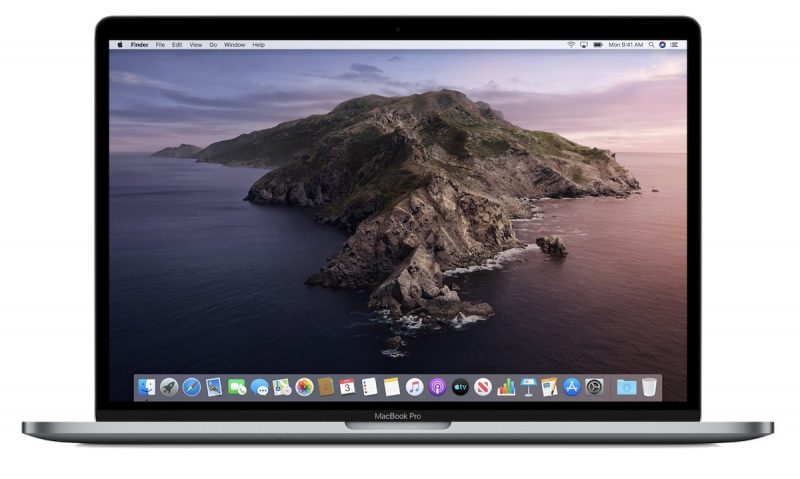

‌macOS Catalina‌ 10.15.1 is a fairly significant update, introducing new emoji characters that were added in iOS 13.2 earlier this week, adding support for the AirPods Pro that are launching tomorrow, and bringing Siri privacy controls to the Mac to allow users to opt out of sharing their ‌Siri‌ recordings with Apple. Apple's release notes for the update are below:
The ‌macOS Catalina‌ 10.15.1 update includes updated and additional emoji, support for ‌AirPods Pro‌, HomeKit Secure Video, ‌HomeKit‌ enabled routers, and new ‌Siri‌ privacy settings, as well as bug fixes and improvements.
Emoji
- Over 70 new or updated emoji, including animals, food, activities, new accessibility emoji, gender neutral emoji, and skin tones selection for couple emoji
AirPods
- Introduces support for ‌AirPods Pro‌
Home app
- ‌HomeKit‌ Secure Video enables you to privately capture, store, and view encrypted video from your security cameras and features people, animal, and vehicle detection
- ‌HomeKit‌ enabled routers let you control how your ‌HomeKit‌ accessories communicate over the internet or in your home
- Adds support for AirPlay 2-enabled speakers in scenes and automations
‌Siri‌
- Privacy settings to control whether or not to help improve ‌Siri‌ and Dictation by allowing Apple to store audio of your ‌Siri‌ and Dictation interactions
- Option to delete your ‌Siri‌ and Dictation history from ‌Siri‌ Settings
This update also includes the following bug fixes and improvements:
- Restores the ability to view file names in the All Photos view in ‌Photos‌
- Restores the ability to filter by favorites, photos, videos, edited, and keywords in Days view in ‌Photos‌
- Fixes an issue where Messages would only send a single notification when the option to repeat alerts was enabled
- Resolves an issue that caused Contacts to launch to the previously opened contact instead of the contact list
- Adds a two-finger swipe gesture for back navigation in Apple News
- Resolves issues that may occur in the Music app when displaying playlists inside folders and newly added songs in the Songs list
- Improves reliability of migrating iTunes library databases into the Music, Podcasts, and TV apps
- Fixes an issue where downloaded titles were not visible in the Downloads folder in the TV app
‌macOS Catalina‌ is a major update that eliminates iTunes in favor of new Music, Podcasts, and TV apps, nixes support for 32-bit apps, adds a new Find My app, brings a new ‌Photos‌ interface, and includes multiple privacy enhancements and other app refinements.

For full details on what's new in ‌macOS Catalina‌, make sure to check out our macOS Catalina roundup.

Related Roundup: macOS Catalina

This article, "Apple Releases macOS Catalina 10.15.1 Update With New Emoji and AirPods Pro Support" first appeared on MacRumors.com

Discuss this article in our forums


from MacRumors: Mac News and Rumors - All Stories https://ift.tt/36grY1N

Apple Releases watchOS 6.1 With Support for AirPods Pro and Series 1 and Series 2 Apple Watch Models

https://ift.tt/2ma1HQl

Apple today released watchOS 6.1, the first major update to the watchOS 6 operating system that's designed to run on modern Apple Watch models. watchOS 6.1 comes more than a month after the launch of watchOS 6.

‌‌watchOS 6‌‌.1 can be downloaded for free through the dedicated ‌‌Apple Watch‌‌ app on the iPhone by going to General > Software Update. To install the new software, the ‌‌Apple Watch‌‌ needs to have at least 50 percent battery, it needs to be placed on a charger, and it needs to be in range of the iPhone.


No major changes were found during the watchOS 6.1 beta testing period, but according to Apple's release notes the update introduces support for the AirPods Pro and brings ‌watchOS 6‌ to older models that didn't get it yet.
watchOS 6.1 introduces support for ‌AirPods Pro‌ and includes improvements and bug fixes. This update also brings ‌watchOS 6‌ to ‌Apple Watch‌ Series 1 and Series 2.
watchOS 6.1 works with the Series 1 and Series 2 ‌Apple Watch‌ models and is the first version of ‌watchOS 6‌ to run on those devices.

When ‌watchOS 6‌ launched, it was limited to the Series 3 ‌Apple Watch‌ and later, with Apple promising ‌watchOS 6‌ for older ‌Apple Watch‌ models at a later date.

Related Roundups: Apple Watch, watchOS 6
Buyer's Guide: Apple Watch (Buy Now)

This article, "Apple Releases watchOS 6.1 With Support for AirPods Pro and Series 1 and Series 2 Apple Watch Models" first appeared on MacRumors.com

Discuss this article in our forums


from MacRumors: Mac News and Rumors - All Stories https://ift.tt/2Ngh3fK

How to block emails on iPhone

https://ift.tt/eA8V8J

Keep your inbox from from annoying emails by using the new Block feature in iOS 13

from Latest iPhone Articles from Macworld UK https://ift.tt/2MYKAfb

How to unlock an iPhone

https://ift.tt/eA8V8J

Is your iPhone locked to a specific network or carrier? Our simple guide shows how to unlock an iPhone from any network, often for free, with an unlock code or third-party service, so you can use any SIM card

from Latest iPhone Articles from Macworld UK https://ift.tt/2JdD3Il

How to Delete Your Siri Audio History and Opt Out of Siri Audio Sharing

https://ift.tt/2HkXoHp

This article explains how to delete your Siri audio interaction history and opt out of sharing audio recordings with Apple on iPhone, iPad, and iPod touch.

Earlier this year, it was discovered that Apple hired contractors to listen to a small percentage of anonymized ‌Siri‌ recordings to evaluate the virtual assistant's responses with the purpose of improving accuracy and reliability.

The Guardian revealed that Apple employees working on ‌Siri‌ often heard confidential details while listening to the audio recordings. Apple was subsequently criticized for not making it clear to customers that some of their ‌Siri‌ recordings were being used to improve the service.

Soon after the report, Apple suspended its ‌Siri‌ grading practices and promised users that it would introduce tools in a forthcoming update that would allow them to opt out of sharing their audio recordings.

With the release of iOS 13.2 in October, those new tools arrived. Apple now includes an option on iPhone and ‌iPad‌ that allows users to delete their ‌Siri‌ and Dictation history and opt out of sharing audio recordings. The following steps show you how to do both.

How to Opt Out of ‌Siri‌ Audio Sharing


  1. Launch the Settings app on your iPhone, ‌iPad‌, or ‌iPod touch‌.
  2. Scroll down and tap Privacy.
    settings
  3. Scroll to the bottom of the Privacy screen and tap Analytics & Improvements.
  4. If you don't want to let Apple review your recordings, toggle off the switch next to Improve ‌Siri‌ Dictation.
    settings
Note that you can tap the link under the toggle for more information relating to Apple's ‌Siri‌ analytics policy.

How to Delete Your ‌Siri‌ Audio History


  1. Launch the Settings app on your iPhone, ‌iPad‌, or ‌iPod touch‌.
  2. Scroll down and tap ‌Siri‌ & Search.
    settings
  3. Tap ‌Siri‌ & Dictation History.
  4. Tap Delete ‌Siri‌ & Dictation History.
Apple will inform you that your request was received and that your ‌Siri‌ and dictation history will be deleted. That's all there is to it.

In addition to these new ‌Siri‌ and Dictation-related privacy features, Apple also says it is making further changes to its human grading process that will minimize the amount of data that reviewers have access to.

Related Roundups: iOS 13, iPadOS
Tag: Siri

This article, "How to Delete Your Siri Audio History and Opt Out of Siri Audio Sharing" first appeared on MacRumors.com

Discuss this article in our forums


from MacRumors: Mac News and Rumors - All Stories https://ift.tt/2MXyumw

Samsung Galaxy S10 Gets iPhone 11’s Slofie Feature to Front Facing Camera with Latest Update


via News – MySmartPrice https://ift.tt/32Yypo9

Best smart home devices for Apple HomeKit & iPhone 2019

https://ift.tt/eA8V8J

We round up the best lights, locks, switches, thermostats, cameras and other smart home devices you can control with Apple HomeKit on iPhone, iPad, Apple TV or HomePod

from Latest iPhone Articles from Macworld UK https://ift.tt/2OF6VvX